Participating Frequently
October 19, 2024
Question

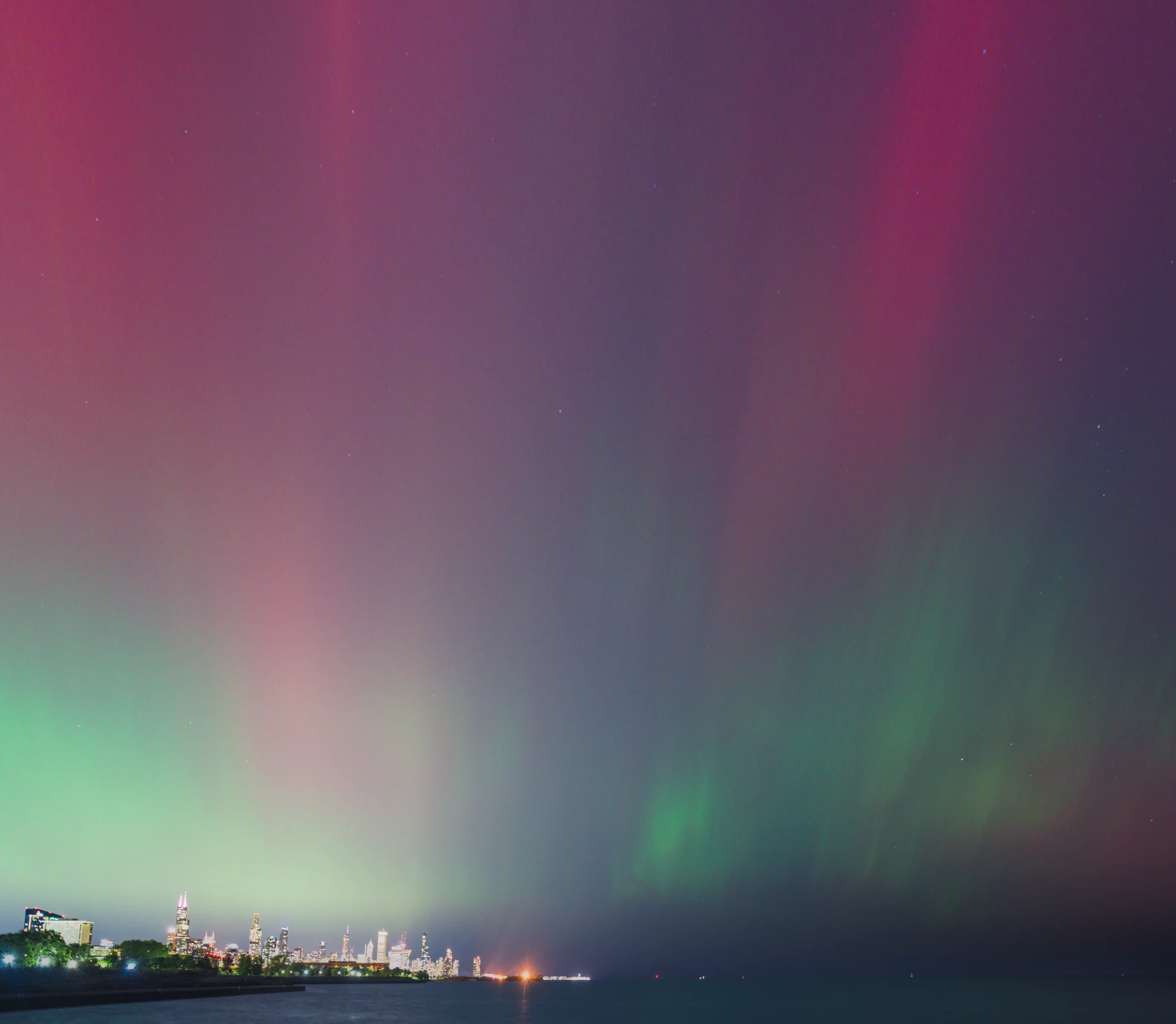
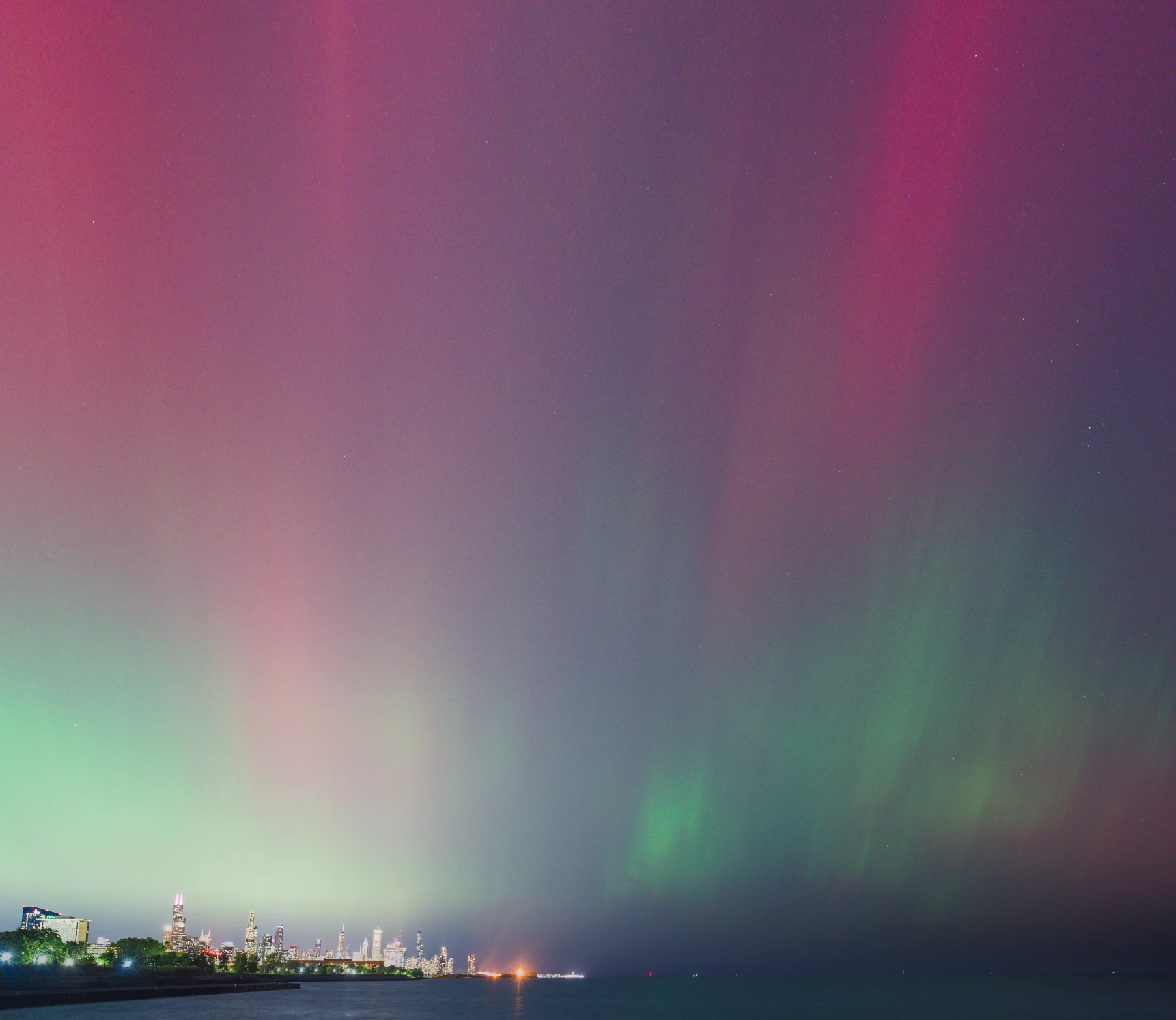
Library image brighter than Develop image

  • October 19, 2024
  • 3 replies
  • 405 views

Before anyone asks, I've just installed the latest version (14.0.1). The image is siginificantly brighter in the Library view than the Develop view. Any idea why this is happening? It's not as noticeable when  you look at the two images at the same time, but when you toggle between them it's very significant. 
This topic has been closed for replies.

3 replies

Community Expert
October 19, 2024

With night images this is usually due to a difference in how the scaling deals with noise in the image. This is different in the Develop module than in the Library module. If your sharrpening and noise reduction settings are extreme, the develop module does not accurately display the image in zoomed out views and this is probably the issue. You can circumvent it by doing a AI denoise on your image. Also make sure that in the sharpening panel you use the mask option (drag the slider together with the option key) to make sure it is not sharpening the sky. This will help also. 

Lastly, if you use HDR during this edit (be EXTREMELY careful with HDR as it is extremely unlikely to display correctly on any other machine - ONLY use HDR if you completely control the image chain to whoever will view your images), there is an option in Preferences->Performance to enable display of HDR in Library. If this is disabled, your image will look much brighter in Develop than in Library. Again be very careful with HDR. It is absolutely amazing but unlikely to be viewed correctly by your audience.

mmeyers76Author
Participating Frequently
October 20, 2024

Thanks but unfortunately I've already denoised it, I always mask my sharpening (in this case a good amount), and never use HDR. It's one of a few hundred I took in a timelapse and it's every image too, so no chance of it just being a one-off mistake. Don't think this was an issue before the latest update - this didn't happen with the last version. 

Community Expert
October 20, 2024

If you already denoised it that was at a much too light setting. A LOT of noise left. Nevertheless, this seems like much more than expected from my explanation above looking at it again. The noise explanation usually only leads to subtle differences. Nothing as string as what you see here. Does it still show as large a difference when the GPU acceleration is turned off? What hardware are you running on? If it is an older Mac with a AMD radeon GPU there are a lot of problems introduced by the latest system updates from Apple in their GPU driver. 

mmeyers76Author
Participating Frequently
October 19, 2024

After an update the issue appears even more pronounced. 

mmeyers76Author
Participating Frequently
October 19, 2024

Never mind, I figured it out. Some of the AI (sky selection) adjustments didn't carry over and that's what did it. Also it would be great if Adobe let us delete posts. Don't see that as an option. Kinda foolish, no? Can't even delete our own posts?

mmeyers76Author
Participating Frequently
October 19, 2024

Actually, no, this didn't fix it. Still having the same issue.