
Inspiring
November 1, 2024
Question

Library images look correct, Develop module looks oversatured and incorrect

  • November 1, 2024
  • 2 replies
  • 372 views

My raw images look completely different between the Library and Develop modules.  Libary looks more flat and green, Develop looks oversaturated in the reds/cyan.


I went back and looked at shoots from a few months ago and there is no problems between the modules.  Nothing changed in my cameras, so it has to be a Lr problem.


I also checked my laptop, which has 13.0.01 (my problem is with my desktop, which has 14.0.01) and there is no problem with the same image.


How can I fix this??  Rolling back to 13.0.01 would, I assume, cause a lot of problems as this entire catalog has been updated to 14.
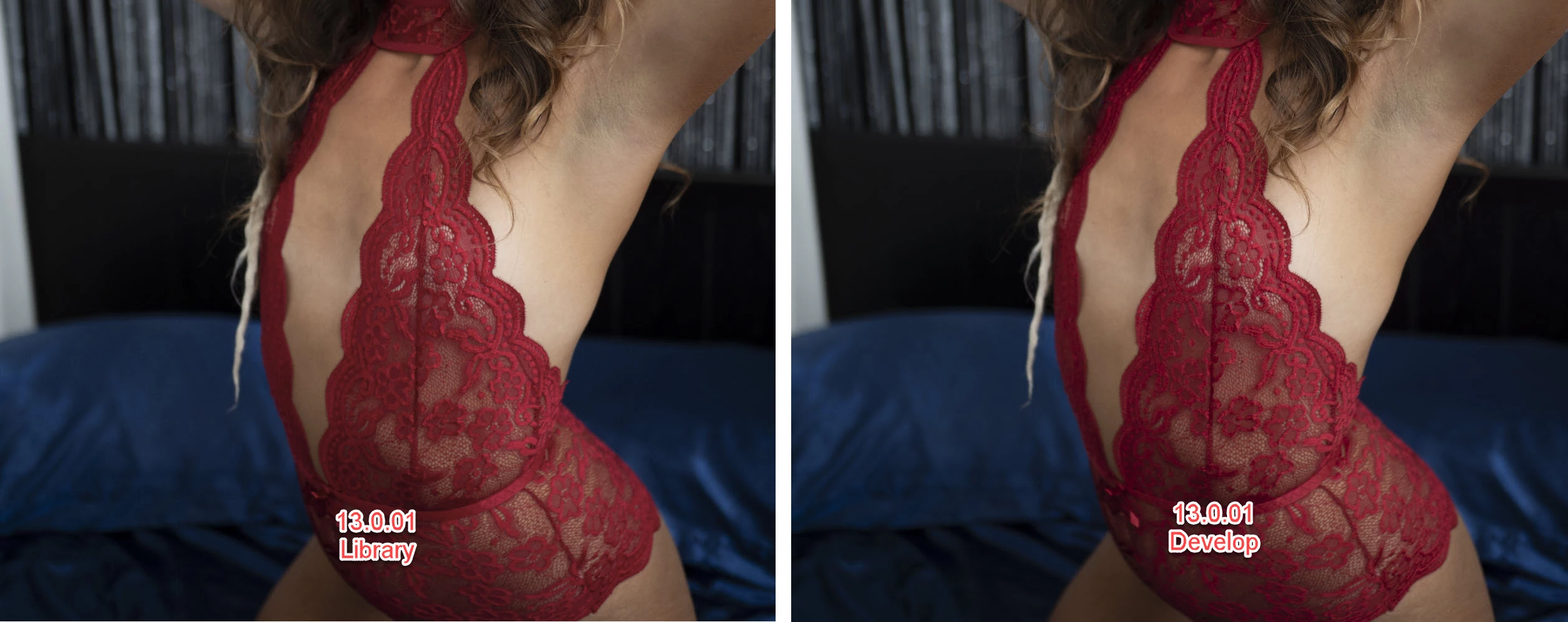
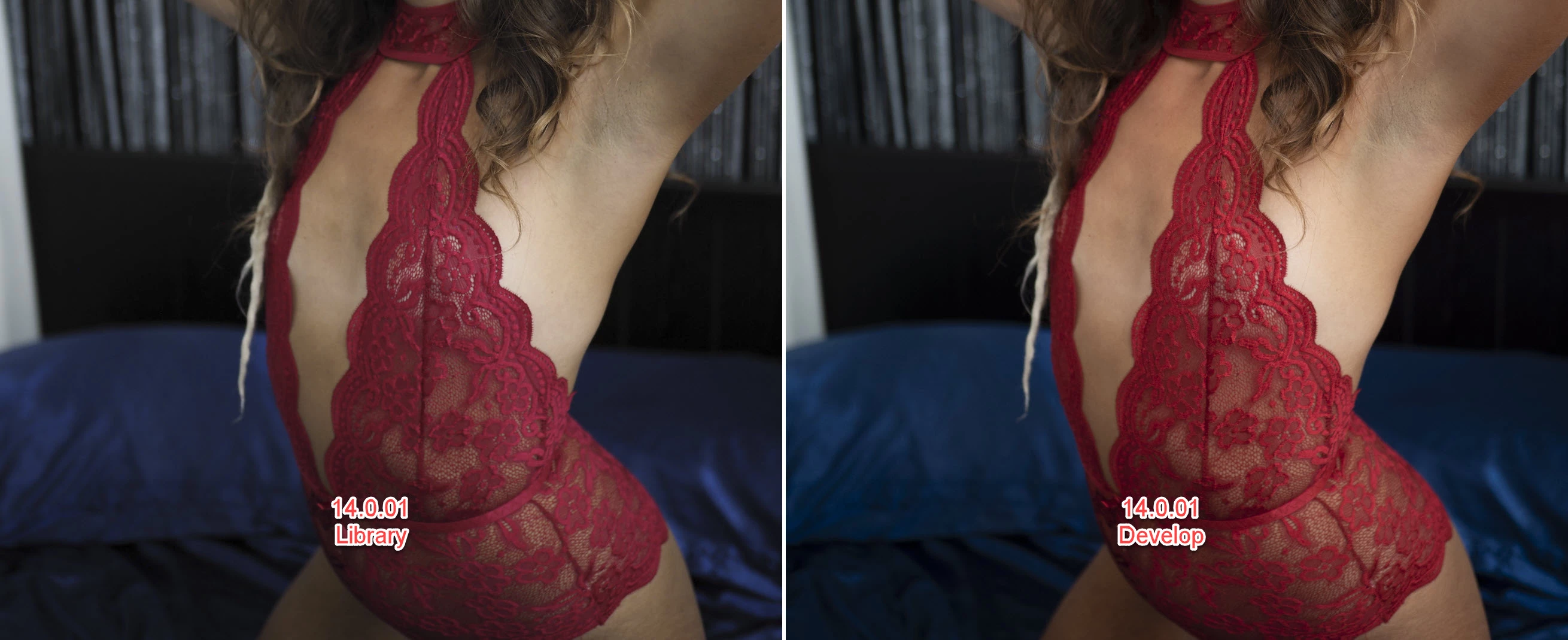


This topic has been closed for replies.

2 replies

AxelMatt
Community Expert
Community Expert
November 1, 2024
quote
...
Unfortunate Adobe can't make the color settings work consistently after all this time.

By @displaced7


This isn't a problem of Adobe. This is related to the different color spaces.


Here you'll find more informations about the different color spaces:

Which Is Best to Use - sRGB or Adobe RGB — Diane Wehr Street Photography

Adobe RGB vs sRGB: A Comparative Analysis | Skylum Blog

Adobe RGB Versus sRGB Color Space - Which Should You Choose?


My System: Intel i7-8700K - 64GB RAM - NVidia Geforce RTX 3060 - Windows 11 Pro 25H2 -- LR-Classic 15 - Photoshop 27 - Nik Collection 8 - PureRAW 6 - Topaz Photo AI
Inspiring
November 1, 2024

But it is.  If color management were intuitive and easy to work with there wouldn't be so many problems with it.  Nothing has evolved in that arena in what, 25+ years?  

AxelMatt
Community Expert
Community Expert
November 1, 2024

Color management is affected to ALL software for image editing. You have to work with calibrated hardware and the right color space if you like to get professionell results. 


My System: Intel i7-8700K - 64GB RAM - NVidia Geforce RTX 3060 - Windows 11 Pro 25H2 -- LR-Classic 15 - Photoshop 27 - Nik Collection 8 - PureRAW 6 - Topaz Photo AI
Inspiring
November 1, 2024

I think I solved it.  My color settings are sRGB on my desktop and AdobeRGB on my laptop.  I changed it back to AdobeRGB and it seems consistent.  Unfortunate Adobe can't make the color settings work consistently after all this time.