Answered
Light room classic and Monterey MAC OS
please help me with installing pack of Lightroom classic for Monterey MAC OS 12.7.6

please help me with installing pack of Lightroom classic for Monterey MAC OS 12.7.6
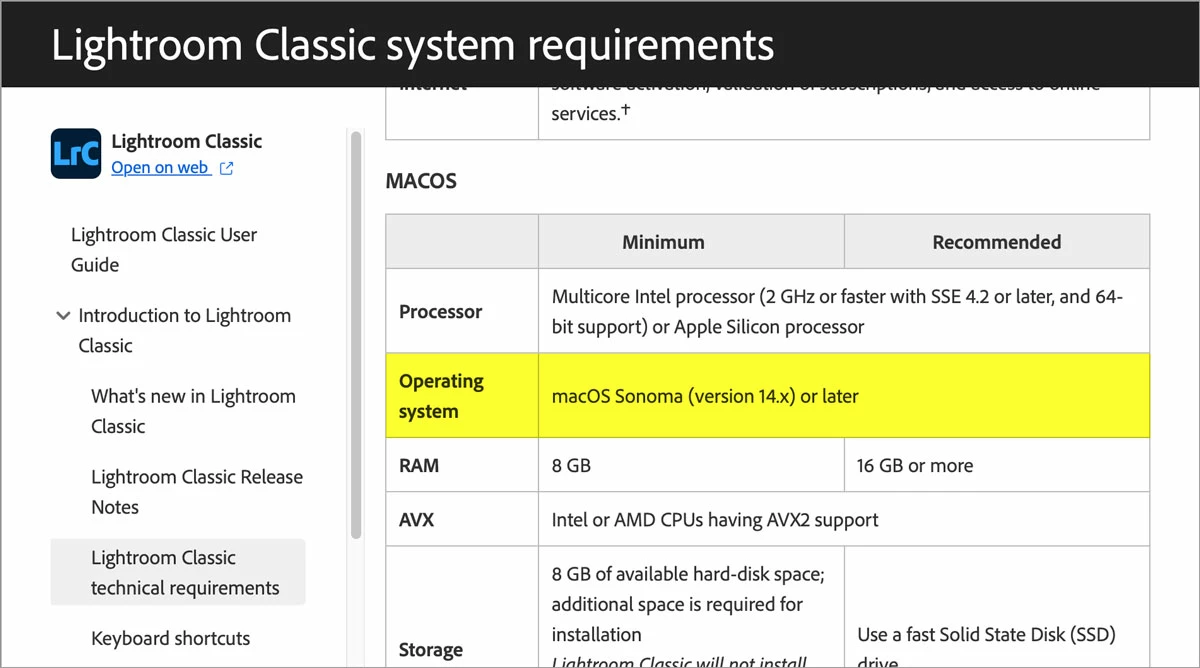
Lightroom Classic 15 supports macOS 14 and later. See System Requirements picture below.
Lightroom Classic 14 supports macOS 13, 14, and 15.
If it’s possible to upgrade your Mac to macOS 13, you can install Lightroom Classic 14.
If it’s possible to upgrade your Mac to macOS 14, you can install Lightroom Classic 15.
No older versions of Lightroom Classic are available in the Adobe installer, so it can’t install a version of Lightroom Classic that runs on macOS 12 Monterey.
Already have an account? Login
No account yet? Create an account
Enter your E-mail address. We'll send you an e-mail with instructions to reset your password.


 AdChoices