

Lightroom 12 cannot Add Photo(gray text)
I am using Mac Studio macOS Ventura 13.1.
After upgrading Lightroom 12.0, it will happen that when reading the USB external hard disk, you will not be able to choose "Add" photos (gray text), but only the options of Copy and Copy to DNG, but I have been managing my own folders before, and I need them "Add" function.
After trying, after opening Lightroom Catalog.lrcat on the external hard disk, this situation will also occur. It is impossible to "add" photos from the external hard disk. Even if you move "Lightroom Catalog.lrcat" and its folder to the system hard disk immediately, There is no way to change this situation.
In addition, I also adjusted the permissions according to the settings in "Quick Tips: How to give Full Disk Access to Lightroom Classic on macOS", but it still cannot be resolved.
Unless you format the drive, which is the only way I know, but after a while, maybe because of some operation (whether it is Apple format or EXFAT), the same situation will still be triggered.
Just like the two pictures below (the English translation of the options may not be correct), I also found that in the "Read photos and videos" option, the source field will distinguish between "Device" and "File". "Device" column will not be able to "add" photos, what is the reason?
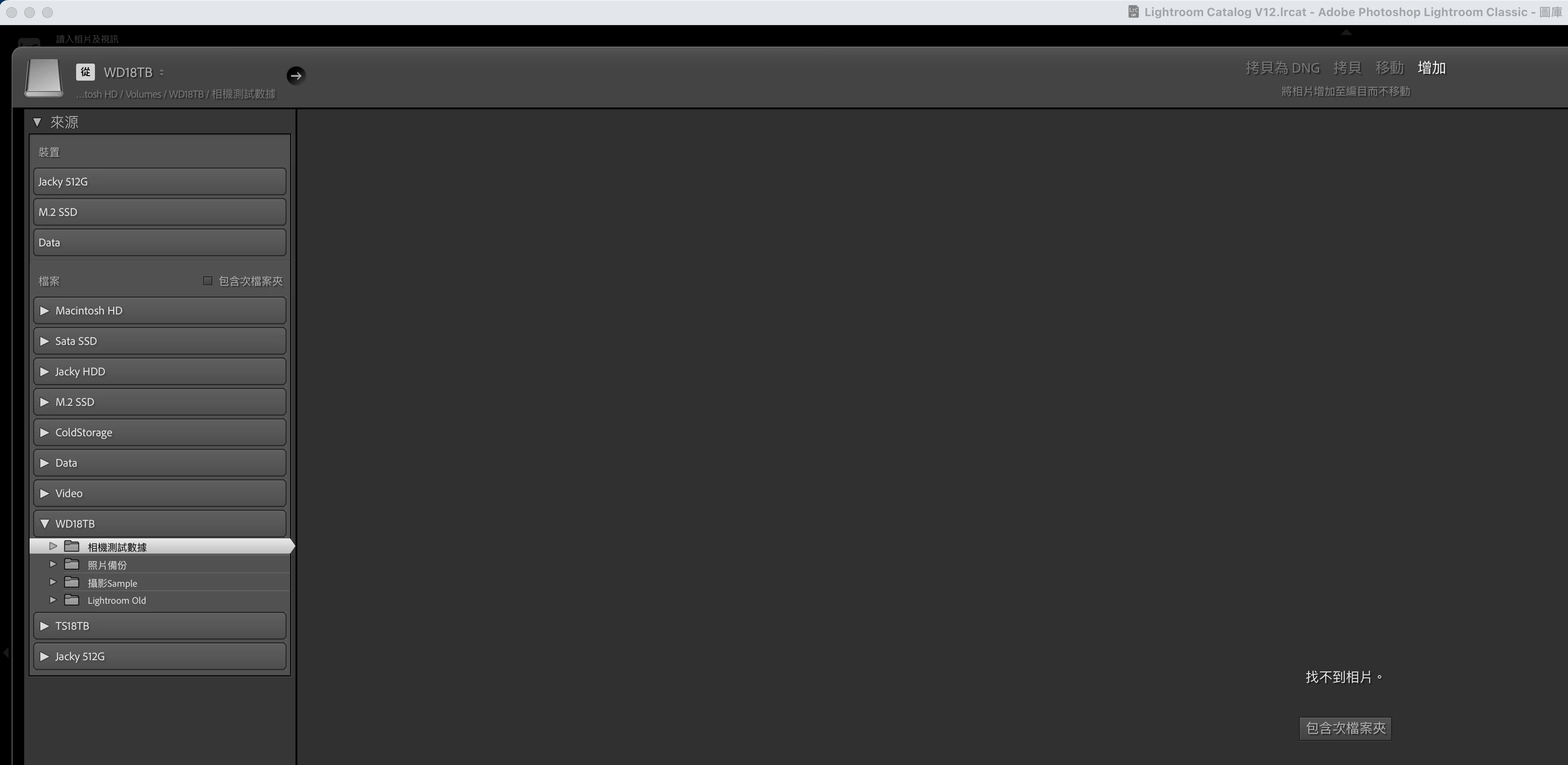
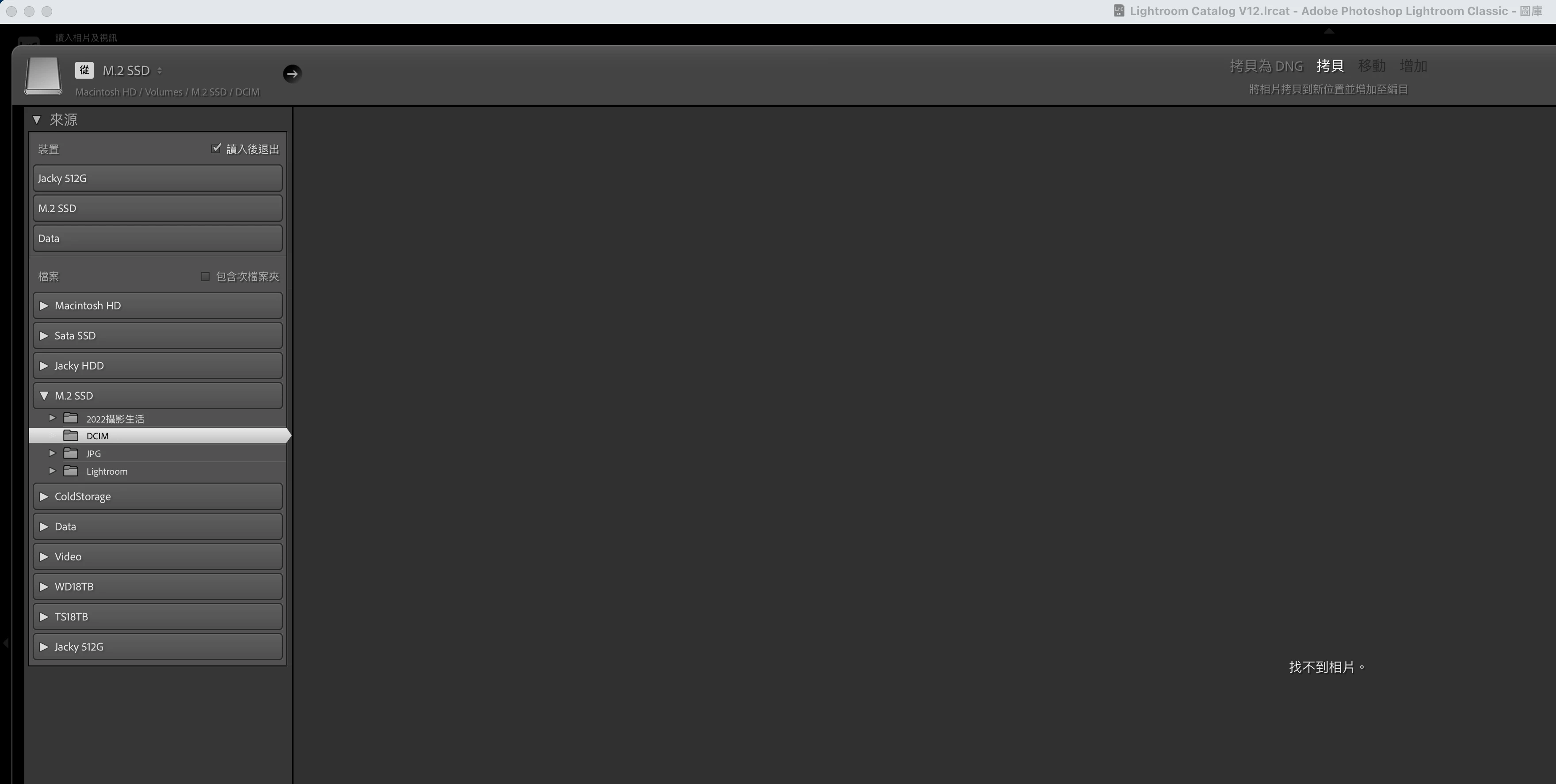
I reinstalled to Lightroom 11, there is no such problem, but I have to give up the imported photos and new version functions of Lightroom 12.
I have been troubled by upgrading Lightroom 12 until now, is there any way to solve it?


 AdChoices