


Inspiring
December 10, 2025
Question

Lightroom 15.0.1 extremely heavy while not heavy color grading

  • December 10, 2025
  • 1 reply
  • 1314 views

I almost thought I was going to have to force restart computer or it was going to crash on its own, but it recovered and only gave a white screen with the lightroom boarders, when I clicked to change to library out of developer tab to see if it was going to continue or fix itself, it showed this message at the top and removed all the color grade.  When I restarted it, the color grade was there and fine, it's just being overly laggy when it shouldn't be.


Before this, it started randomly being EXTREMELY laggy like it was not processing correctly.  Very similar to how if you use the brush tool in the masking, Lightroom normally is not coded to process those very well and lags a LOT........even after all the updates saying the masking processing was improved....it really wasn't, maybe by a small margin, but today I was not using any brushes in the masks.  I was using just the normal masks and grading I do for the majority and was not doing touch ups yet which is when the known lag starts.  


It just started doing that extreme lag as if it was going to crash soon with no intense masking and then poof.....it tried to crash and barely recovered....sort of, I still have to restart, but at least it recovered from crashing the computer.   Though it really tried, I see my computer RGBs and everything reset as if it was crashing but they recovered and able to see that little message to post here while restarting lightroom.
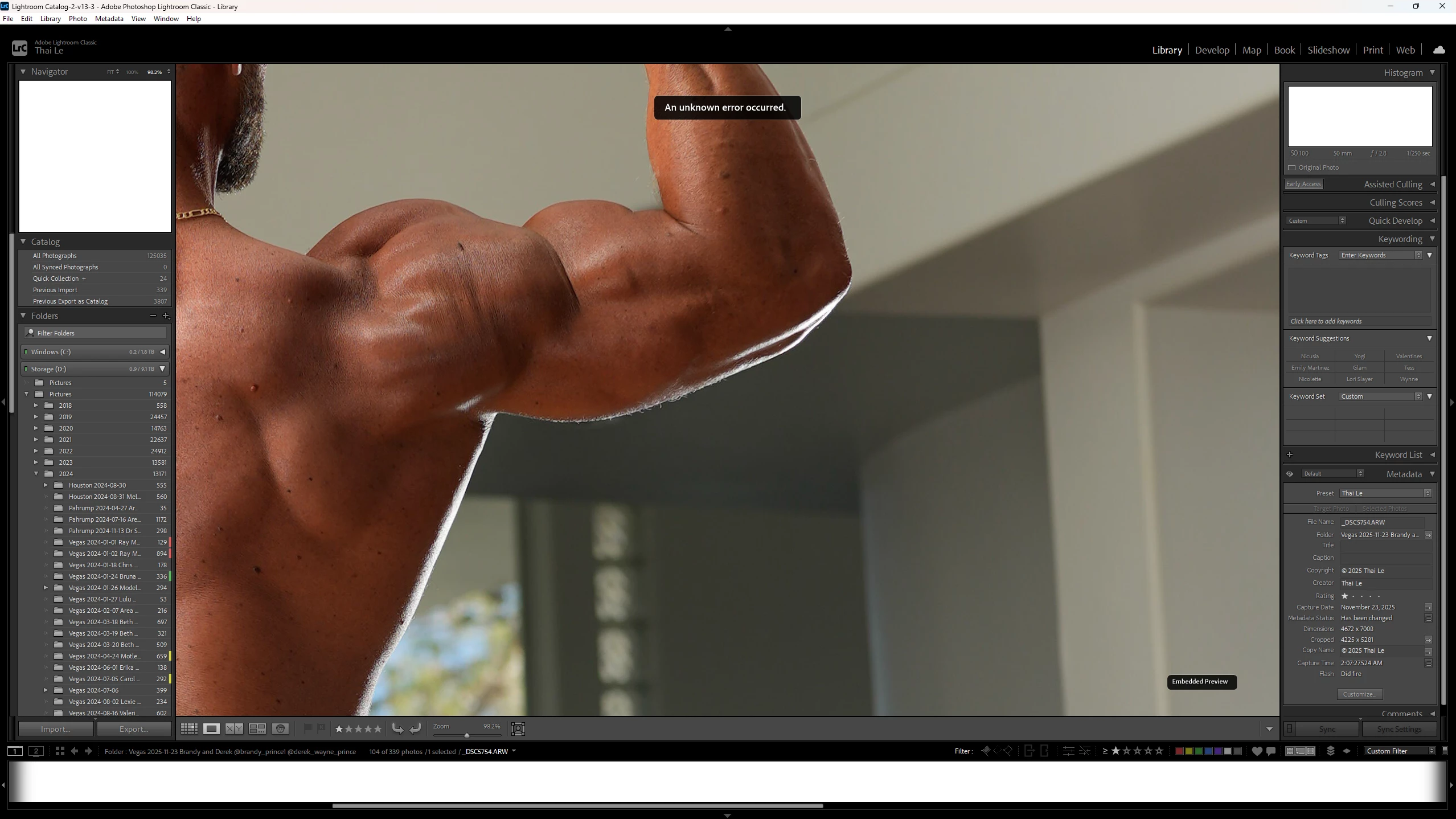


Thai5C65_0-1765390310769.png


1 reply

GoldingD
Legend
December 10, 2025

The blank navigator pane and the blank Histogram. Is that occurring after your issue, or before? This could indicate a corrupted preferences file.

Thai5C65Author
Inspiring
December 10, 2025

This screenshot was the result, it isn't like this normally, very rarely I see it like this and it's always after some sort of buggy issue.........

Though while troubleshooting further and viewing processes in action, I think this may not be a bug with lightroom.

I recently had display issues and while gutting my computer, I found my EVGA 1200 PSU cooked my GPU cable /cry, so I had to get a new PSU, but could not use my RTX 3090 anymore until I get the new power adapter cable in, which comes in tomorrow.  So in the mean time, I had to get a temporary RTS 5070 Ti.......which is "faster" base raw speed than my 3090, it only has 16GB of VRAM vs my 3090 24GB.


While watching the performance, I noticed the 5070 Ti maxing out the VRAM for this color grading, which is kind of bazaar that it is even using 16GB as is for not much going on in Lightroom and I'm not using anything else that requires VRAM right now.

I'm assuming Lightroom is not adapted like the video and 3D editing softwares to overflow into the system RAM (128GB.....63.9GB shared GPU memory) as a backup?  (minus Premiere Pro, I know that is not well adapted which is only one of many reasons I don't use it).

Which I know the system ram creates a bottleneck not being nearly as fast, but it saves from crashing and just slows things down a little until caught up and all back on the VRAM.   But assuming this is not the case for Lightroom?


Just need to confirm with someone that knows if this is what is likely causing this lagging issue.  Seems highly likely though.


I am currently testing with the GPU acceleration turned off in lightroom and noticed the immediate dump of VRAM, so that was probably the reason.

GoldingD
Legend
December 10, 2025

Can you post in a reply your system information as LrC reports it? In LrC, click on Help, then System Info, copy that info, and paste it into a reply. Mostly interested in GPU and Video adapter info, and the section on LrC GPU use.


Also, a bit confused on what your current GPU (or is that multiple GPU) is.