
Lightroom 5 filmstrip not working on tethered capture
Hi,
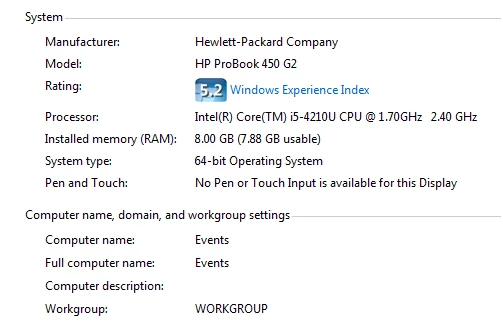
I'm running Lightroom 5.7.1 with tethered capture at events. I'm finding that both version 5 and the upgrade to 5.7.1 are not showing images on the filmstrip. What is happening is that every time I take a shot over the tether the thumbnail appears in the filmstrip. But the filmstrip will only show a maximum of 4 thumbnails at any one time. The other filmstrip thumbnail frames are all grayed out and remain blank and every time I import a new file from the tether it displays the new import file but another one disappears.
I've tried the following
- Upgrading from version 5 to version 5.7.1 - No change
- Reducing the import file size from 12 Mb to 5 Mb - No change
- Reinstalling version 5 and upgrading again - No change
- Increasing the cache size - No change
- Changing the view settings for the filmstrip - No change
I have been running Lightroom 5 in 64 bit mode and the application has been running fine for over 12 months previously to now.
Any help you could give would be gratefully appreciated
Regards
Mike
 AdChoices