Participant
January 11, 2017
Answered

Lightroom 5 will NOT allow me to import images (MAC)

  • January 11, 2017
  • 1 reply
  • 470 views

Hi there,

This issue just started today out of nowhere, basically every time I try to import an image from my desktop this comes up: Some import operations were not performed.

And underneath it it lists the file name and says: Could not copy a file to the requested location.

Please help! I am also not expert with destination folders so if that has to be fixed can you please advise how and where to find these?
    This topic has been closed for replies.
    Correct answer dj_paige

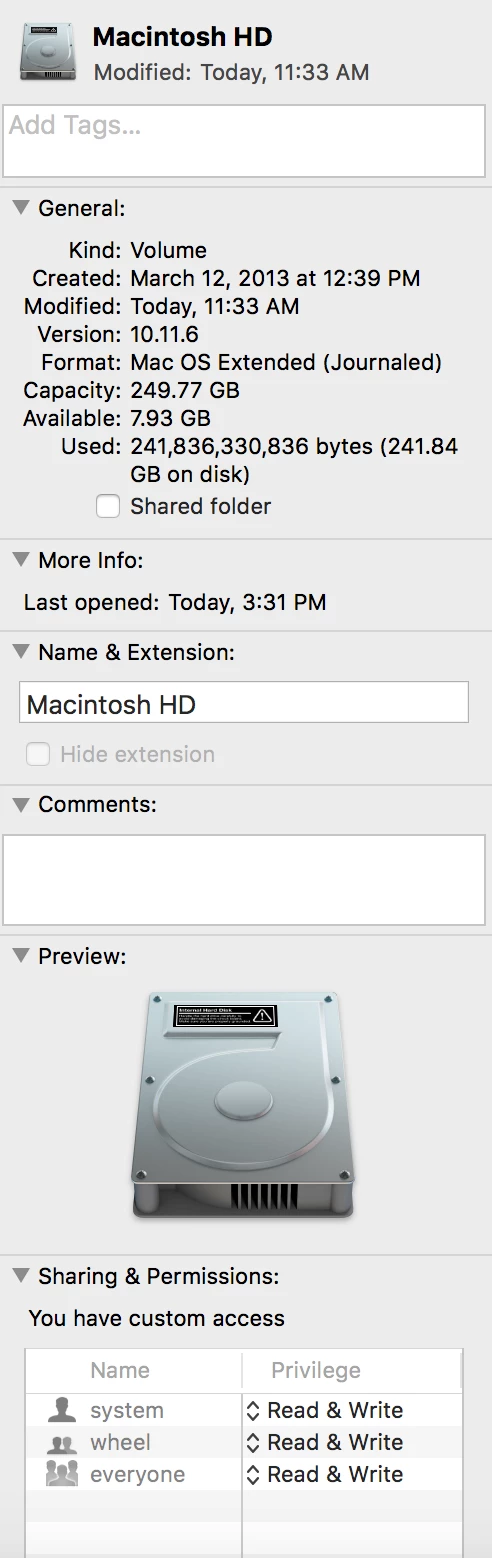
    So both seem to be macintosh HD and when I click it see below what it says seems like all should be ok but still not working...


    You have to change the permissions on the two FOLDERS, not the entire drive.

    1 reply

    dj_paige
    Legend
    January 11, 2017

    You could try a different destination folder.

    however, the real problem is that either the source folder or the destination folder doesn't have WRITE permission in your operating system. So, go to your operating system and make sure that both folders have WRITE permission.

    Participant
    January 11, 2017

    Where do I find those? I right clicked on desktop and it says copy and write permission so what is the second folder and where would I find it?

    dj_paige
    Legend
    January 11, 2017

    The Source folder is found in the Lightroom Import dialog box on the left under Source

    The Destination folder is found in the Lightroom Import dialog box on the right under Destination