[View this post in your Web browser to see the embedded screenshots.]
This happens to me all the time!! I have no idea why and it's super annoying. |
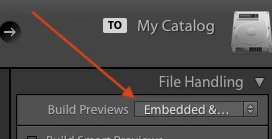
This can happen when you use the default import setting Build Previews: Embedded & Sidecar:
When you first import a portrait photo, LR will show the thumbnail derived from the JPEG preview embedded in the raw photo, which often isn't rotated, e.g.
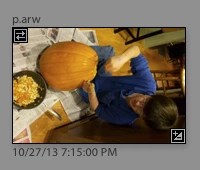
Notice the double-arrow badge in the upper-left corner, indicating you're viewing the embedded JPEG preview.
After you do an import, LR will start generating its standard previews for these photos whenever it thinks you're not using it. After it generates the standard preview, the thumbnail will look properly rotated:
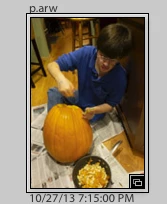
(Note the absence of the double-arrow badge.)
But if you rotate the photo while it's still showing the double-arrow badge (the embedded preview), first it will look like this:
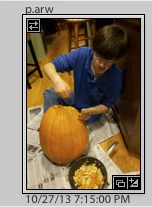
and then after a while LR generates the standard preview, and it looks like this:
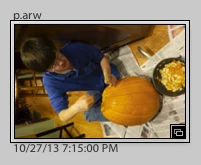
(Note the absence of the badge.) Clearly not what you intended!
That's what it would look like if you first waited for LR to generate the standard preview and then did the rotation. Confusing!
So the rule is: Don't rotate a photo when it is showing the double-arrow embedded-preview badge. Either:
- Wait until LR generates a standard preview on its own (removing the badge);
- Do Library > Previews > Build Standard-Size Previews and wait until that command is finished; or
- Use the Import option Build Previews: Standard instead.
I switched to Build Previews: Standard, because embedded previews have a couple of known bugs, and some recent measurements suggest they're no longer faster than just using standard previews for the initial import.


 AdChoices