Participant
April 9, 2025
Answered

Lightroom 6 help with a white box across screen

  • April 9, 2025
  • 1 reply
  • 273 views

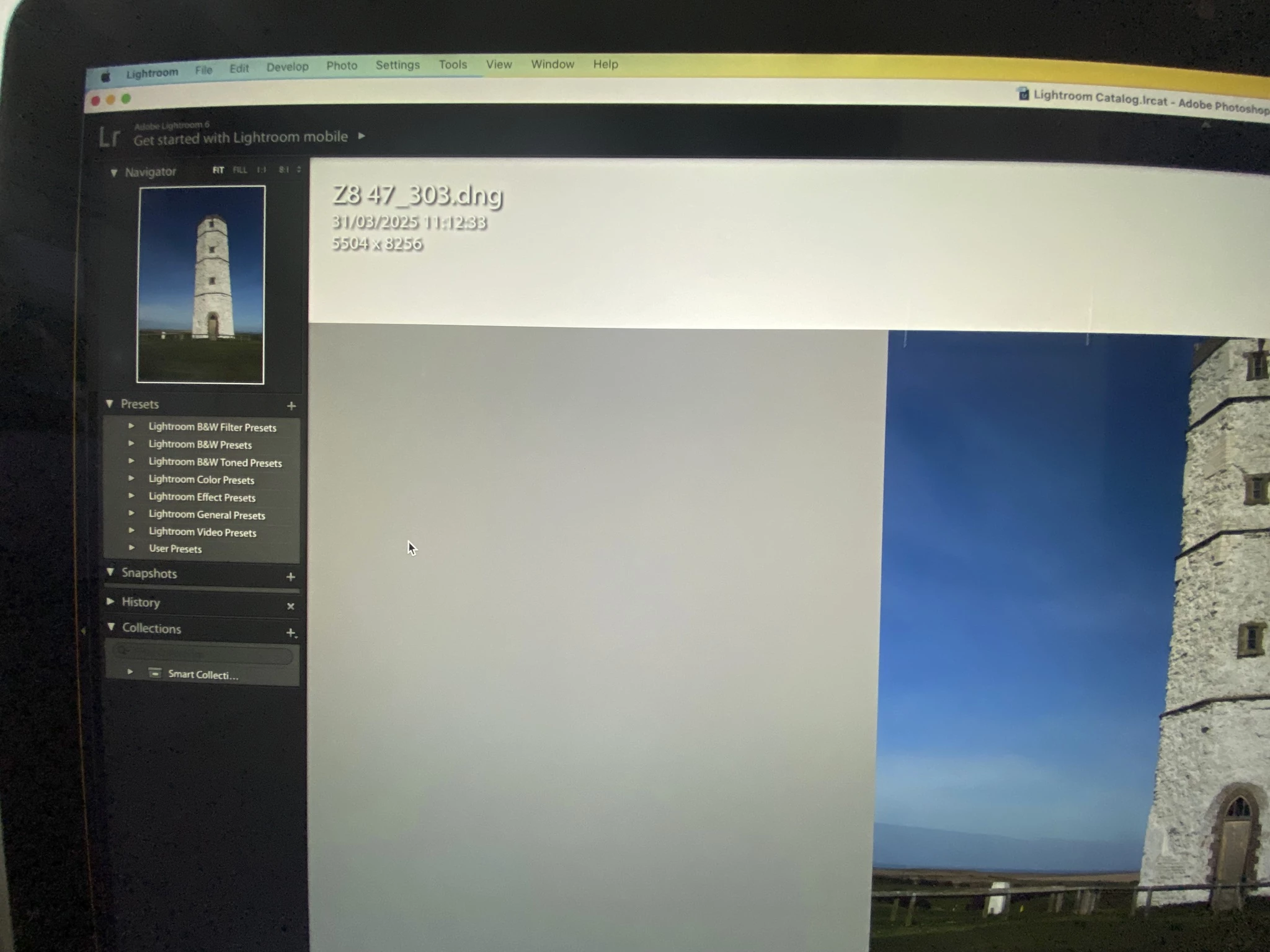
I have had to update my Mac OS software due to upgrading camera. I use Lightroom 6 and now in develop screen I get a white box across the screen which cuts of top of picture with the photo info in it. How can I reduce its size or remove it? Any help would be fantastic 

Correct answer Per Berntsen

This is a known issue when running Lr 6 on an unsupported Mac OS.

What you're seeing is the Info overlay that normally has a transparent background.

Press the I key on your keyboard once or twice to hide it.

Alternatively press Cmd + I, or go to View > Loupe Info > Show info overlay.


1 reply

Per Berntsen
Community Expert
Per BerntsenCommunity ExpertCorrect answer
Community Expert
April 9, 2025

This is a known issue when running Lr 6 on an unsupported Mac OS.

What you're seeing is the Info overlay that normally has a transparent background.

Press the I key on your keyboard once or twice to hide it.

Alternatively press Cmd + I, or go to View > Loupe Info > Show info overlay.