
Participant
March 21, 2017
Answered

Lightroom 6, Keyword List Hierarchy: How do I make Lightroom add parent tags?

  • March 21, 2017
  • 1 reply
  • 1011 views

Hello,

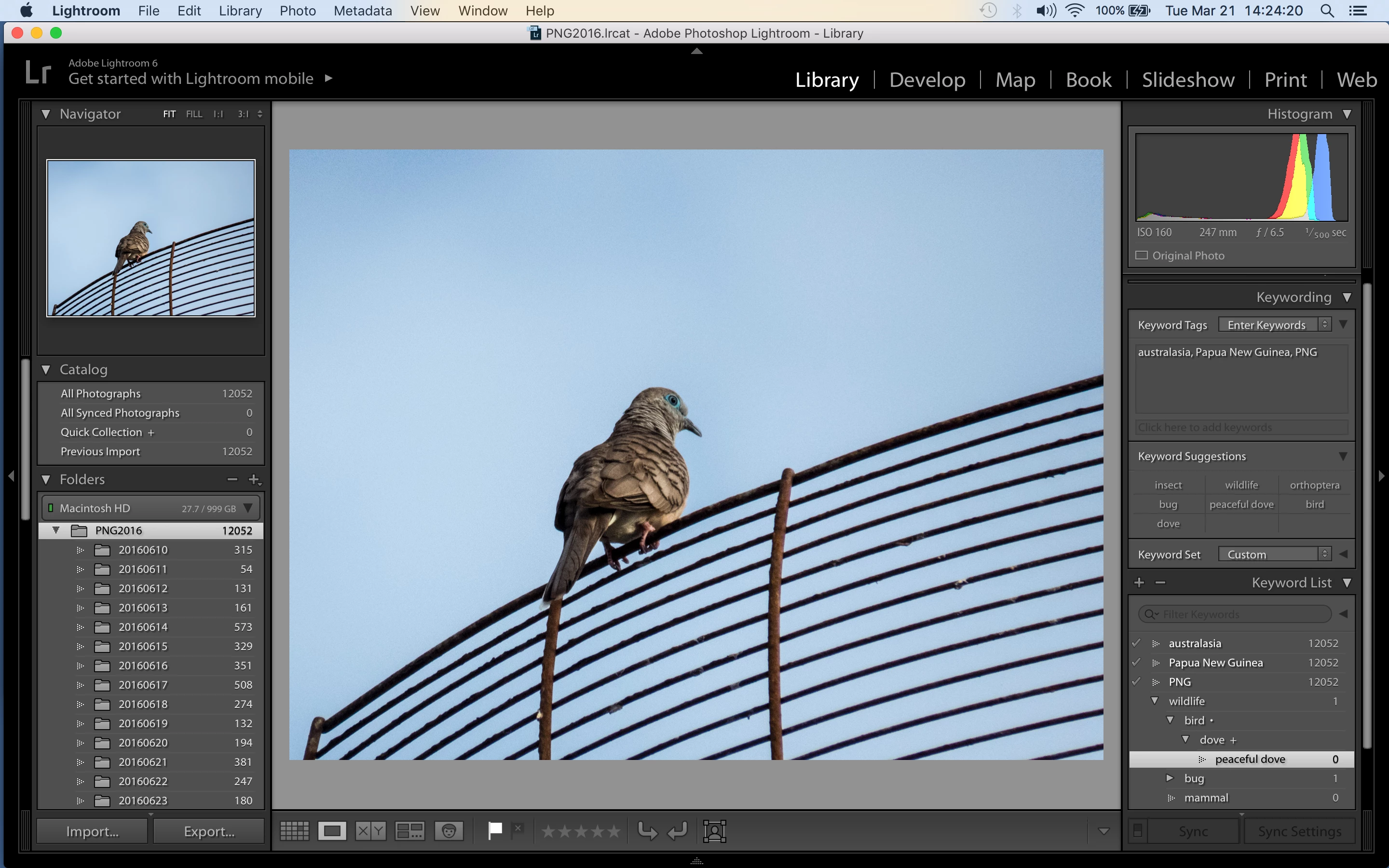
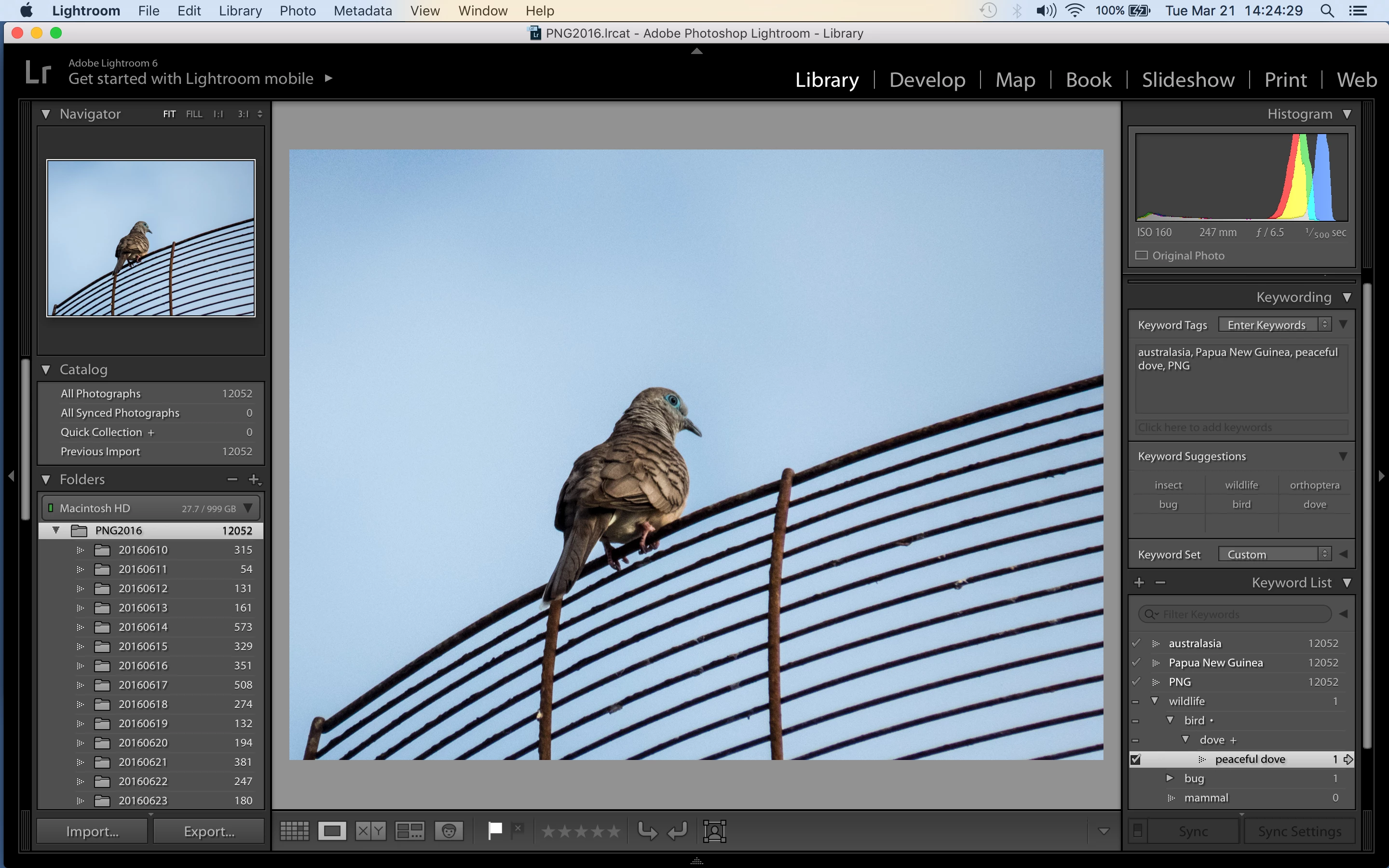
I have created a simple sample hierarchy of keywords that includes wildlife->bird->dove->peaceful dove. When I add the keyword peaceful dove to a photo, I would like the photo to also get the keywords dove, bird, and wildlife. As you can see in the attached before and after screenshots, this does not happen.

What am I doing wrong?

Is this the intended behavior?

How can I get the keywords in the hierarchy to add automatically without having to also add them?

Thank you for any help you can provide.

My computer is a Macbook Pro running OS X El Capitan version 10.11.6 (15G1217). I am using standalone Lightroom 6 version 6.9 with Camera RAW 9.9.

Screenshots below.

Thanks for any help you can provide,

Scott

Before adding the keyword:
After adding the keyword peaceful dove:
This topic has been closed for replies.
Correct answer dj_paige

In the dropdown menu next to Keyword Tags, there is another choice that you need to select to show the parent keywords. I forget the wording of this particular choice, but as there are only three choices, I'm sure you can figure it out by trial and error, or by the actual wording.

nevertheless, when you search for all photos with the "dove" keyword, you will get all "peaceful dove" photos (and photos with any other keyword that is a child of "dove")

1 reply

dj_paige
dj_paigeCorrect answer
Legend
March 21, 2017

In the dropdown menu next to Keyword Tags, there is another choice that you need to select to show the parent keywords. I forget the wording of this particular choice, but as there are only three choices, I'm sure you can figure it out by trial and error, or by the actual wording.

nevertheless, when you search for all photos with the "dove" keyword, you will get all "peaceful dove" photos (and photos with any other keyword that is a child of "dove")

Participant
March 21, 2017

Woo hoo!! Thank you very much! Next to Keyword Tags is a dropdown that allows the display of "Keywords & Containing Keywords". That was exactly what I was looking for.

Much appreciated,

Scott