
Answered
Lightroom 6 to Photography plan
I just subscribed to the Photography plan and installed Lightroom and do not see my images that are in Lightroom m6. How do I get to the from the Photography plan Lightroom?
TIA

I just subscribed to the Photography plan and installed Lightroom and do not see my images that are in Lightroom m6. How do I get to the from the Photography plan Lightroom?
TIA
Thanks.
I tried that and got errors. I've had a coupkle of emails from Adobe and sent them the logs.
· Migrate From/Lightroom Classic Catalog/Continue
· Selected the old Lightroom 6 catalog and got this error.
· Exited the new Lightroom.
· Opened Lightroom 6 and optimized the catalog.
· Exited Lightroom 6.
· Open the new Lightroom.
· Did the migrate from again and still got the error message.
Ok you stated
"Open the new Lightroom.
· Did the migrate from again and still got the error message."
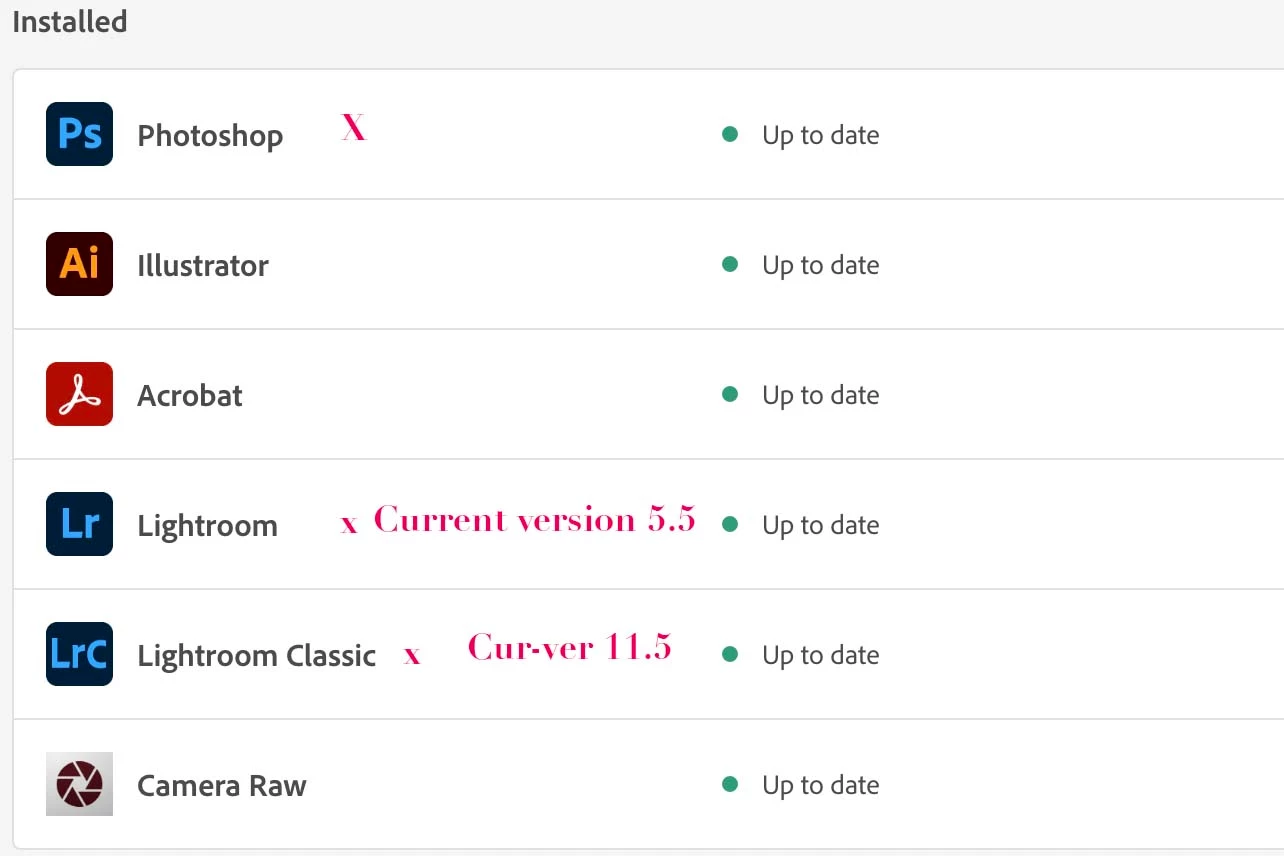
This appears you have installed Lightroom 5.5 (which is the Cloud-Based new Lightroom App)
So you were trying to Migrate your Lightroom 6 Catalog to Lightroom 5.5 and this will certainly upload all your image file to Adobe Cloud storage. It probably failed because there is not sufficient storage allocation in your plan
Adobe photography Plan has two Lightroom applications for your computer. Lightroom (new app cloud-based) and Lightroom Classic (image files stored on your computer system).
See the screen capture from my Adobe Creative Cloud app, you need to sign in using that application to install Lightroom Classic and then follow the instructions in the earlier posts to copy the Lr 6 Catalog and create one for Lightroom Classic 11.5.
Already have an account? Login
Enter your E-mail address. We'll send you an e-mail with instructions to reset your password.
 AdChoices