
Participant
October 8, 2022
Question

Lightroom 6 Zipped my Catalogue on external hard drive and won't open

  • October 8, 2022
  • 2 replies
  • 241 views

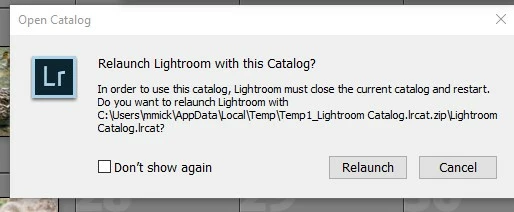
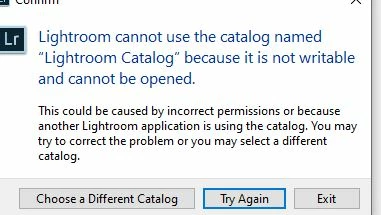
I backed up my Lightroom 6 Windows catalogue to an external hardrive and it would not open when I checked to make sure it was correct. The catalogue file was zipped and would load through lightroom. I clicked on the file again and got the following error messages. How do I fix this? I want a working backup on an external hard drive. Thanks. J
This topic has been closed for replies.

2 replies

Rob_Cullen
Community Expert
Community Expert
October 8, 2022

As @dj_paige says!

And you are trying to open a Catalog on the C:\drive (Not an External drive!), and it is hidden deep in your system files for some unknown reason. Not the best place for a Catalog! (better in a {Pictures} or {Documents} folder.)


"Another Lightroom Application is using the catalog." is an error message that a 'Lock' file is present with a catalog, preventing it from opening. LOCK FILE DELETION - LR-CLASSIC 


Regards. My System: Windows-11, Lightroom-Classic 15.3, Photoshop 27.5, ACR 18.3, Lightroom 9.3, Lr-iOS 10.4.0, Bridge 16.0.3 .
jmickAuthor
Participant
October 8, 2022

Using Lightroom 6 not classic. Cannot find a  lock file.

dj_paige
Legend
October 8, 2022

Unzip the file first.