Known Participant
March 29, 2024
Answered

Lightroom 6 zusätzlich installieren

  • March 29, 2024
  • 1 reply
  • 2078 views

Ich nutze LR Classic auf zwei Rechnern. Zusätzlich möchte ich auf einem weiteren Gerät Lightroom 6 installieren.  Hierzu besitze ich noch die Lizenz und die Setup-Datei. Leider werden meine früheren Zugangsdaten (von mir gespeichert) nicht mehr akzeptiert.

Lightroom 6 ist noch auf einem Notebook gespeichert und läuft dort auch noch, das ich verschrotten will.

Hat jemand eine Idee wie eine Installation doch noch möglich ist?
This topic has been closed for replies.
Correct answer F. McLion

I converted from pdf to jpg and hope I can see them.


FYI

https://helpx.adobe.com/lightroom-classic/help/lightroom-6-end-of-support.html

1 reply

Known Participant
March 29, 2024

Ich attach hte English translation of my posting:

I use LR Classic on two computers. I would also like to install Lightroom 6 on another device. I still have the license and the setup file for this. Unfortunately, my previous access data (saved by me) is no longer accepted.

Lightroom 6 is still stored and running on a notebook that I want to scrap.

Does anyone have any idea how an installation is still possible?

Best regards<br />Horst
dj_paige
Legend
March 29, 2024

What "previous acess data" do you mean?


What do you mean by "not accepted"? Please provide details. What happens when you try? If there is an error message, please provide the exact word-for-word error message

Known Participant
March 30, 2024

Previous access data are the login data to the account that I had used years ago when LR 6 was the current version. With not accepted I meant the message "... no account asociated with the emal address".

I just tried an installation on the device on which my photography CC subscripion is running.
Here the protocol of my proceeding as exact as possible:

  • I start Lightroom_6_LS11.exe. Thereafter the installer starts.
  • A login is required. The login data which I applied years ago when Lightroom 6 was the current version fail.
  • I am able to make use of a QR-code which is presented. I copy the web data presented to Chrome and start.
  • I sign into my account with my current login data (not those of years ago). The only app I have subscribed is CC photography.
  • The installation finishes with ok.
  • Then I am asked to enter a serial no. which is my Lightroom 6 license. The code is accepted.
  • Surprisingly a window pops up offering Lightroom versions 2 to 5, but never version 6. Thus I chose no. 5.
  • Thereafter I am asked again to enter a serial no. I tried with the license code for Lightroom 6 and also for V 5 which I had installed prior to Lightroom 6. Both fail.
  • I get invited to contact Adobe support but there is nothing but the message “invalid serial no” or so.
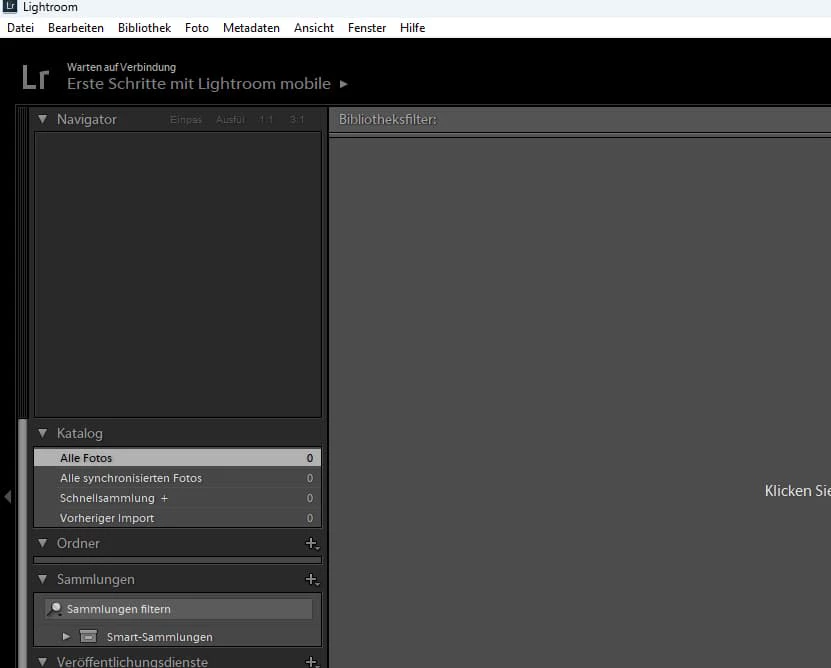
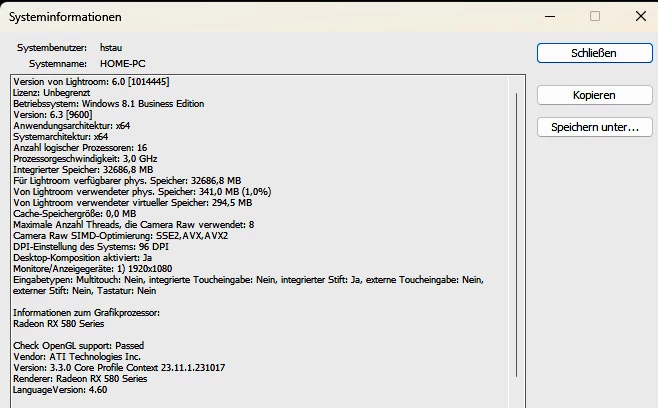
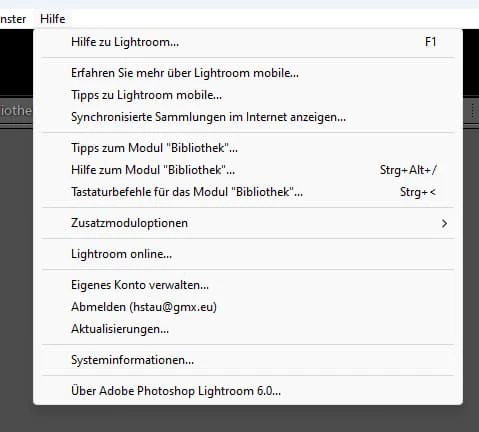
  • Nevertheless Lightroom 6 opens with the mobile version and reveals an unlimited access in the Help menu. The app provides a new catalog so My goal seems to have been achieved.
    After all the aforementioned error messages the procedure seems very strange to me.

I have never worked with the mobile version. Is there anything different from the “normal” version?
I have not proceeded with what I described on the device desired but on my Windows home computer on which I use my photography subscription. What should I do to uninstall it now and run the same procedure on the correct device? I want to avoid another error message like “… installed on too many devices”.

I would be pleased  to learn your comment on this and your reply to the outstanding questions.


Best regards<br />Horst