
Snaps042
Participant
November 25, 2016
Question

Lightroom and Parallels ...

  • November 25, 2016
  • 2 replies
  • 2759 views

Hello,

Here's what I'm running : a brand new iMac (OS X 10.11.6 ) with Parallels Desktop (v 12.0.1) installed.

I work, I require both versions of Lightroom: Mac and Windows.

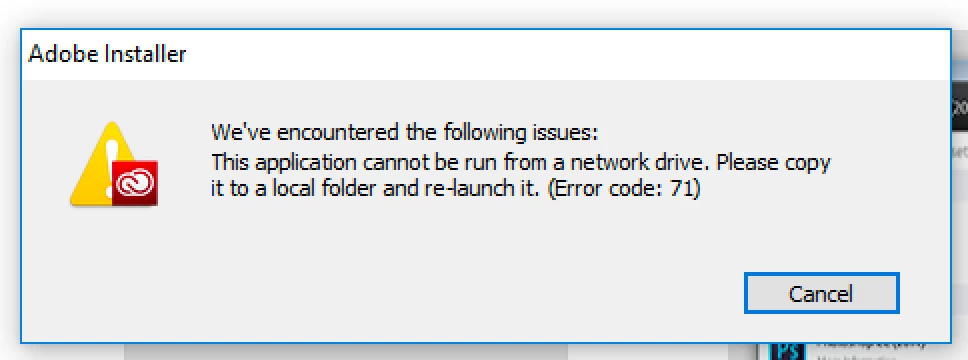
Logically, I would have thought that by starting Parallels, logging on to my Adobe account and downloading CreativeCloudSet-Up.exe, all would be well and that it would run straight from the Windows download area. When I click 'CreativeCloudSet-Up.exe', a warning message appears (see attached).

Is there anyone out there who could help me figure this out?

Thanks in advance,

Stuart
This topic has been closed for replies.

2 replies

Just Shoot Me
Legend
November 25, 2016

If you are running Parallels then you are running a version of Windows in the Parallels Virtual Machine. In that VM of Windows you have to specify a Virtual HDD that Windows and programs for Windows are installed on. You need to copy the CC.exe file from the Mac HDD to the VM hard drive for Windows then run the .exe file.

You probably saved the Windows version of the CC app to the Mac HDD because you used a web browser on OS X to do the downloading.

Snaps042
Snaps042Author
Participant
November 25, 2016

Thank you Just Shoot Me for your well explained reply. No, I opened Parallels and then the internet explorer within Windows 10. I connected to the Adobe site fro there and downloaded 'CreativeCloudSet-Up.exe'. It is now sitting in the Windows 10 downloads folder.

Just Shoot Me
Legend
November 25, 2016

And what happens when you double click on that file in the Win 10 download folder?

dj_paige
Legend
November 25, 2016

It means exactly what it says. You cannot run this application if it is on a network drive. The instructions to fix the problem are in the next sentence of the error message.

Participating Frequently
December 2, 2018

yes, seems simple in hindsight, but not so simple when you don't get the gist of the "network drive' or the "local folder" in the error message.  But in hindsight, it was so straightforward.  I can't believe I spent so much time with Adobe going nowhere!  Live chat was useless.  But thanks for getting my brain going in the right direction!