Known Participant
June 29, 2023
Answered

lightroom automatically moves my pictures from my hard drive to my laptop when i import them in....

  • June 29, 2023
  • 1 reply
  • 483 views

please help,

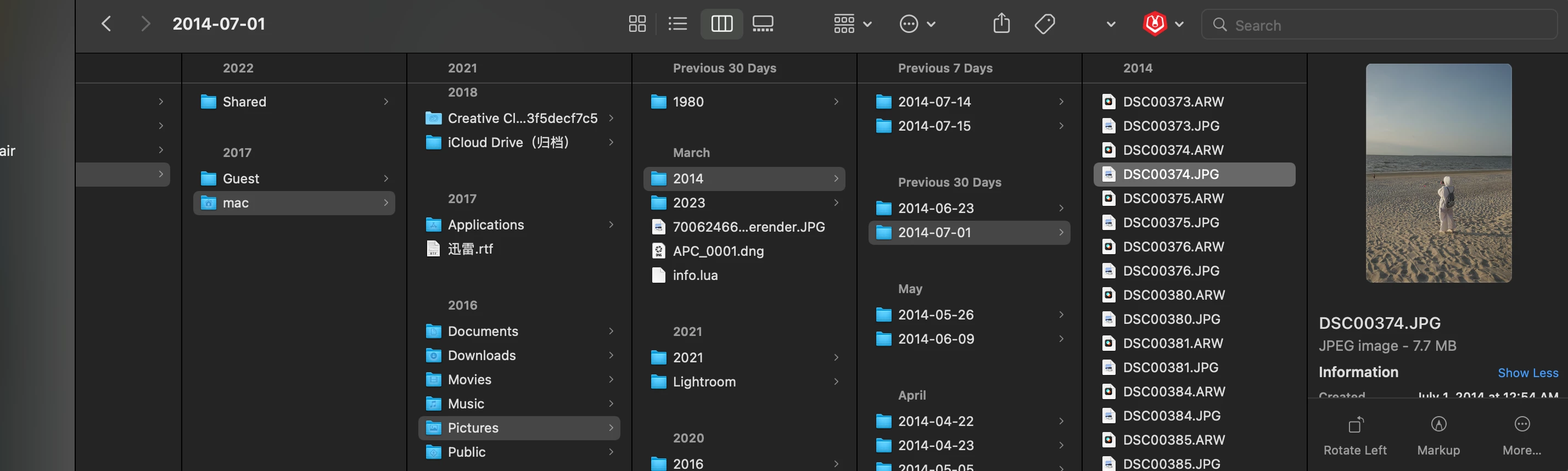
it is really frustrating when it's moving the pictures from the drive to my laptop because it's taking up the space of my laptop and it messes up the order (it doesn't copy and paste, it literlly moves my pictures to somewhere else)...

Can i find a way to stop lightroom from creating a folder by itself and constantly move around the pictures i import?

i am using an mac system

attached picture shows "where lightroom automatically moves my pictures to..."

many thanks 
This topic has been closed for replies.
Correct answer AxelMatt

It seems that you have choose "Copy" when you import your pictures. If you only want to import the photos without copying to another drive you have to choose "Add".

https://helpx.adobe.com/lightroom-classic/help/importing-photos-lightroom-basic-workflow.html


1 reply

AxelMatt
Community Expert
AxelMattCommunity ExpertCorrect answer
Community Expert
June 29, 2023

It seems that you have choose "Copy" when you import your pictures. If you only want to import the photos without copying to another drive you have to choose "Add".

https://helpx.adobe.com/lightroom-classic/help/importing-photos-lightroom-basic-workflow.html


My System: Intel i7-8700K - 64GB RAM - NVidia Geforce RTX 3060 - Windows 11 Pro 25H2 -- LR-Classic 15 - Photoshop 27 - Nik Collection 8 - PureRAW 6 - Topaz Photo AI
Known Participant
June 30, 2023

thank you so much!! you are my life saver ❤️