
Participating Frequently
September 25, 2025
Answered

Lightroom can't import RAW files

  • September 25, 2025
  • 3 replies
  • 407 views

I am using LightrromClassic 14.5.1 on a MacBook with M1 Pro processor running version 15.6.1. 


When I try to import Fuji RAF files they won't import and I get this error message:
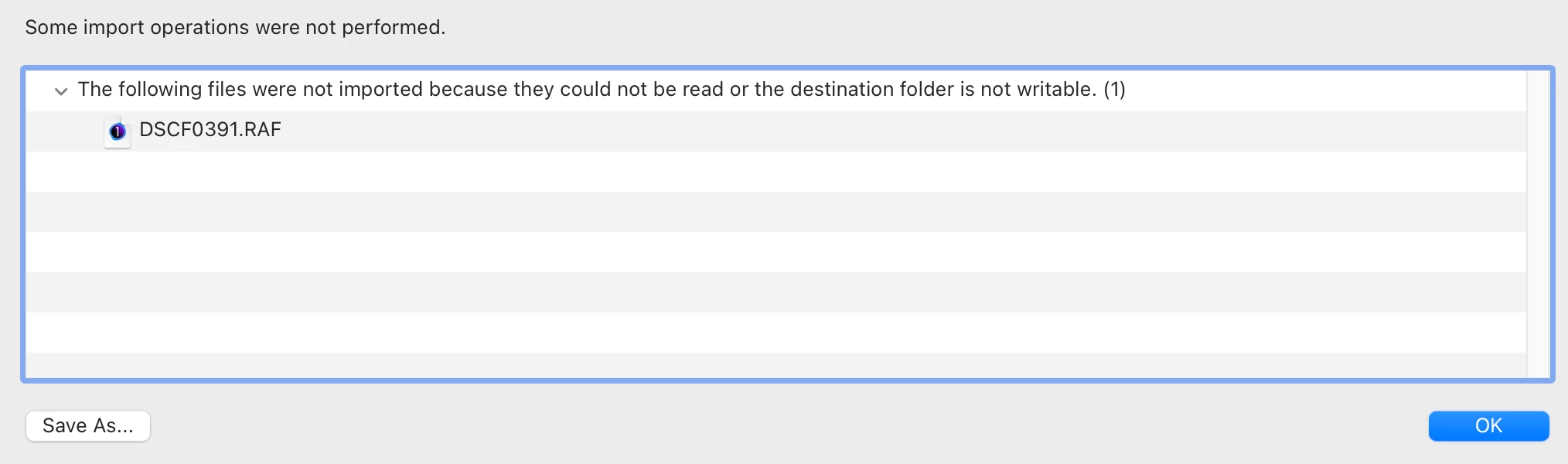
I did previously have a trial version of Capture 1 (now deleted) but I think the icon suggests LR thinks this is a Capture 1 RAW file??? Any suggestions would be most welcome.

Thanks


Terry

Correct answer dj_paige

Lightroom Classic does not think this is a Capture One file. There is no such concept built into LrC.


It cannot import the photo because of exactly what it says. The file cannot be read (in other words, it is corrupted; or perhaps because the camera that took the photo is too new) or the destination folder is not writable (in other words Lightroom Classic does not have write permission to the folder you want it to be written into, and you need to change the permission or change the folder to one that has write permission).


What camera took this photo? What is the exact destination folder showing in the Import dialog box?

3 replies

johnrellis
Legend
September 25, 2025

@TerryIrwin: "Fuji RAF files"


What is the precise camera model (including any "mark" versions)?  That camera may not be supported by LR yet.

Participating Frequently
September 26, 2025

Using my trusty old Fuji X-T3, so not that. It was a folder issue, now solved thanks to @dj_paige 

dj_paige
dj_paigeCorrect answer
Legend
September 25, 2025

Lightroom Classic does not think this is a Capture One file. There is no such concept built into LrC.


It cannot import the photo because of exactly what it says. The file cannot be read (in other words, it is corrupted; or perhaps because the camera that took the photo is too new) or the destination folder is not writable (in other words Lightroom Classic does not have write permission to the folder you want it to be written into, and you need to change the permission or change the folder to one that has write permission).


What camera took this photo? What is the exact destination folder showing in the Import dialog box?

Participating Frequently
September 26, 2025

Thanks. Problem solved. It was trying to write to a folder that no longer existed. I have changed the preferences and it works fine. Appreciate the help from you and others here. T

Sameer K
Community Manager
Community Manager
September 25, 2025

Hey, @TerryIrwin. Welcome to the Lightroom Community. I'll need more info to help you figure this out.

Please share the system info from Lightroom Help > System info > Copy & paste into a text document > upload & attach here.


Does this happen with specific RAF files, or do all images behave similarly? Are you copying the images to a specific location? Are the destination folder and the RAW images stored on an internal or external drive? 

Try these variables: 

1 - Unplug any mobile devices or External drives. 

2 - If your image source is plugged in via a USB extension, try plugging it directly into your machine. 

3 - Copy a few images to the internal drive from the drive using the Finder and check if they get added as expected. 


Let me know how it goes.
Thanks!

Sameer K
(Type '@' and type my name to mention me when you reply)

Participating Frequently
September 26, 2025

Thanks Sameer. I have solved the problem thanks to dj_paige. LR was trying to write to a folder created by some trial software and I had deleted the software and the folder. My bad. Thanks for taking the time to reply.