
Answered
Lightroom cannot access my home directory on MacOS
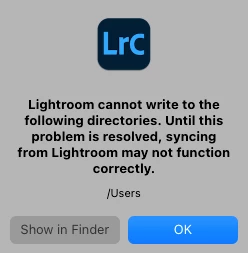
This is the complaint:
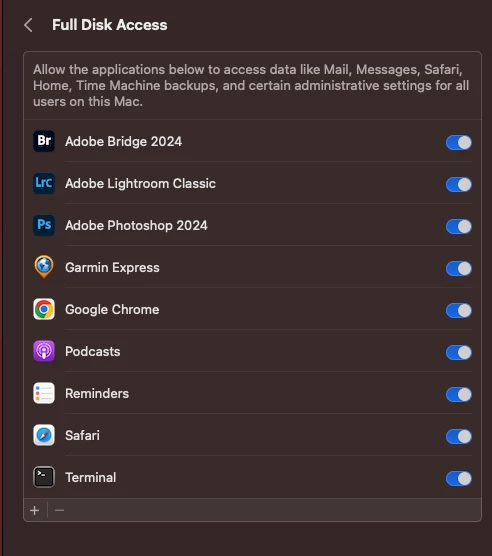
And this is what System Settings thinks:
And this is what I think of Apple making it so difficult: 😠 😉

This is the complaint:
And this is what System Settings thinks:
And this is what I think of Apple making it so difficult: 😠 😉
Thanks for trying. I hadn' t actually checked that because this was a fresh install of both the OS and LR.
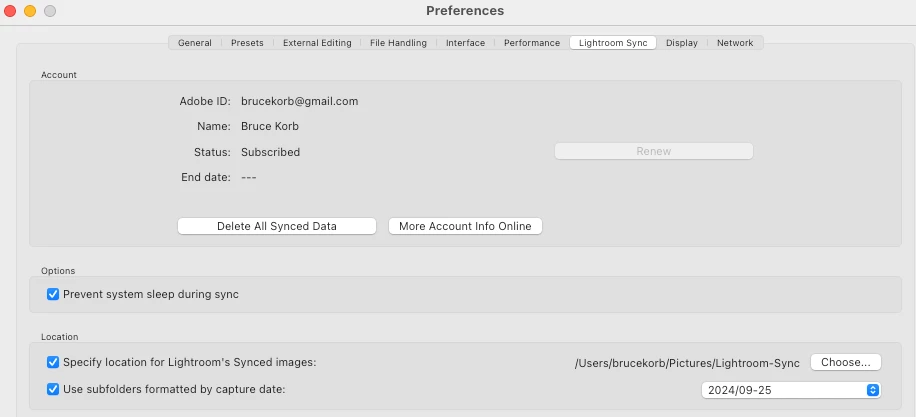
I see the problem now, thank you. I have my catalog and files on a USB RAID array and when I re-installed, I changed my home directory name. The catalog is specifying the original name. /Users/brucekorb doesn't exist.
*Sigh*. Thank you.
Already have an account? Login
No account yet? Create an account
Enter your E-mail address. We'll send you an e-mail with instructions to reset your password.


 AdChoices