
Lightroom cannot open catalog because Lightroom cannot save changes to this location
I am getting this message.
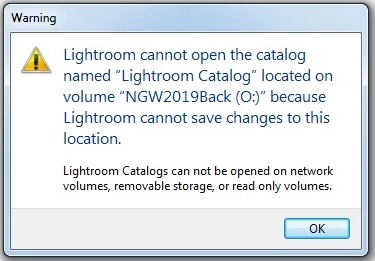
I am running Lightroom 6 and Windows 7. I have two external hard-drives. One is used to back up the other and I keep my Lightroom Catalog on the first external hard-drive with a back up going to the second.
I got this message after no problems backing upto my original external hard drive for several months. Then all of a sudden this cropped up.
So I made sure to back up everything (my catalog) to another external hard drive and I was then able to open Lightroom 6. I assumed I had an issue with the first external hard drive.
As a result, I carried on using the second hard drive as labelled above. Again, for about a month I have had no issue. Today I closed out of Lightroom and then went back to it later and got this message. Same as what happened on the first external.
The only solution I have come up with so far is to reformat my external hard drive. As you can imagine, this takes quite a while. Some 8 to 10 hours. I do not understand what is happening or why?
I read something about checking permissions and I checked and everything seemed good. I am the only person using the computer and there is no reason why I shut down Lightroom and then it fails to open again with this message. It is bewildering. I would appreciate knowing what to try next time it happens as I'm sure it will. I am now having to reformat yet again.


 AdChoices