
ericv13334838
Participant
July 20, 2024
Answered

Lightroom cannot write to /Volumes/Data after creating dual booted volume

  • July 20, 2024
  • 1 reply
  • 383 views

I have configured by MacBook Pro for dual boot, and am moving Lightroom & data to a new volume.

Now, on the new volume, I get the following error:
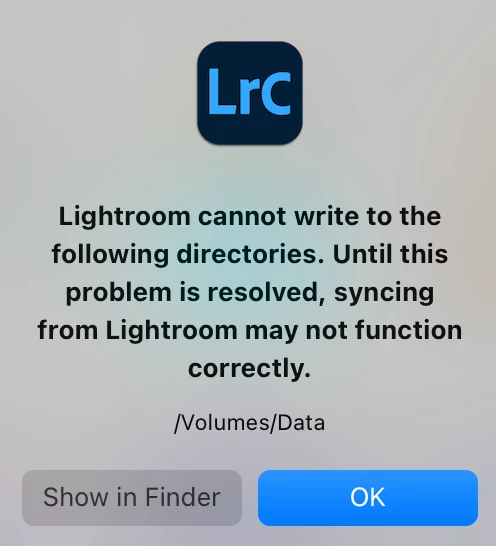
Lightroom cannot write to the following directories. until this problem is resolved, syncing from lightroom may not work correctly
/Volumes/Data


Well, it is expected Lightroom can't write to /Volumes/Data, as that is the Data volume for Macintosh HD.
The dual booted MacOS uses a volume called alternate which mounts /System/Volumes/Data:
Macintosh HD -> /Volumes/Data
Alternate -> /System/Volumes/Data

I have two questions:

  • How can I fix this?
  • Why is Lightroom hardwired to volumes instead of directories? (which I did copy over)


[Moved from ‘Bugs’ to ‘Discussions’ by moderator, according to forum rules. A ‘bug’ is not just another word for any problem with software!]

This topic has been closed for replies.
Correct answer ericv13334838

Thanks.

I actually tried that, but it did not work before. As the path on each volume is the same (/Users/eric/Pictures/Lightroom/Cloud), maybe Lightroom did not register it as a change (even though clearly recording the volume somewhere).
So I renamed it twice /Users/eric/Pictures/Lightroom/Cloud -> /Users/eric/Pictures/Lightroom/Temp -> /Users/eric/Pictures/Lightroom/Cloud, and bingo: that worked.

It works for me now.


1 reply

JohanElzenga
Community Expert
Community Expert
July 20, 2024

Go to Preferences - Lightroom Sync and change the location for synced images by clicking the 'Choose...' button. Right now it is set to Volumes/Data, but Lightroom Classic has no permissions to write to that directory and should not have permissions.


-- Johan W. Elzenga
ericv13334838
ericv13334838AuthorCorrect answer
Participant
July 20, 2024

Thanks.

I actually tried that, but it did not work before. As the path on each volume is the same (/Users/eric/Pictures/Lightroom/Cloud), maybe Lightroom did not register it as a change (even though clearly recording the volume somewhere).
So I renamed it twice /Users/eric/Pictures/Lightroom/Cloud -> /Users/eric/Pictures/Lightroom/Temp -> /Users/eric/Pictures/Lightroom/Cloud, and bingo: that worked.

It works for me now.