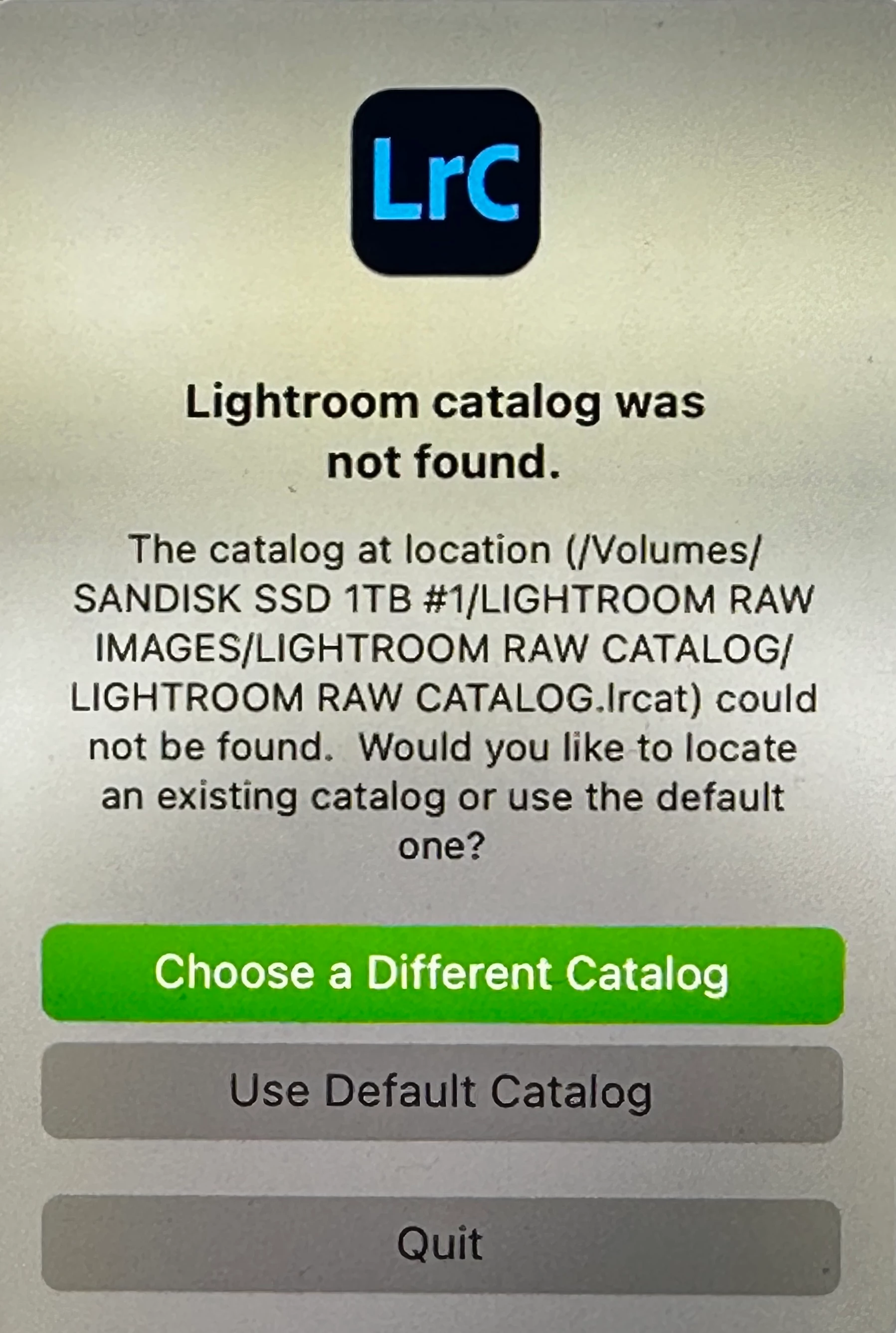
Lightroom catalog was not found
Lightroom Version 11.5
Operating System macOS 13 Ventura
Imported images earlier yesterday (5/10) at around 2pm and no issues. 12 hours later I go to import and I see, Lightroom Catalog Was Not Found.
My LRC catalog and all images are on my external SSD. I updated my MacBook Pro to Ventura 13.3.1 hours before my last (5/10) import but everything worked just fine after with no issues.
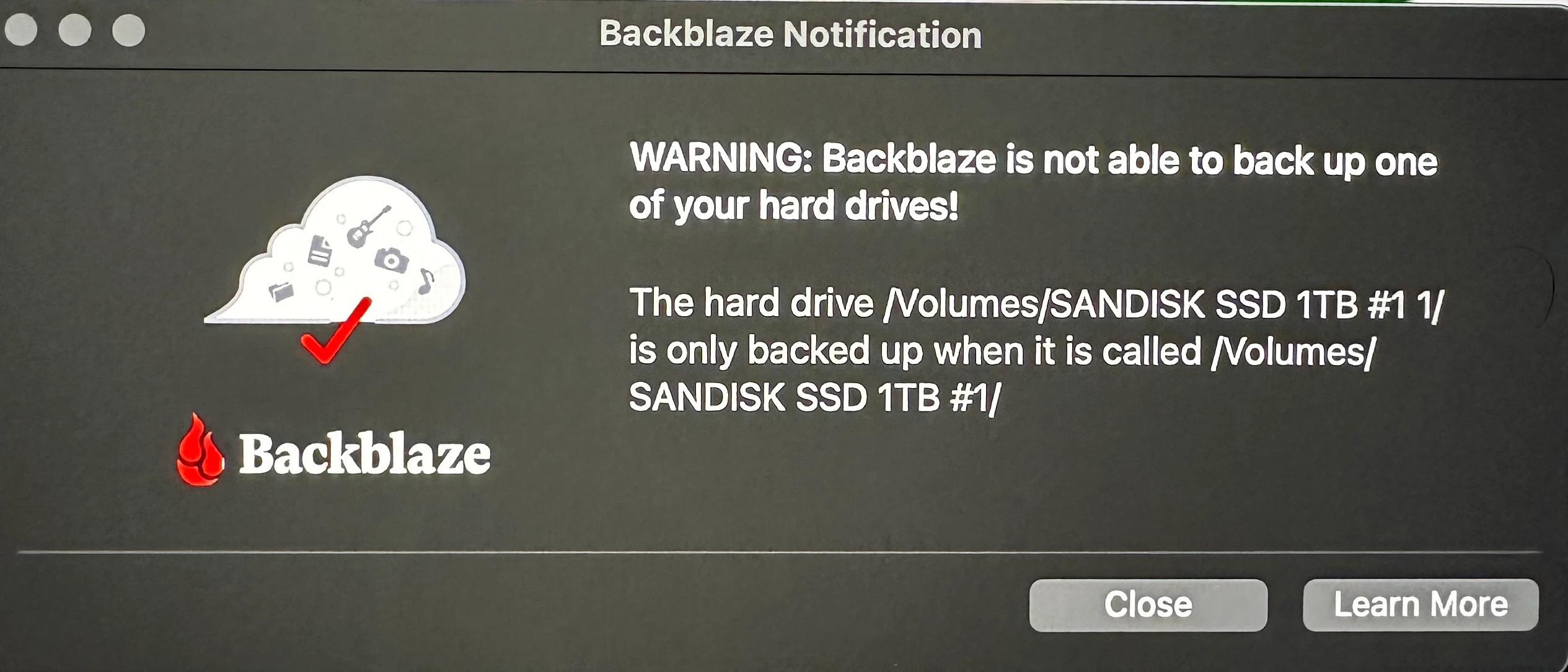
When I connect my SSD I see my catalog is where it has always been. I also received a notification from BackBlaze saying it could not backup the external SSD because of a name change?
I have not changed anything whatsoever and haven’t touched my MacBook or SSD since that last (5/10) import at 2pm which went like normal.
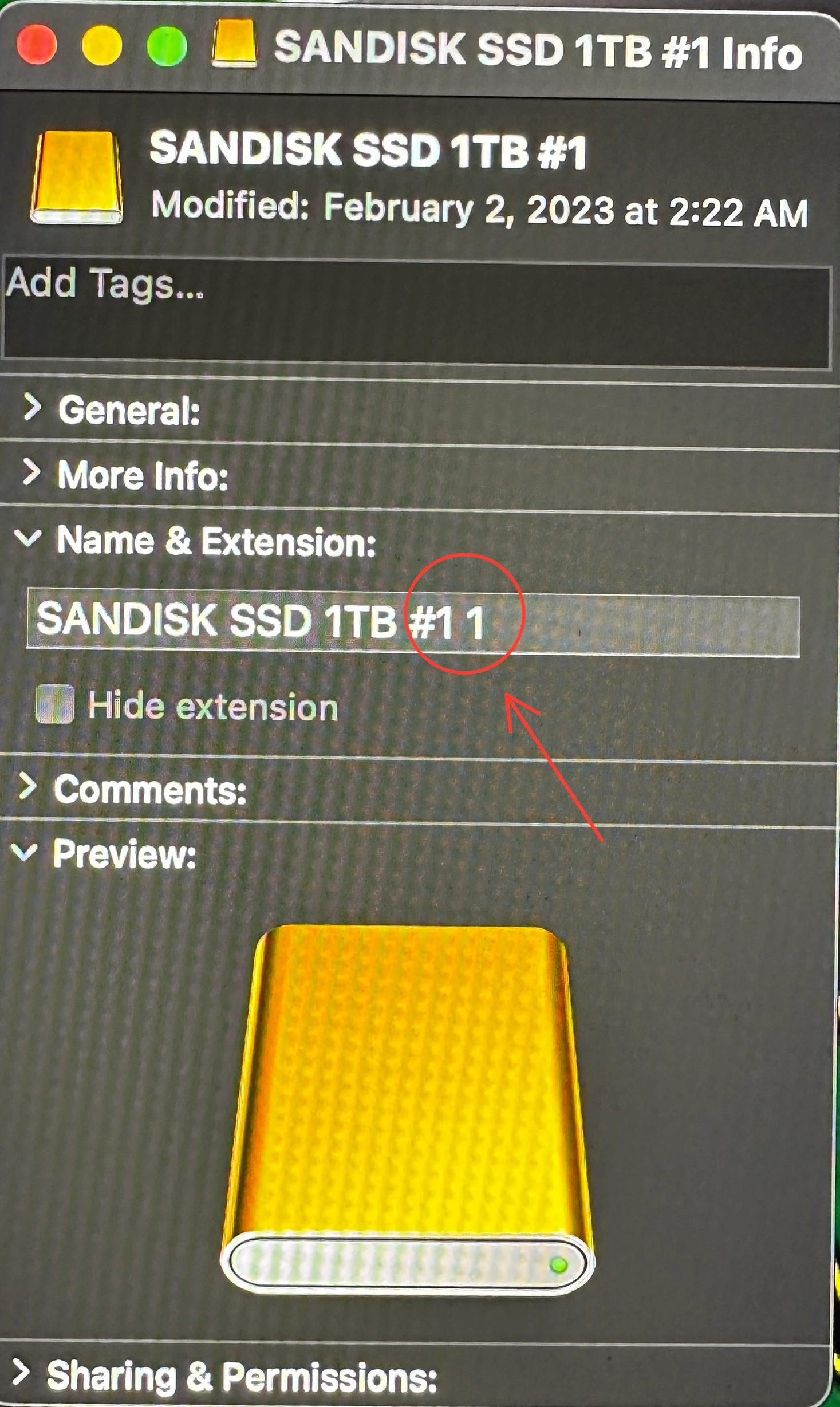
I have noticed in the BackBlaze image that it's saying SanDisk SSD 1TB #11. So I included an image showing the info from the SSD folder on MacBook and it shows the same thing about #11? Not sure where this #11 came from. It always been named SanDisk SSD 1TB #1.
Any advice appreciated.
 AdChoices