
Participant
October 11, 2022
Question

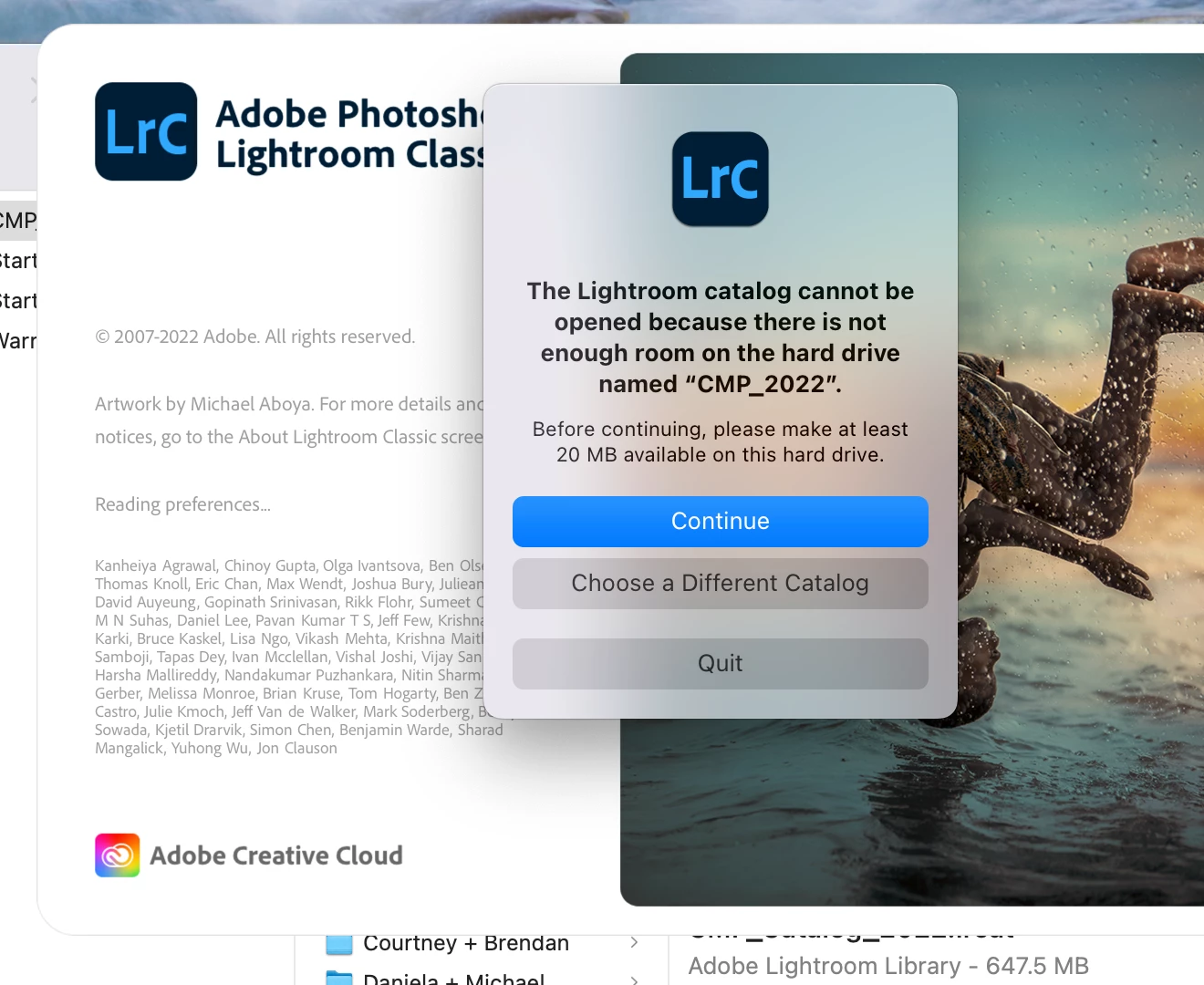
lightroom catalog wont open because there is not enough room on the hard drive

  • October 11, 2022
  • 2 replies
  • 180 views

So I have run into the issue where my lighroom catalog will not open because there is not enough space on my hard drive. It says before continuing, please make at least 20 MB available on this hard drive. I went ahead and move a bunch of files onto a different hard drive and deleted some old back ups but seems like that was not enough. Does anyone have any recommendations on what to do to get that catalog to open?
This topic has been closed for replies.

2 replies

dj_paige
Legend
October 11, 2022

Other things to try:


  • If the photos are on this same drive, then move (some or all of) the photos from this drive to another drive (follow the instructions in "Part 2 — Updating Folder Location" in this document). Photos will take up a lot more space than the catalog file.
  • Move the catalog file to a different disk.
JohanElzenga
Community Expert
Community Expert
October 11, 2022

So how much extra room did you make free? 20 MB is nothing (did you remember to empty the trash? Just throwing something into the trash does not delete it), so this may be a different issue than the error message suggests. Check this: Apple changed the security requirements in MacOS Monterey. Go to MacOS 'System Settings - Security & Privacy' and add Lightroom Classic and Photoshop to "Full Disk Access". Click on the lock icon to unlock the settings, then click on the plus icon to add Lightroom Classic and/or Photoshop if it isn't already listed. If it is listed, then just enable the checkbox. See also Quick Tips: How to give Full Disk Access to Lightroom Classic on macOS


-- Johan W. Elzenga
Participant
October 11, 2022

Thank you, this seems to clear up enough storage to open up the catalog I needed to edit the rest of the photos! I appreicate it 🙂 

JohanElzenga
Community Expert
Community Expert
October 11, 2022
quote

Thank you, this seems to clear up enough storage to open up the catalog I needed to edit the rest of the photos! I appreicate it 🙂 


By @Colette265306011r6i


This doesn't clear up any storage! The error message was wrong. The problem was that Lightroom did not have enough privileges to write to the drive. That's what you fixed with this setting.


-- Johan W. Elzenga