
Roman_FVE
Participant
January 5, 2023
Question

Lightroom catalogue problème

  • January 5, 2023
  • 2 replies
  • 200 views

Bonjour,


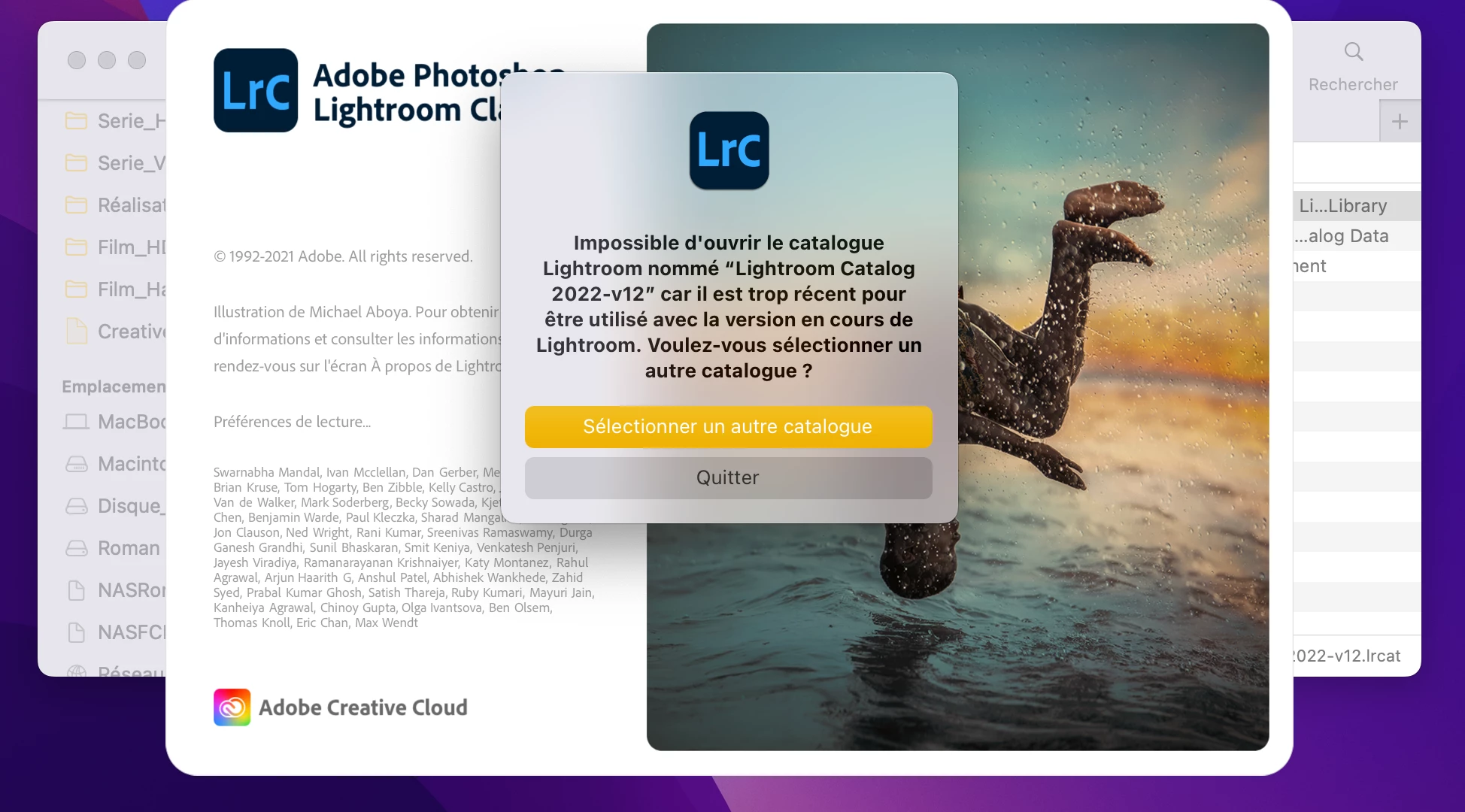
Je n'arrive plus à ouvrir mon catalogue lightroom depui peu de temps. Je vous met comme exemple un screenshot de mon écran au moment de l'ouverture du catalogue.


MAJ de Lightroom actuel : 6.1


Queslqu'un peu m'aider à résoudre cela ???

Merci d'avance.
 

This topic has been closed for replies.

2 replies

Rob_Cullen
Community Expert
Community Expert
January 5, 2023

I agree with @AxelMatt : You are trying to 'open' a  Version-12 catalog with Version-11 of Lightroom-Classic.  LrC Catalogs are not backwards compatible. ie. v11 cannot open v12 catalogs.


Also Lightroom v6.1 has no part in this problem! v6.1 is the Cloud version of the "Lightroom" apps- NOT related to Lightroom-Classic at all. COMPARE LIGHTROOM & LIGHTROOM-CLASSIC FEATURES 


Regards. My System: Windows-11, Lightroom-Classic 15.3, Photoshop 27.5, ACR 18.3, Lightroom 9.3, Lr-iOS 10.4.0, Bridge 16.0.3 .
Community Expert
January 5, 2023

It seems your try to open a catalog which generated/updated with Lightroom Classic 12 in an older Lightroom version.

Search in Finder for .lrcat - files. If your catalog was updated there is a copy of the existing catalog.


Which version of LR would be open when you start the program?  

You wrote you have installed LR 6.1. But the screenshot is from a newer version.

Do you have installed a update to your existing Lightroom or installed a trial verion of a newer LR?


I'm afraid you have 'upgraded' a perpetual ('Unbegrenzt') license of Lightroom 6 to Lightroom Classic somehow. That upgrade should never have been possible, because you don't have a subscription to Lightroom Classic, but a perpetual license for Lightroom 6. There is no perpetual license for Lightroom Classic.


The solution is to go back to Lightroom 6, the version you have a license to use. 


You can download the installer application file for v6.14 here.- Lightroom 6 End of Support 

I'll recommend saving the installation file for further usage. Because it isn't sure how long this download will be available.


My System: Intel i7-8700K - 64GB RAM - NVidia Geforce RTX 3060 - Windows 11 Pro 25H2 -- LR-Classic 15 - Photoshop 27 - Nik Collection 9 - PureRAW 6 - Topaz Photo AI