Answered
Lightroom causing Mac to overheat
Using Lightroom CC is causing the mac to overheat, not happening with other apps. Anyone else having this problem and any suggestions?
Using Lightroom CC is causing the mac to overheat, not happening with other apps. Anyone else having this problem and any suggestions?
[View this reply in your Web browser to see the screenshots.]
If LR is truly idle, it shouldn't be using that much CPU.
But even when it is, no computer should truly overheat to the point of shutting down -- it should just run its fans to keep cool. So if the computer is shutting down, you've got a fan/vents problem. Which Mac model and year do you have?
Let's triple check that all LR background activity is paused:
1. In Preferences, uncheck the option Replace Embedded Previews With Standard Previews During idle Time.
2. Click on the identity plate in the upper-left corner:
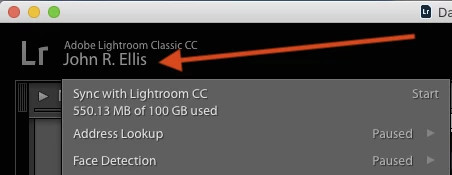
Make sure that Sync, Address Lookup, and Face Detection are paused and no other activity is indicated in the progress bar.
3. In the left column of Library, make sure the Folders, Collections, and Publish Services panels are completely collapsed:
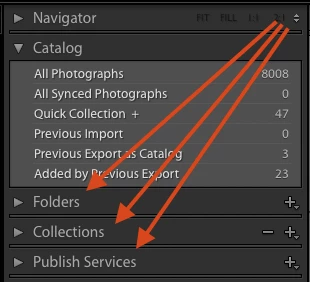
4. Restart LR and wait for at least five minutes.
Is CPU still way above 10%?
Already have an account? Login
Enter your E-mail address. We'll send you an e-mail with instructions to reset your password.
 AdChoices