Lightroom CC Classic Blacking out in Develop Module
I have been having an issue with my newly purchased lightroom CC classic. The develop module blacks out repeatedly, but without warning, rendering it practically unusable.
If I close the program and re-open it, it will work again briefly until the blackout occurs again.
There doesn't seem to be any specific thing I am doing to trigger this.
Is this a known issue and is there a fix?
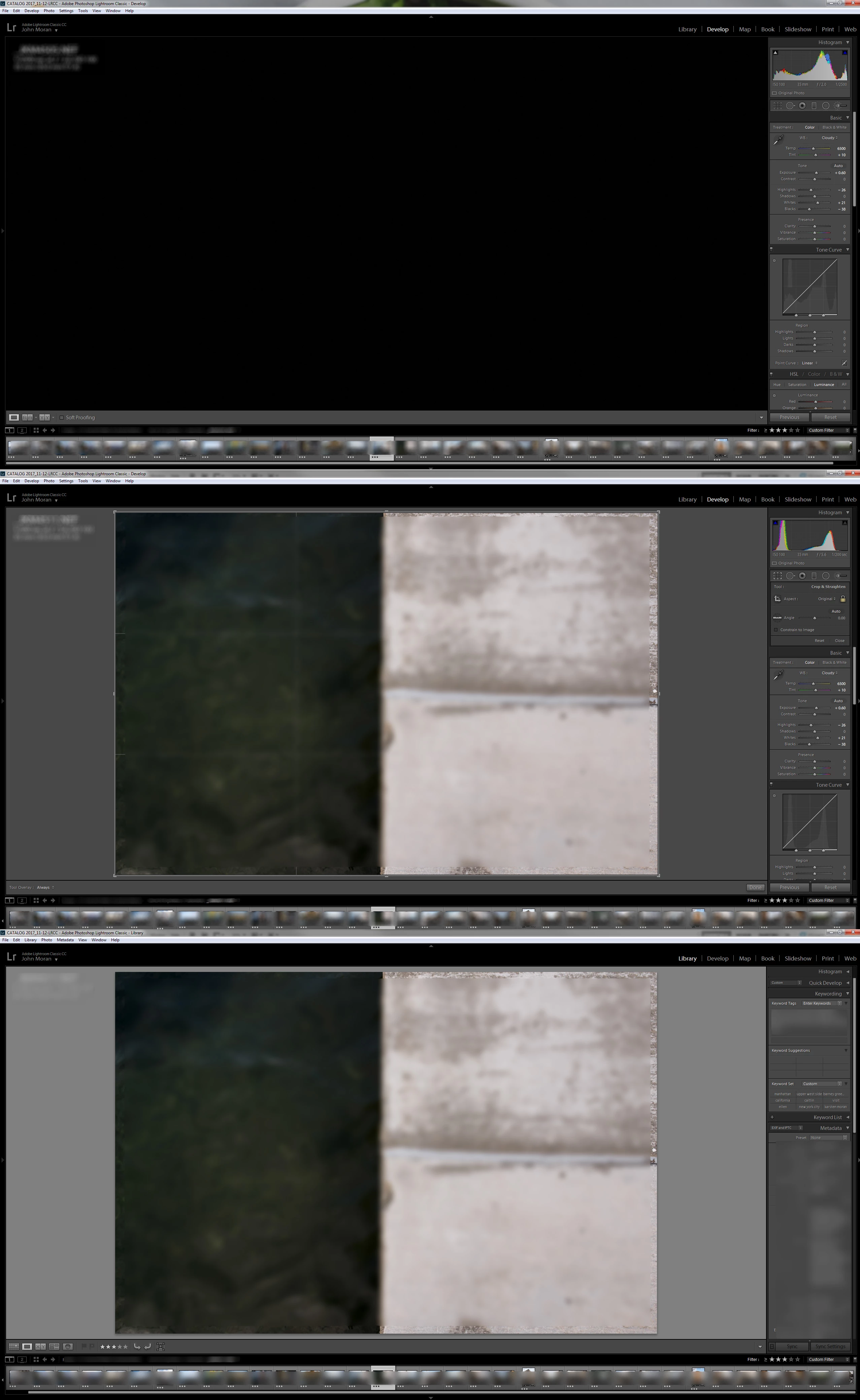
Below are three screengrabs, which exhibit the problem. From top:
1. the blacked out screen when the error occurs
2. the image becomes visible when I use the crop function, but then blacks out again when I exit crop mode
3. the images are viewable in library view
I do not have my finger on alt (to view black/white point clipping). The error doesn't remedy itself when I change modules.
I have never had this issue with any other version of lightroom.
I am running a Lenovo workstation with :
MS Windows 7 Pro, V. 6.1.7601 Service Pack 1 *x64
Dual Xeon E3-1245 v5's @ 3.5GHz
64gb of RAM
128 GB Vram
Radeon RX460 GPU
 AdChoices