
Lightroom Classic 14.2 losing "New Remove Spot" edits after quitting
I think this is actually a bug but will report it here and the moderators can decide if it is a bug.
Lightroom Classic 14.2 on Mac mini with Apple M2 Pro, 32GB, Sonama 14.7.1. This is a with a fairly new catalog with not many images.
If I start with a new image with lots to be cleaned up: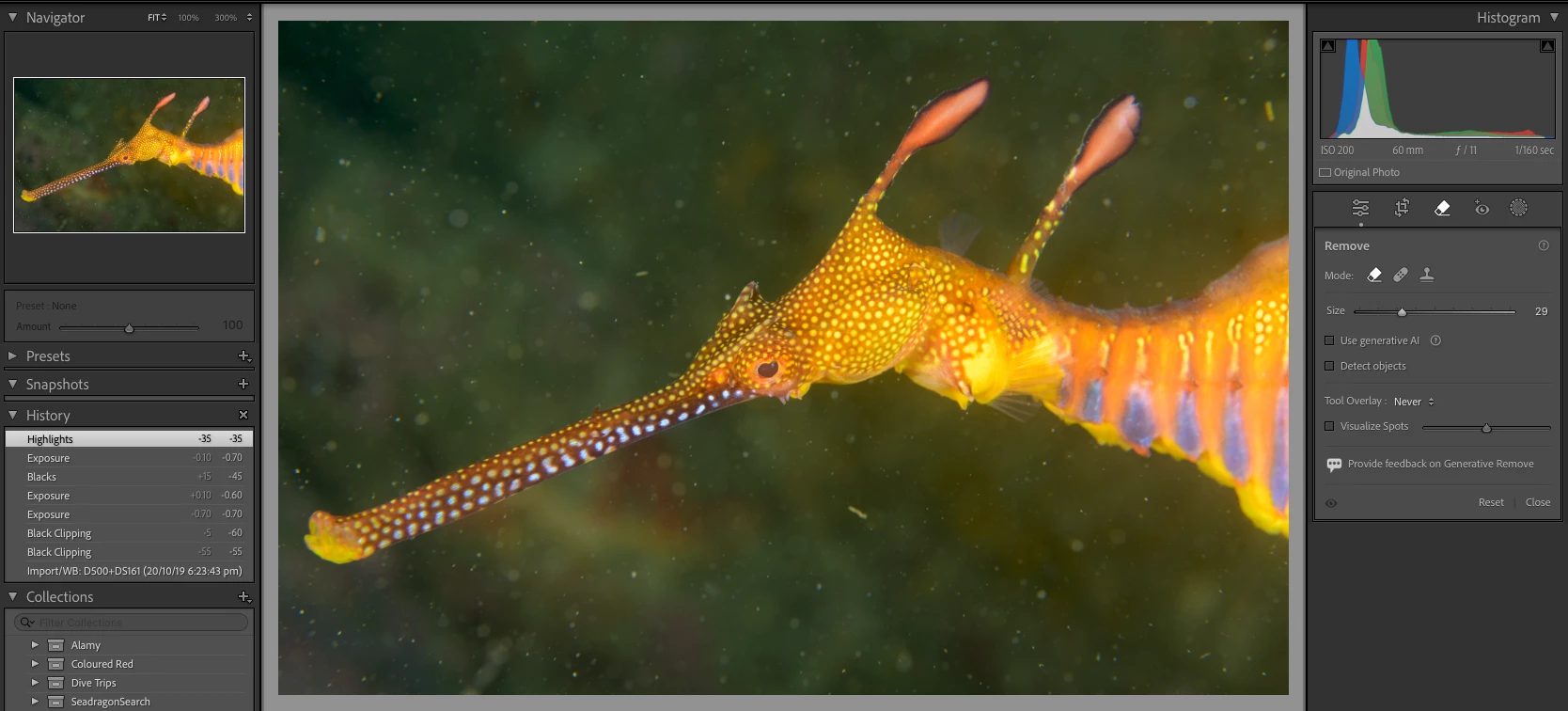
I use the new Remove tool and spend 20 minutes cleaning up the image:
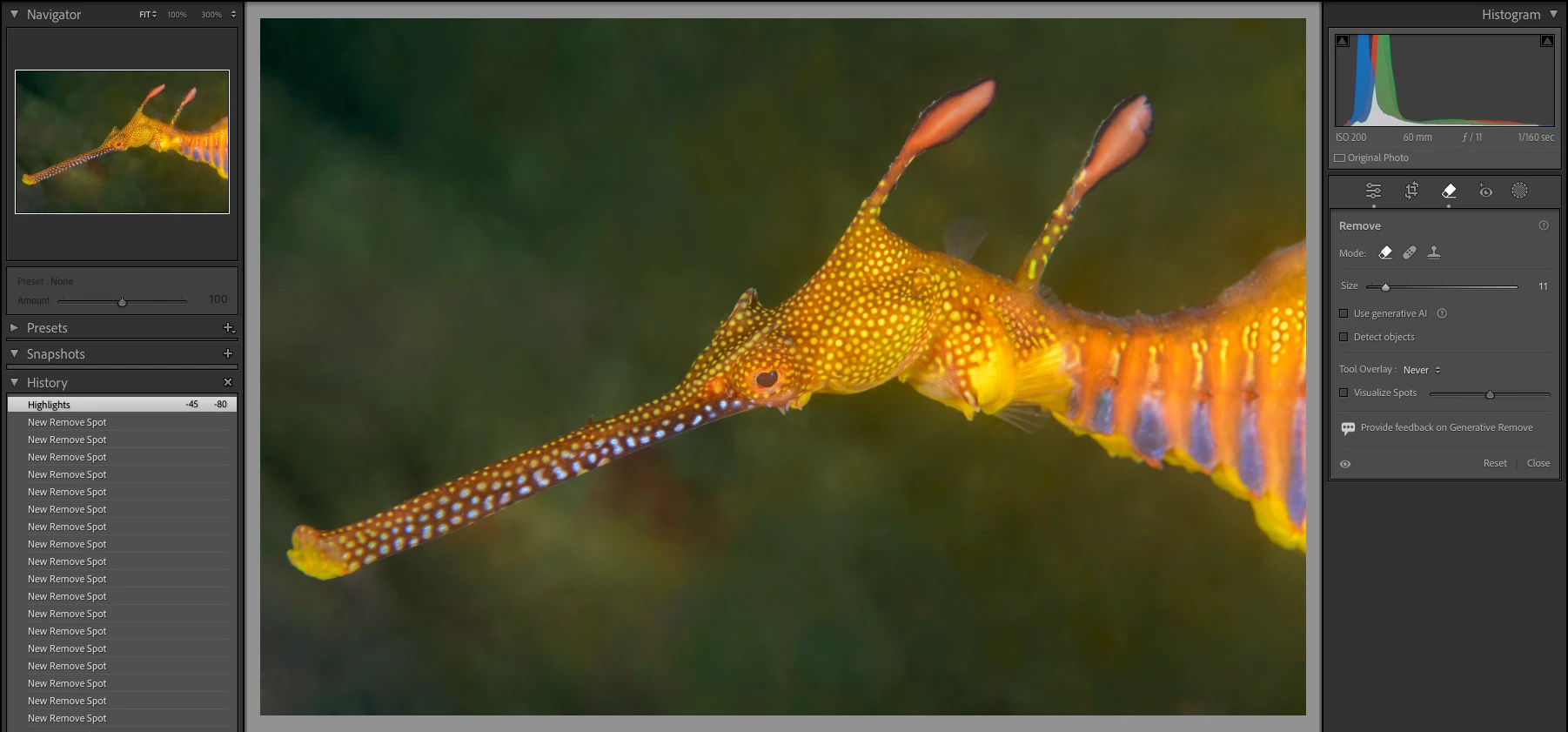
I quit Lightroom and restart and my edits are gone but I have a message "Some Remove settings need to be updated":
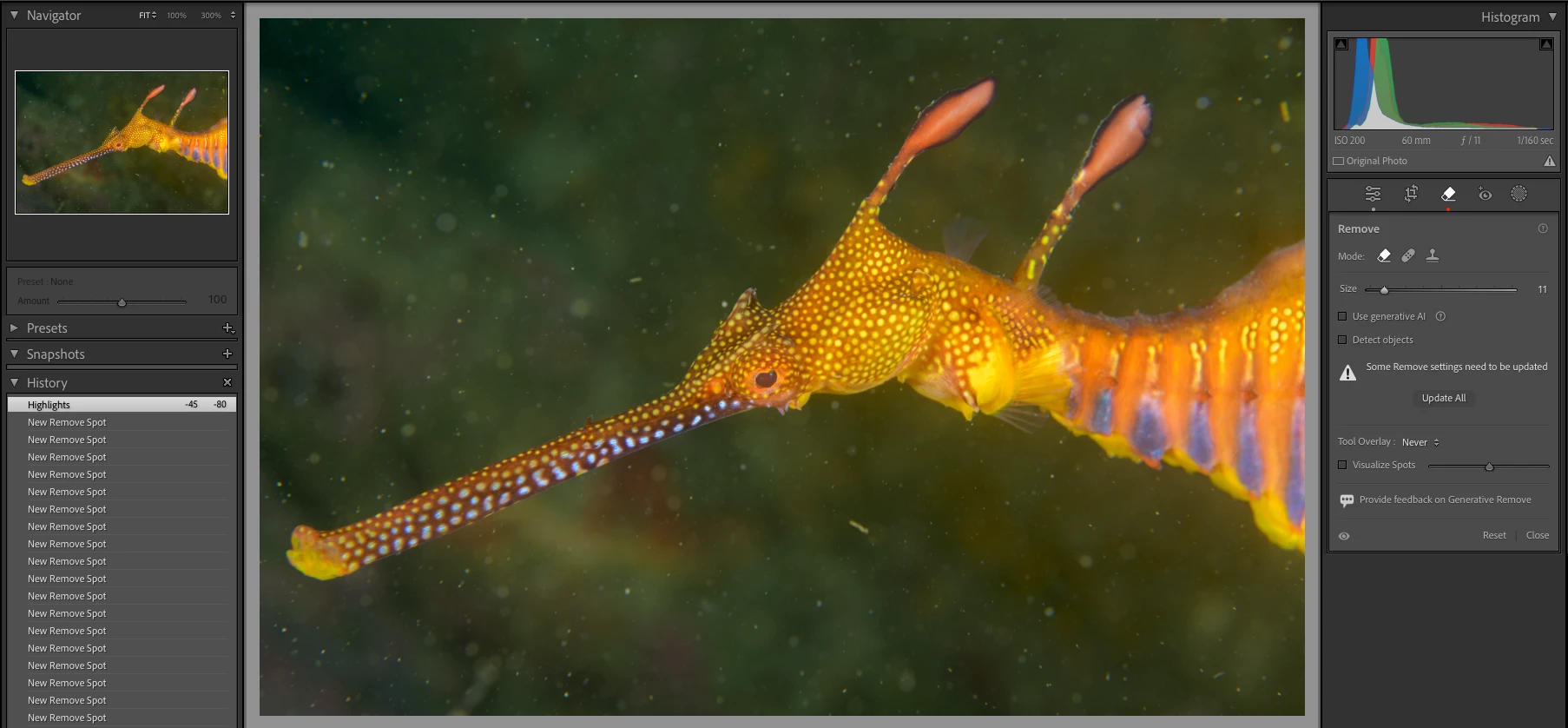
I click "Update All" and wait around 4 minutes for the updates to complete. They finish but the image is not what it was before I quite. i.e. the updates don't work properly and I have to clean up the image some more.
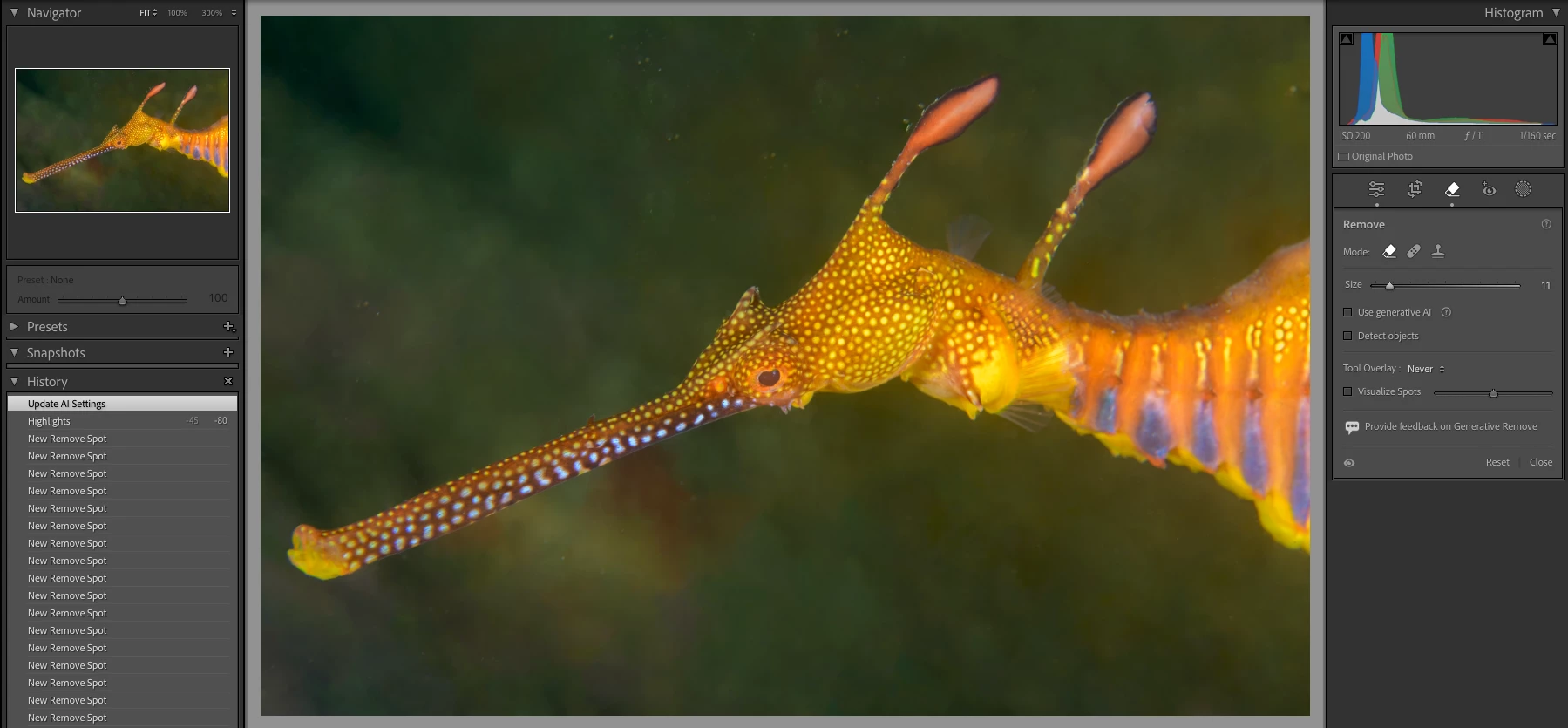
1) Lightroom should NOT lose the edits just by quitting
2) If it is going to lose the edits, refreshing them should put it back the way it was before it lost the edits.


 AdChoices