


Lightroom classic 15 crashing Develop module zoom
I have the most recent version of lightroom classic 15 installed. All computer drivers etc are all up to date. When in Develop module, when i try to zoom in on an image the software freezes and then crashes asking me to send a reprt to Adobe. I send this but haven't heard nothing back from Adobe.
System spec:
Windows 11 Pro 64 bit
MSI Pro Z890=p WIFI
BIOS 1.AB0 Release 11/24/2025
Intel Core Ultra 7 265K
Memory Corsair DDR - 4800 32GB @ 6000MIT/s
Storage SSD Western Digital B|lack SN7100 2TB
Storage 2 - Kingston SNVS500G
Storage 3 - Kingston SSD - SA2000M81000G
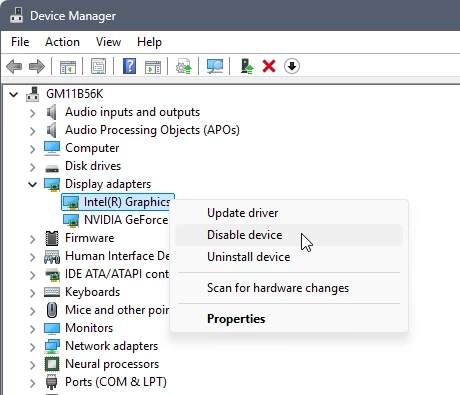
GPU1 - Nvidia GeForce 5060TI 16GB - driver version 591.74 released Jan 5 2026
GPU 2 - Intel Graphics
** No overclocking all running at Stock**
Lightroom Classic version: 15.1.1 [ 202601141538-a543b18a ]
License: Creative Cloud
Language setting: en
Operating system: Windows 11 - Business Edition
Version: 11.0.26200
Application architecture: x64
System architecture: x64
Logical processor count: 20
Processor speed: 3.8GHz
SqLite Version: 3.36.0
Adobe GSDK Version: 1.4.0.171
CPU Utilisation: 1.0%
Power Source: Plugged In
Built-in memory: 32132.8 MB
Dedicated GPU memory used by Lightroom: 203.8MB / 16050.0MB (1%)
Real memory available to Lightroom: 32132.8 MB
Real memory used by Lightroom: 1284.3 MB (3.9%)
Virtual memory used by Lightroom: 1521.1 MB
GDI objects count: 755
USER objects count: 2802
Process handles count: 2871
Memory cache size: 1271.8MB
Internal Camera Raw version: 18.1 [ 2420 ]
Maximum thread count used by Camera Raw: 5
Camera Raw SIMD optimization: SSE2,AVX,AVX2
Camera Raw virtual memory: 131MB / 16066MB (0%)
Camera Raw real memory: 132MB / 32132MB (0%)
Cache1:
NT- RAM:0.0MB, VRAM:0.0MB, Combined:0.0MB
Cache2:
m:1271.8MB, n:0.0MB
U-main: 86.0MB
System DPI setting: 96 DPI
Desktop composition enabled: Yes
Standard Preview Size: 3440 pixels
Displays: 1) 3440x1440
Input types: Multitouch: No, Integrated touch: No, Integrated pen: No, External touch: No, External pen: Yes, Keyboard: No
Graphics Processor Info:
DirectX: NVIDIA GeForce RTX 5060 Ti (32.0.15.9174)
Init State: GPU for Export supported by default
User Preference: GPU for Export enabled
Enable HDR in Library: ON
GPU for Preview Generation: On (S5_15)
Application folder: C:\Program Files\Adobe\Adobe Lightroom Classic
Library Path: C:\Users\Marc\Pictures\Lightroom\Lightroom Catalog-2-2-v12.lrcat
Settings Folder: C:\Users\Marc\AppData\Roaming\Adobe\Lightroom

 AdChoices