
soluztrella
Participant
July 24, 2024
Answered

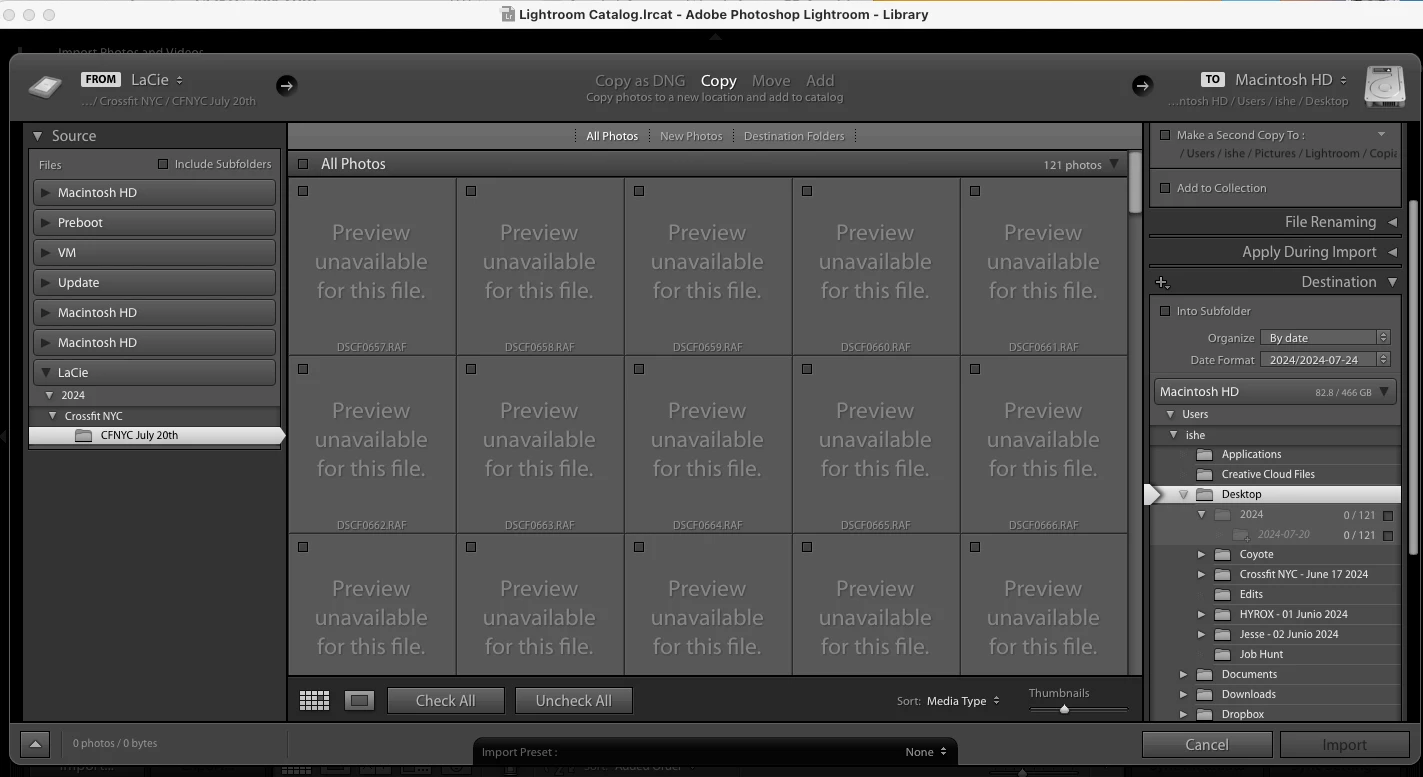
Lightroom Classic 6 - RAF files, unable to import. JPG not showing.

  • July 24, 2024
  • 2 replies
  • 1221 views

Hi, community! 


I am shooting photos with a Fujifilm/XT5 and having trouble importing the images to Lightroom Classic 6. I already checked that it´s updated -as updated as it can be. The Adobe agent told me they are not trained on this cause the product is not available now, and suggested I come to the Forums to see if someone knows about this. 


Also, I tried the Cloud service last weekend and I wouldn´t say I liked it. It crashed all the time on my mobile. 
 

This topic has been closed for replies.
Correct answer Per Berntsen

You can use the free Adobe DNG converter to convert copies of your RAF files to DNG files that can be read by LR 6.

Read the instructions carefully, and make sure to set Compatibility to Camera Raw 7.1 and later in the DNG converter preferences.

2 replies

Per Berntsen
Community Expert
Per BerntsenCommunity ExpertCorrect answer
Community Expert
July 24, 2024

You can use the free Adobe DNG converter to convert copies of your RAF files to DNG files that can be read by LR 6.

Read the instructions carefully, and make sure to set Compatibility to Camera Raw 7.1 and later in the DNG converter preferences.

soluztrella
Participant
July 24, 2024

Thank you. 


Community Expert
July 24, 2024

The linked table says that XT-5 RAF ('raw') files won't work until Lightroom Classic version 12.  

https://helpx.adobe.com/camera-raw/kb/camera-raw-plug-supported-cameras.html

soluztrella
Participant
July 24, 2024

Thanks for providing more context, Bill.