
Lightroom Classic 8.3.1 is not displaying images in full quality / images aren't sharp until zoom in and out on Windows 10
Lightroom is not displaying images in full quality / images aren't sharp until zoom in and out.
I read about this issue in a discussion that was about 2 years old. However, some people are still facing this issue.
For a second the picture loads sharply and then it's gone. Sometimes it helps to change the mode from fit to fill, or to switch between library and develop mode, but not every time.
Ofc, I do have the Smart previews off. And I also have updated GPU driver.
Do you guys have any idea how to fix this?
SCREENSHOTS:
I've also uploaded the screens to drive so it's better visible https://drive.google.com/open?id=1_iGz3sSevQIlNV95KbxO1DLCpW-F4pm-
Picture 1 and 2:
If you look closely on the water where the sun reflection is the issue it's clearly visible.
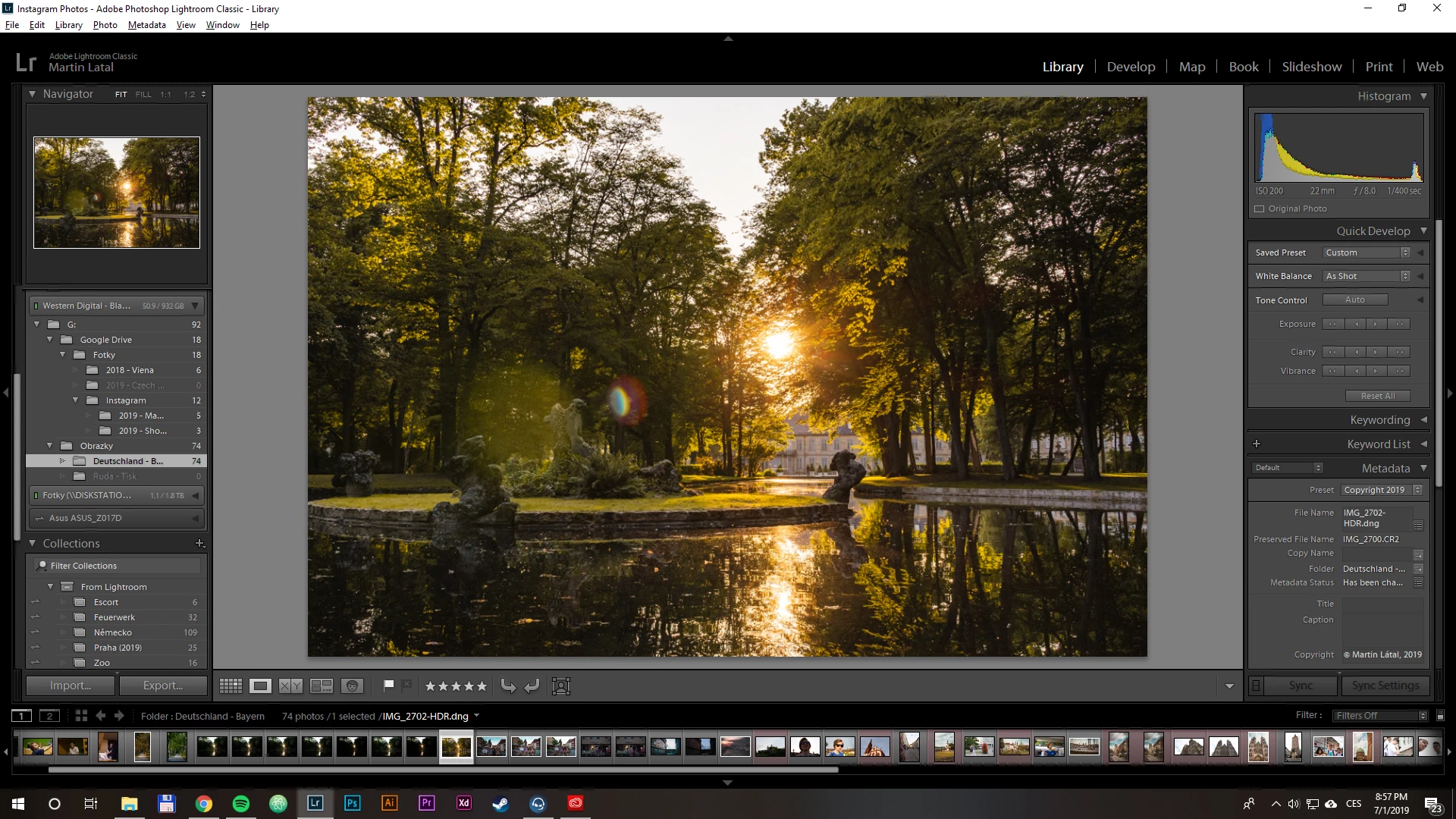
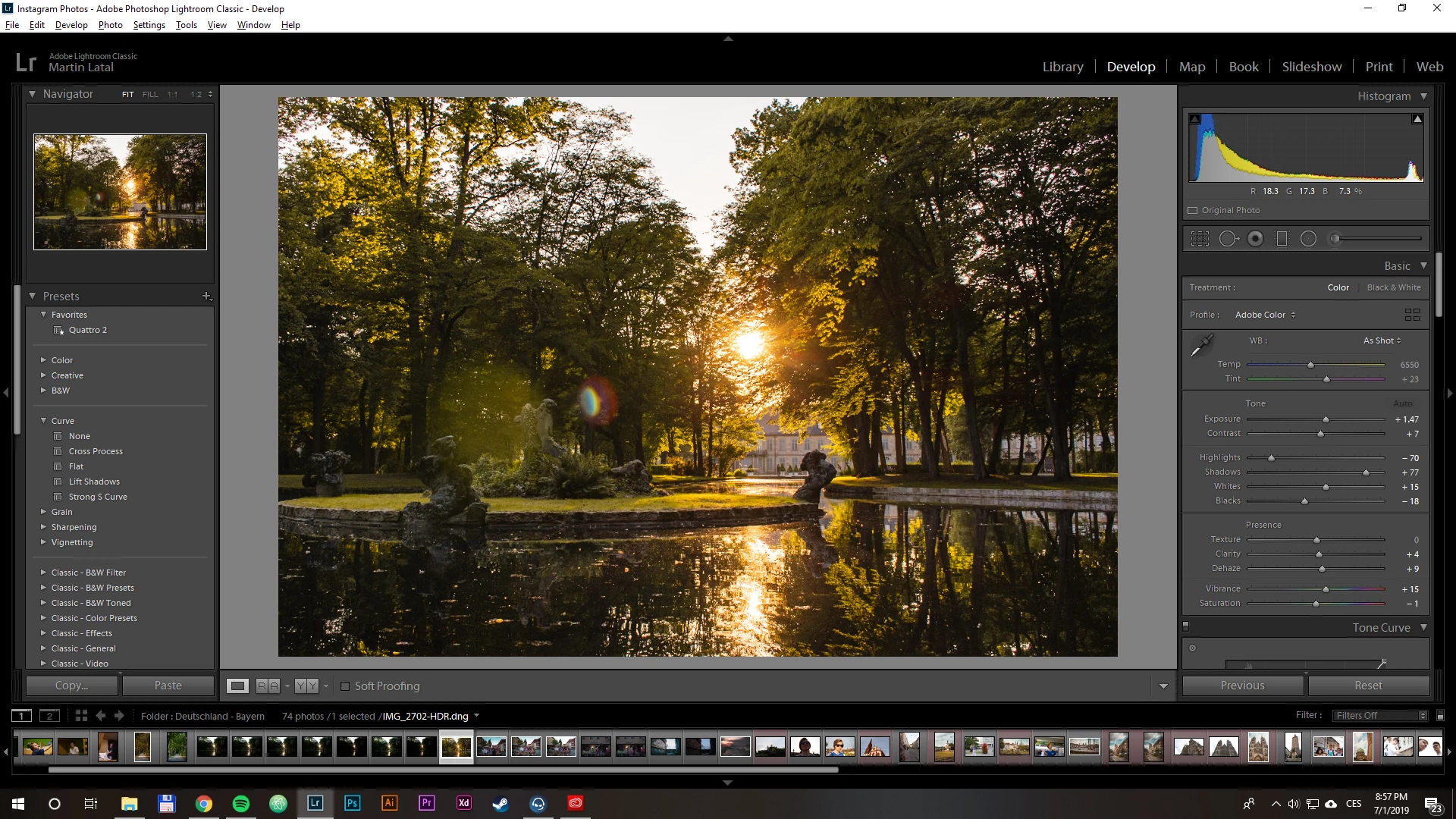
Picture 3 and 4:
If you look closely on the company name in the right corner, again you'll see the unsharp image
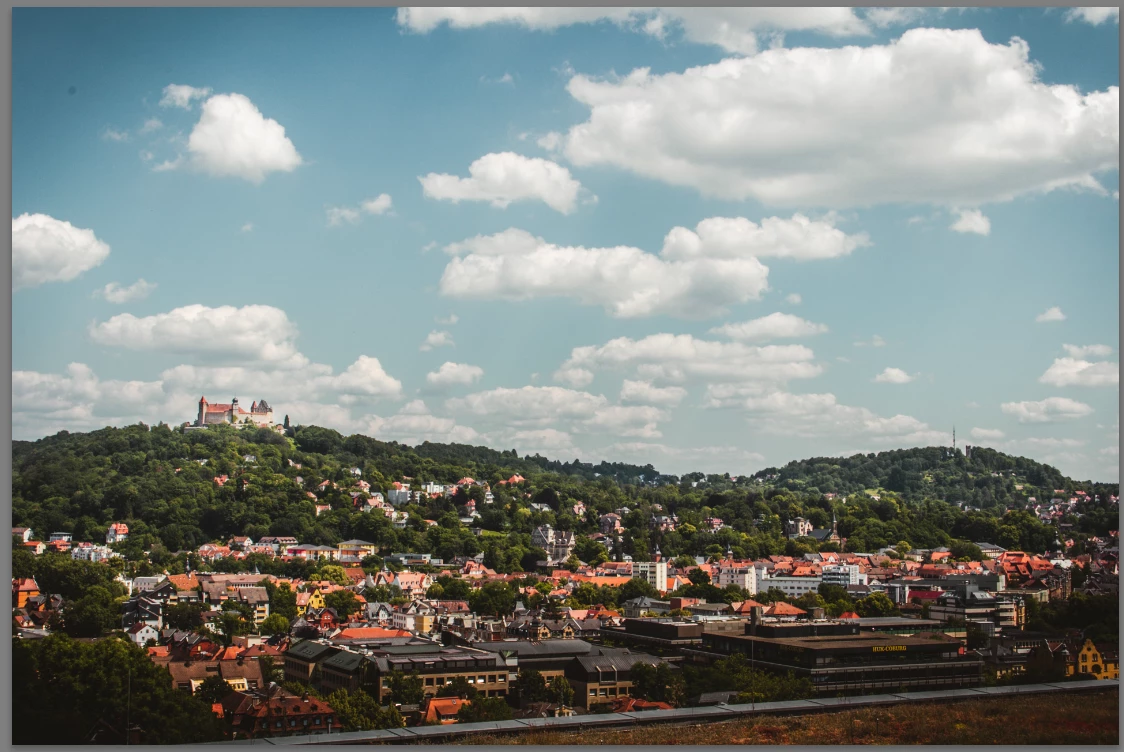
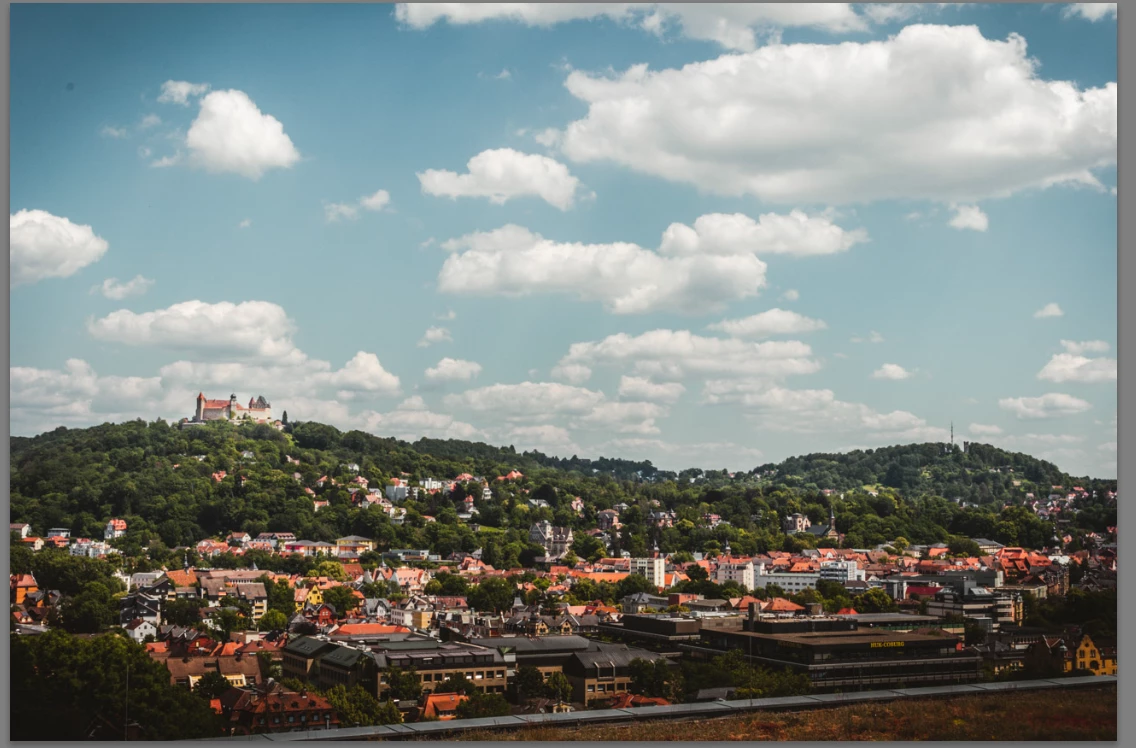
System info:
Lightroom Classic version: 8.3.1 [ 201905241238-dcd7e2de ]
License: Creative Cloud
Language setting: en
Operating system: Windows 10 - Business Edition
Version: 10.0.17763
Application architecture: x64
System architecture: x64
Logical processor count: 4
Processor speed: 3.0 GHz
Built-in memory: 16331.9 MB
Real memory available to Lightroom: 16331.9 MB
Real memory used by Lightroom: 776.9 MB (4.7%)
Virtual memory used by Lightroom: 917.0 MB
GDI objects count: 702
USER objects count: 2719
Process handles count: 1758
Memory cache size: 94.7MB
Internal Camera Raw version: 11.3 [ 197 ]
Maximum thread count used by Camera Raw: 3
Camera Raw SIMD optimization: SSE2,AVX
Camera Raw virtual memory: 208MB / 8165MB (2%)
Camera Raw real memory: 209MB / 16331MB (1%)
System DPI setting: 96 DPI
Desktop composition enabled: Yes
Displays: 1) 1920x1080
Input types: Multitouch: No, Integrated touch: No, Integrated pen: No, External touch: No, External pen: No, Keyboard: No
Graphics Processor Info:
DirectX: NVIDIA GeForce GTX 650 Ti (26.21.14.3086)
{Thread renamed by moderator}
 AdChoices