Participant
July 7, 2020
Question

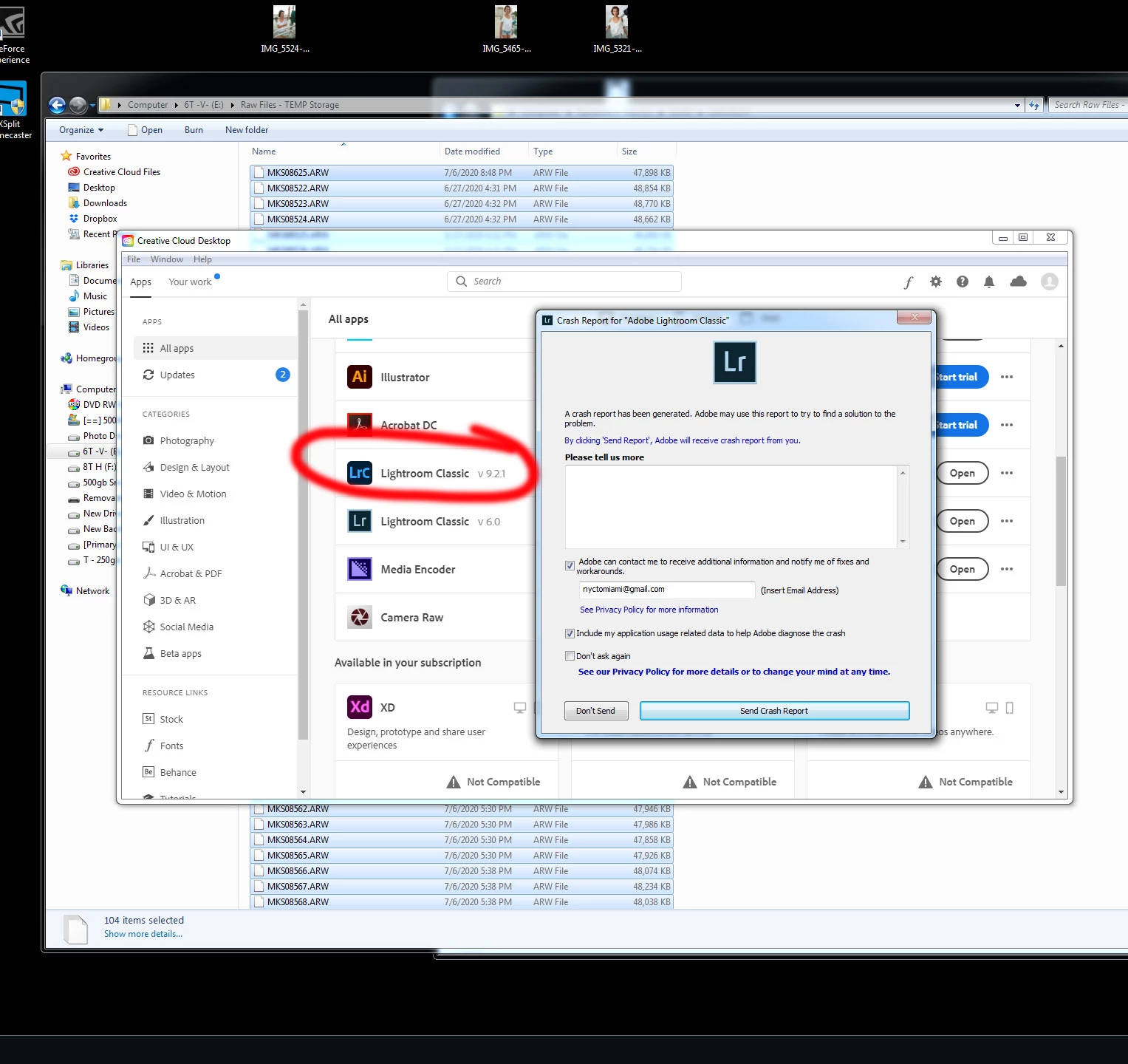
LightRoom Classic (9.xxx) Crashes. No code given. Multiple attempts.
  • July 7, 2020
  • 8 replies
  • 430 views

*Running on Windows 7 SP 1 : Intel i7-4790K, 32gb RAM (mostly irrelevant as it's been working for years)

I've been using LR for many years and been a subscriber since the start. Suddenly, LR does not open. 


The desktop shortcut somehow became deleted. And trying to open it manually through Program Files or the Creative Cloud app causes the same error. (image below)

I have restarted the computer numerous times. I have attempted to change the version of LR to 9.0, 9.1, 9.2, and 9.21 with no avail. (9.0 gave the worst crash). Every single time - the below message with no

further details.  Nothing about the catalog itself.


I can run LR Classic (6.0) but that's useless to me since it can't open Sony A7iii files.


I'm currently stuck manually importing/viewing files through PS. 


This topic has been closed for replies.

8 replies

GoldingD
Legend
July 7, 2020

Try posting your issue at the official feedback site, an actual Adobe tech may help:


https://feedback.photoshop.com/photoshop_family/categories/photoshop_family_photoshop_lightroom?topic-list[settings][type]=problem


GoldingD
Legend
July 7, 2020

Does anyone know just how to view the crash report? Where us it kept?


GoldingD
Legend
July 7, 2020

Have you attempted to reset the preferences file? See the following link, that is included along with other items


https://shotkit.com/lightroom-keeps-crashing/


GoldingD
Legend
July 7, 2020
GoldingD
Legend
July 7, 2020

And have you brought up your copy of Adobe Creative Cloud Desktop and intentanaly signed out, then signed back in?

(diagnostic step)


Participant
July 7, 2020

I just tried that and had to reboot to get it to open up again.

wondering if I got a virus now

GoldingD
Legend
July 7, 2020

And did you click on Send as to send that crash report to Adobe?


Participant
July 7, 2020

Yes, several times. Thanks

Just Shoot Me
Legend
July 7, 2020

So people don't have to download the image you have attached to your post please Edit your post to remove the Attached screen shot and Include it in the body of the text of your post.

You do that by Clicking the "More..." link at the bottom of your post, Selecting "Edit Message" and then use the "Insert Photos" icon in the tool bar at the top of the Post/Reply/Edit dialog box like this.

Thanks.

dj_paige
Legend
July 7, 2020

Please state the exact version NUMBER of your operating system. If Windows 10, we need the EXACT version number and build number. Do not use words like "latest" or "up-to-date"

Participant
July 7, 2020

updated. thanks