Known Participant
August 1, 2022
Question

Lightroom Classic and Photoshop display different colors

  • August 1, 2022
  • 2 replies
  • 2165 views

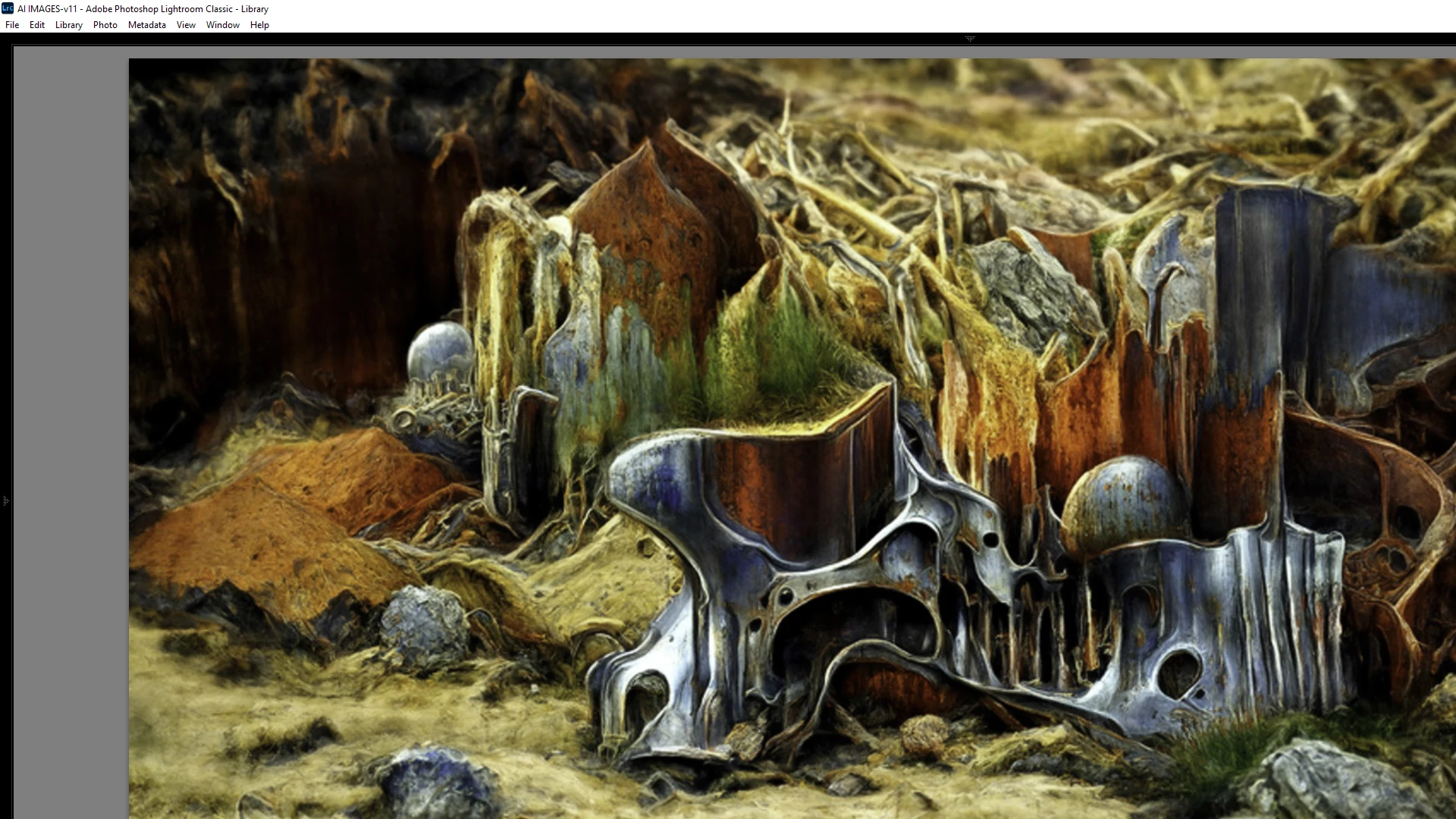
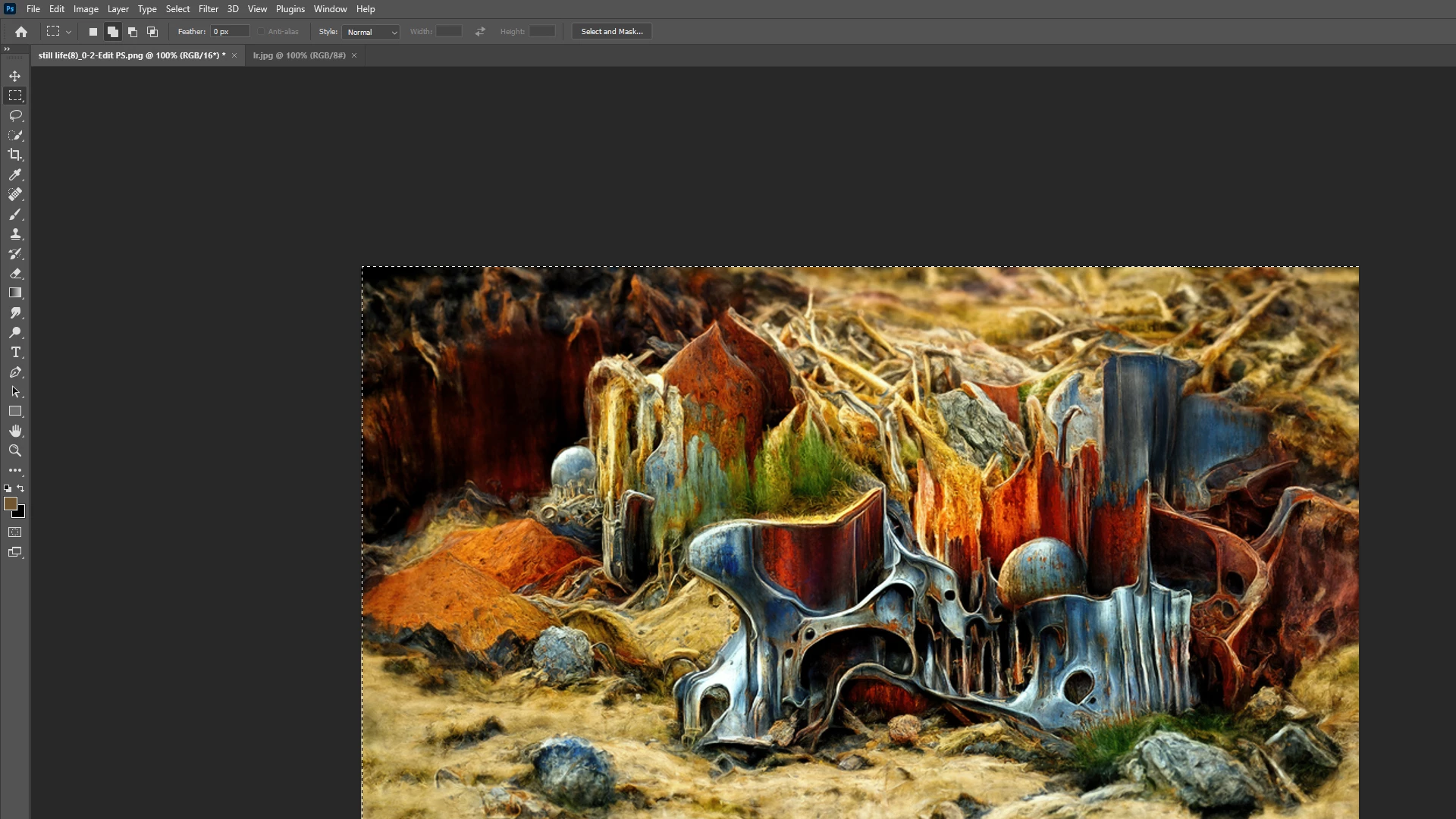
I've read a dozen posts about this, but cannot find a solution. The image as it appears in PS (top) and LR is completely different. Can anyone offer a solution that I might try? Thanks for any assistance. 
This topic has been closed for replies.

2 replies

TheDigitalDog
Inspiring
August 1, 2022

Got to compare the two this way: Always use Develop module at 1:1 zoom and compare to Photoshop at 100%. This is the only accurate way to compare the two. 

Now the difference seen is pretty large, there could indeed be an issue. 

First, disable GPU in each product (in Preferences > Performance): do they match? 

If not, in Photoshop, go to Preferences > Technology Previews... and check "Deactivate Native Canvas" - then restart Photoshop. Better?
If not, recalibrate and build a new ICC display profile, the old one might be corrupted.
If you are using software/hardware for this task, be sure the software is set to build a matrix not LUT profile, Version 2 not Version 4 profile.
If turning OFF GPU works, it's a GPU bug and you need to contact the manufacturer or find out if there's an updated driver for it. On the Mac, that's part of the OS update(s) so if this is the latest OS version, you may need to roll back a release.
Also see: https://helpx.adobe.com/photoshop/kb/acr-gpu-faq.html


Author “Color Management for Photographers" & "Photoshop CC Color Management/pluralsight"
Known Participant
August 1, 2022

Thanks very much for your help. Win 10, Nvidia A6000 GPU for what it's worth. It would seem that saving in PS alters the color balance/profile, as files look fine in LR and when first loaded into PS. But when reloaded in LR after PS changes, they go south. I did a 100% comparison and they are still noticeably considerably different. I"ll work on your suggestions and see where they lead. Thanks again. 

Known Participant
August 1, 2022

The odd thing is, they look fine in LR <before> they are imported to PS.. so LR (good) - PS (good) returned to LR (not good). I'm sticking with sRGB round trip..

??

TheDigitalDog
Inspiring
August 1, 2022

Show us your Photoshop Color Settings too; it's possible you could be converting on open automatically.

I don't understand what you mean by " they look fine in LR <before> they are imported to PS."

Author “Color Management for Photographers" &amp; "Photoshop CC Color Management/pluralsight"
Known Participant
August 1, 2022

I open the file in LR and it looks as expected. I Edit In PS and it looks fine in the PS interface. I make a change - dodge and burn a slight amount (or even none at all - no change) and "save (it) as" to create a copy (typically adding the suiffix PS to the file name), and when it reloads back into LR it has lost the colors of the original, ie., what you see in the images above. The change is happening with the saving in PS. In my experience (surely not as extensive as yours ;-)), simply changing a Profile would not create this dramatic a difference, yet when asked if I want to retain the profile the file had when I sent it to PS from LR, I also choose Keep Original...