Participant
March 28, 2025
Answered

Lightroom Classic Book preview different from Exported files

  • March 28, 2025
  • 1 reply
  • 188 views

I am working with the Book module on Lighroom Classic.
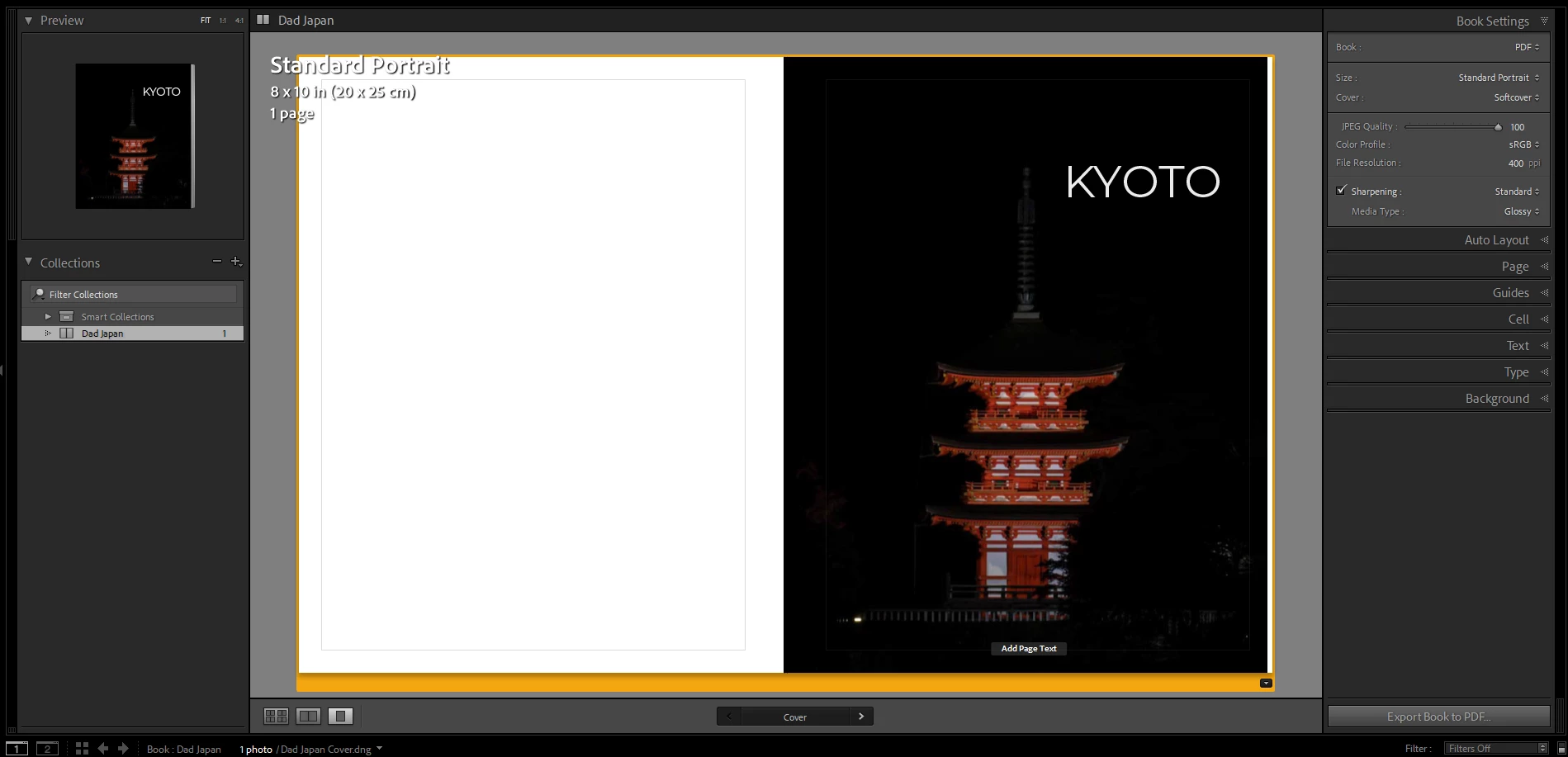
In the Lightroom preview, the text "KYOTO" is alligned with the apex of the pole. But when I export the book either to PDF or JPEG, the text is cleared not at the same position relative to the image.
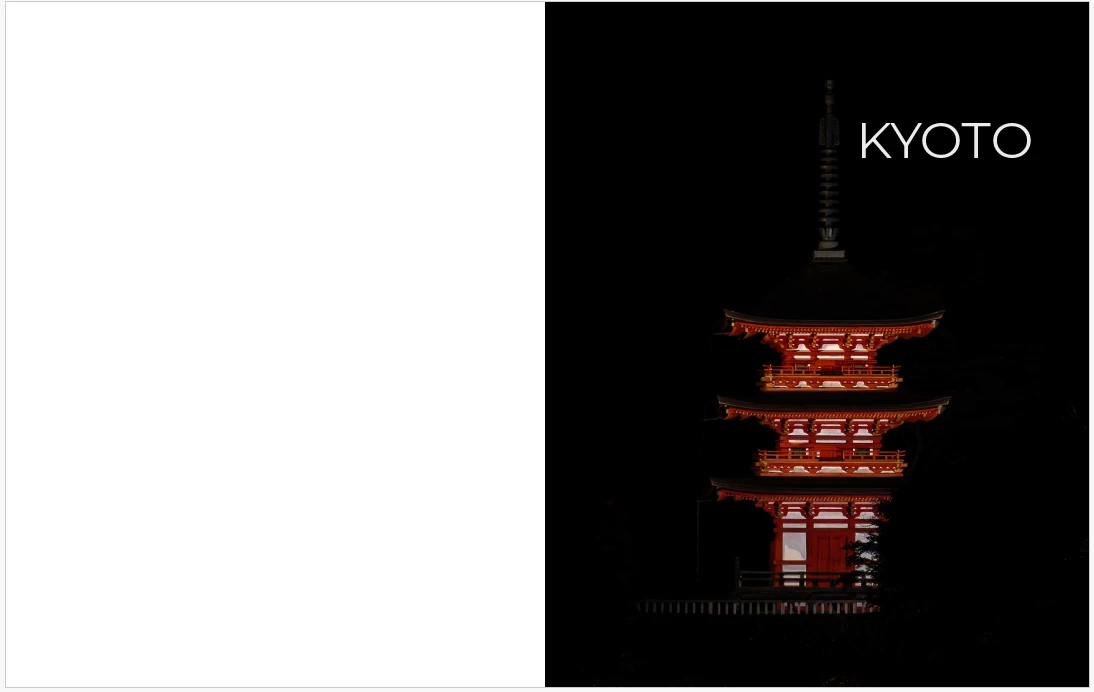
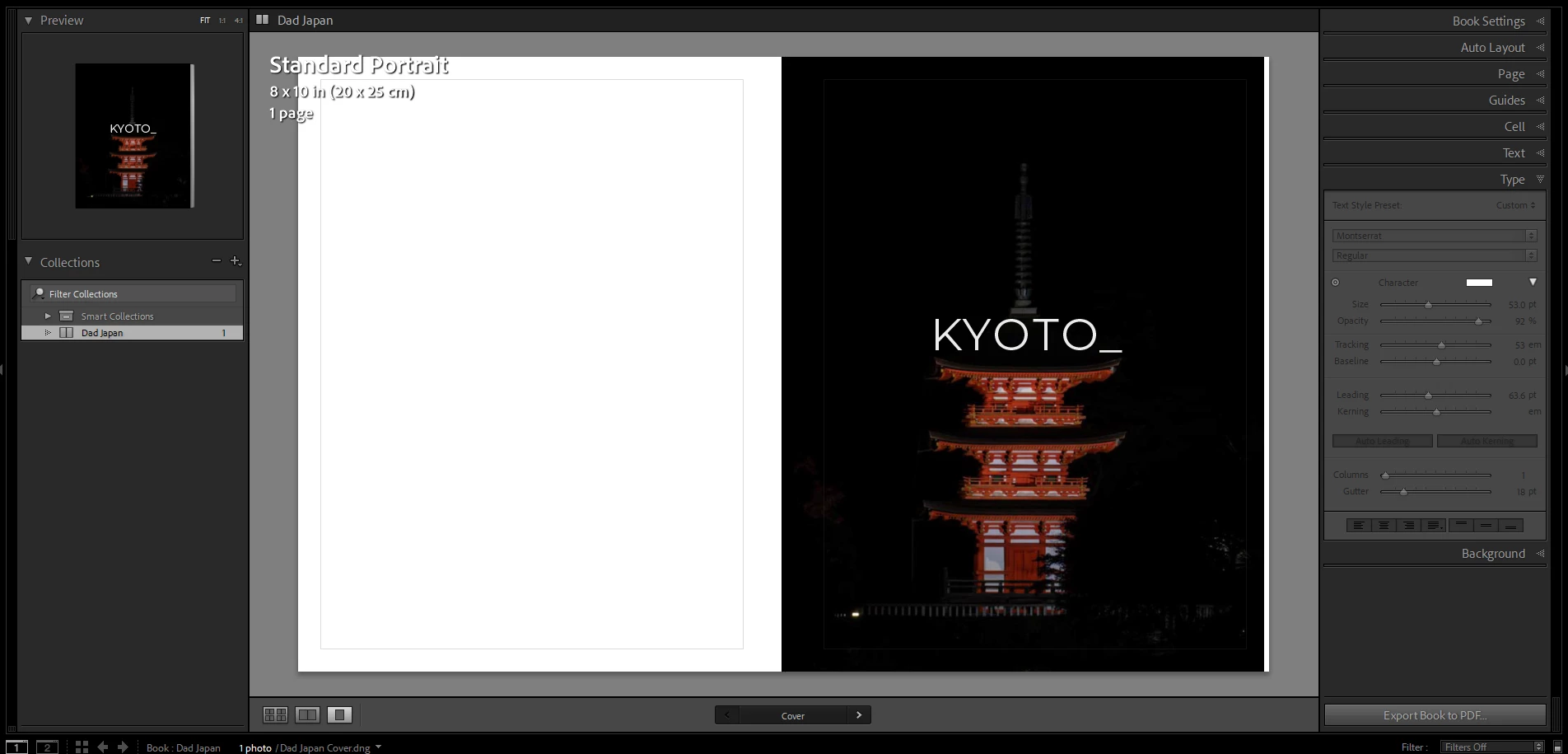
In the following screenshots, I adjusted the width of the text to align with the roof width of the building. But when I export the Book again, we can see that in addition of the text being shifted relative to the picture, the width of the text is now smaller that the roof width. So it seems that either the picture is zoomed in during the export or the text is zoomed out.

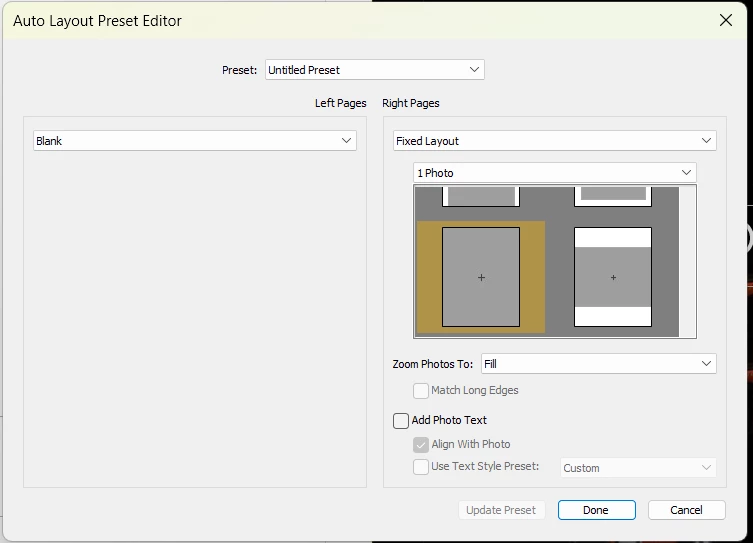
In the layout option, I tried both "Fill" and "Fit" for the option "Zoom Photo to:", but nothing changed.
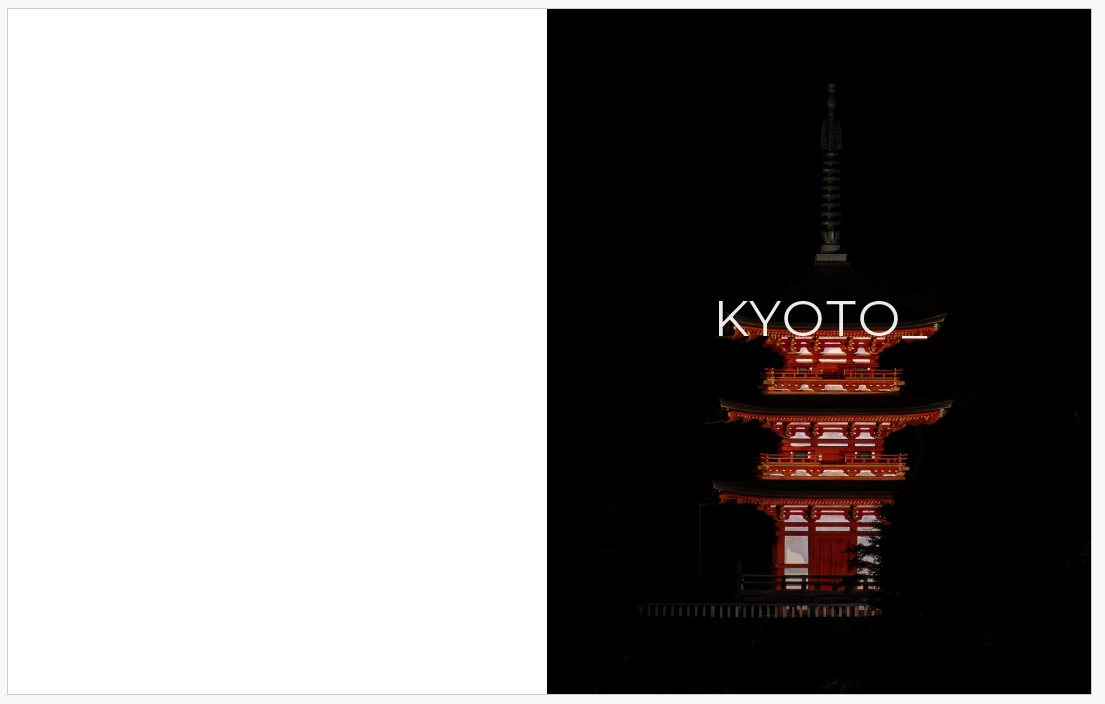


Thank you for your time.

Correct answer Wilson5D73
Lightroom Classic version: 14.2 [ 202502071718-3869eef7 ]
Operating system: Windows 11
 
I tried to troubleshoot my issue and I was able to narrow it down. The picture that I was using was a .dng file that I exported from Lightroom Cloud. I tried to export the same picture but as a JPG file this time, and the issue no longer appears. I tried two other pictures with the .dng extension and there was no issue.
I also tried to re-export the picture that caused the issue with the .dng extension, and the issue still persist.
So it seems that this specific picture, with the .dng format is the cause of the issue.
 
Thank you for the quick answer Nikunj.


1 reply

nikunj.m
Legend
March 28, 2025

Hi, we're sorry about the trouble! I'm not able to reproduce the behavior in the latest version of Lightroom Classic. Would you mind sharing the version of Lightroom Classic you're working on along with your computer's operating system? Since when have you been experiencing this behavior?


Thanks,
Nikunj

Wilson5D73AuthorCorrect answer
Participant
March 28, 2025
Lightroom Classic version: 14.2 [ 202502071718-3869eef7 ]
Operating system: Windows 11
 
I tried to troubleshoot my issue and I was able to narrow it down. The picture that I was using was a .dng file that I exported from Lightroom Cloud. I tried to export the same picture but as a JPG file this time, and the issue no longer appears. I tried two other pictures with the .dng extension and there was no issue.
I also tried to re-export the picture that caused the issue with the .dng extension, and the issue still persist.
So it seems that this specific picture, with the .dng format is the cause of the issue.
 
Thank you for the quick answer Nikunj.


nikunj.m
Legend
April 8, 2025

Thanks for sharing the update and I'm glad you were able to find a solution! Let us know if you need help with anything else. 


Thanks,
Nikunj