
Participant
May 5, 2021
Question

Lightroom classic cannot handle panoramas from DJI Mini 2

  • May 5, 2021
  • 1 reply
  • 618 views

I imported the 26 RAW-Pics for a spheric panorama out of the DJI Mini 2.

The result after stitching the pics is very poor and looks like this

There is an error in the bottom center. It seems, that the one only downward picture is not correctly handled. 
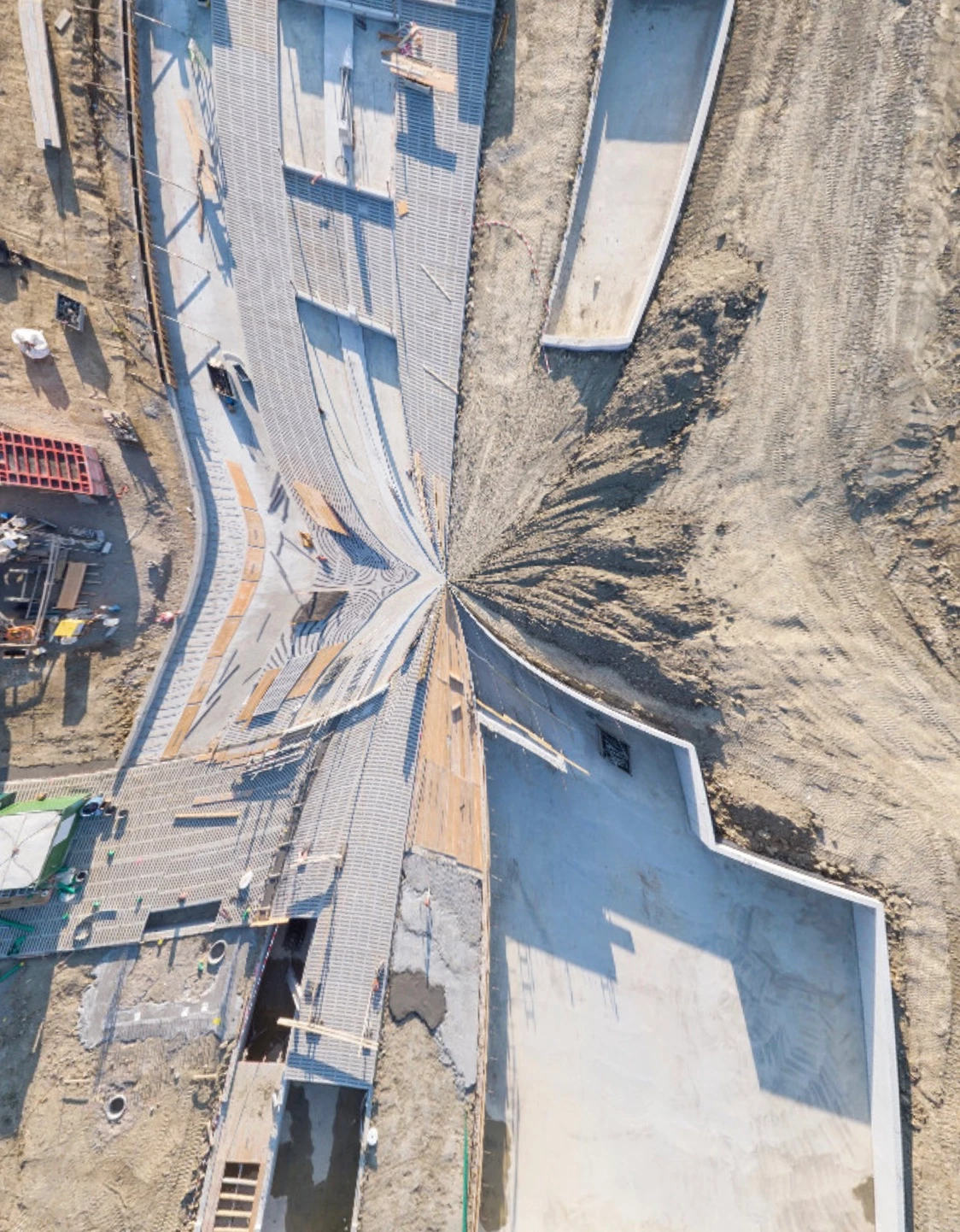
Is this a known bug or can someone help ?

1 reply

Participant
May 14, 2021

Hellooooo


Nowbody there?  

Is someone from Adobe reading these posts?


Inspiring
May 15, 2021

Hi. I'm a LrC user, like yourself. I've been told this is a community forum that is normally monitored by Adobe. Users helping users.


I'm  not sure why your post has not been responded to. I review posts here daily and can't recall seeing it from May 5th.


That being said, I know the March release of LrC added support for RAW/DNG files for the DJI Mavic 2 Pro. Not sure how that is related to your DJI Mini 2. I can't find a listing for the DJI Mini as a supported RAW camera.  It may be it's the same Hasselblad L1D-20c camera. I mention this because Hasselblad provides some additional camera information not in the DNG.


You may want to also try Googling 'Lightroom Classic Spherical Panorama "DJI Mini" '


Sorry, that's all I got.


Participant
March 18, 2025

Nearly 4 years later - nothing changed - the issue remains.

And I found the next one. Horizontal panos built with Lightroom 14.2 with a few RAW-Pics from the DJI mini 4 Pro drone get a pink color cast, when I export them as DNG. When I export as JPG or PNG all goes well.