samil46
Participating Frequently
April 6, 2018
Question

Lightroom Classic CC 7.3 problem [vs stand-alone]

  • April 6, 2018
  • 3 replies
  • 3094 views

Hello,

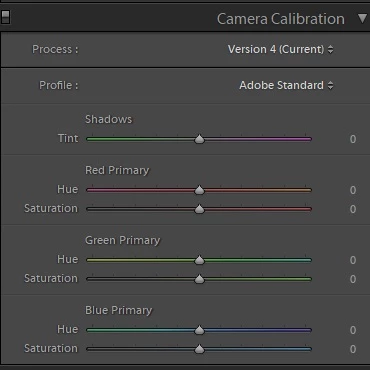
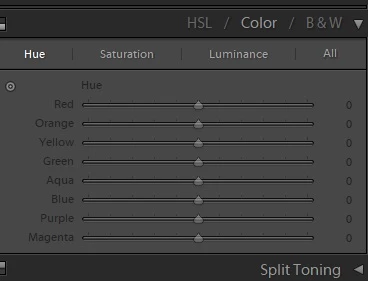
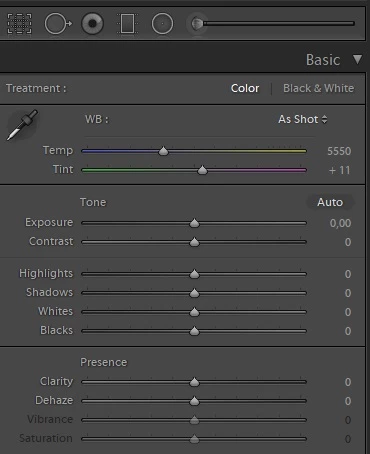
I have purchased Lightroom 6 from retailer. Just the single program with one time payment. I had used it since July 2017 without a problem. Some point it updated and worked well also. NOw came this 7.3 version update. My Creative Cloud App updated it automatically to that version, without asking do I want to update. Previously I had version 7.2. After updating to the version 7.3 I had lost all of my color adjustments in Lightroom Develop mode. I can't adjust Saturation, Vibrance nor HSL. I think that it mixes it somehow with the new update which is apparently not supposed to work with Lightroom 6 (single purchased one) only with the montly subscription.

I have now wrestled with this two days. I've tried to revert the installation back to stable version of 7.2 with numerous different ways, without succeeding. I have deleted everything that is realted to Adobe and Creatie Cloud App and all that s**it, which is kinda annoying, and installed everything again. I went to adobe.com/go/getserial and put the code that I got from the single purchase of Lightroom 6. Downloaded CC App, installed Lightroom CC 2015 (cool name btw). Had to do this couple of times before it got installed. I couldn't use my latest catalogs anymore because they were too new for this Lightroom version which was 6.something. I needed to update my Lightroom 6 to get those catalogs, with all the develop settings, work again. And surprise, it got updated to the 7.3 version. And here I am again, cant control any setting related to colors. They are just greyed out and can't d nothing.

I ask for help. Customers don't wait...
This topic has been closed for replies.

3 replies

Participant
April 19, 2018

Hi.

Have you found any solution to this problem? I have it too.

Known Participant
April 9, 2018

Hi,

one thing I do not understand. In your original post you write that you have purchased LR 6 as a stand alone.

But then you mention that until now you had LR 7.2 installed and working? How can this be?

Is it possible that you have been working on the LR7 trial version all the time, and now the trial period is over?

Now you try to feed LR 6.14 with your catalog, but as far as I know the catalog file used in LR7 is not backward compatible. It will not work with LR6.

Does this make any sens?

samil46
samil46Author
Participating Frequently
April 9, 2018

Hi,

Yes, I dud purchase that as a stand alone. And yes, I was using Adobe Lightroom 6 version 7.2 earlier, as it updated automatically. My LR version haven't been trial since I've bought the stand alone version, get the serial code and registered it.

Known Participant
April 9, 2018

But what is Lightroom 6 version 7.2 supposed to be? To me this does not make any sense; sorry.

Either you were running LR 6.7 or a later Lightroom 6 version (6.8, 6.9, ....), or you were running LR 7.2, which does not have to do anything with LR6.

Maybe I am just missing a point here.

99jon
Legend
April 6, 2018

From Creative Cloud (Apps tab) Click Uninstall after clicking the arrow next to LR Classic – see image below

Then click Other Versions and install LR 6.0 or get LR6 from the direct download link

Go to this link and expand > the LR 6 tab and install the 6.14 update

https://helpx.adobe.com/lightroom/kb/lightroom-downloads.html

When installation of 6.0 and the 6.14 update is complete launch Lightroom and follow these steps:

Go to the Lightroom menu: Help > Sign Out <your email address>

Quit Lightroom

Relaunch Lightroom and click Sign In Now

Click the button - License This Software

Enter serial number – 24 digits starting 1160 & click Next

Lightroom will launch as LR6

When LR6 launches you may then need to go to the menu:

File >> Open Recent

To find your previous LR6 catalog or look for lightroom folders in the pictures folder (default location)

samil46
samil46Author
Participating Frequently
April 6, 2018

Hi,

Thank you for the response.

I have unistalled it from the CC APP. The issue is that I don't have that "other versions" option in the CC App at all, even though I have unistalled, wiped everything and istalled again.

At one point I was able to get this point

"When installation of 6.0 and the 6.14 update is complete launch Lightroom and follow these steps:

Go to the Lightroom menu: Help > Sign Out <your email address>

Quit Lightroom

Relaunch Lightroom and click Sign In Now

Click the button - License This Software

Enter serial number – 24 digits starting 1160 & click Next

Lightroom will launch as LR6"

But I couldn't register the Lightroom. I get an error that said that I don't have subscribtion to Lightroom 6. Even though I have, and I can see that from my Adobe ID account.

99jon
Legend
April 6, 2018

So; do you have a single purchase of LR6 or a subscription to a photography plan?