
shutterupstudios
Participant
July 13, 2018
Question

Lightroom Classic CC Color profiles missing

  • July 13, 2018
  • 1 reply
  • 5180 views

Hi! I recently re-imported a lot of my presets stored on Dropbox into my Lightroom. Most of them use Adobe Standard and are fine, but there are a good chunk (VSCO presets mainly with a few other random ones that use film profiles too) that give me the "Profile missing" error message.
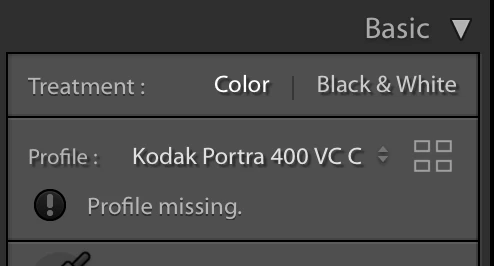
I browsed around on the forums (looked here) but was unable to find a solution that worked. I just updated my Lightroom hoping that would solve the problem, but it did not. Yes, I'm shooting raw files.
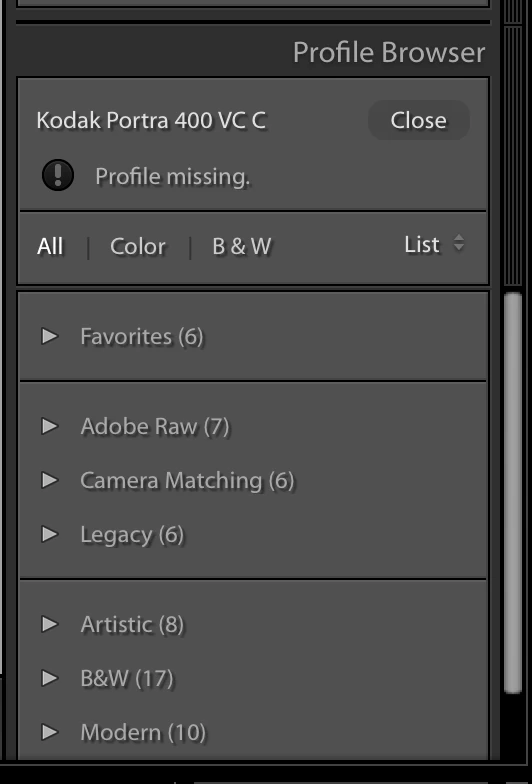
The color profiles don't seem to be anywhere in my profile browser, and I'm struggling to locate them to put them in the right place. I ideally do not want to have to go through and manually edit the presets in text edit to point to the right location (even if I knew where that was) because there are literally hundreds of them. Help!

This topic has been closed for replies.

1 reply

JohanElzenga
Community Expert
Community Expert
July 13, 2018

I was able to solve this on my Mac by going to the new Settings subfolder in the Camera Raw folder, and then delete all the 'index.dat' files I could find there.

-- Johan W. Elzenga
shutterupstudios
Participant
July 13, 2018

Hi there, thanks for your reply. I don't have a Settings subfolder in the Camera Raw folder, I just have these:

The CameraProfiles and LensProfiles each have one index.dat file, however!

JohanElzenga
Community Expert
Community Expert
July 13, 2018

You are probably looking in the wrong Camera Raw folder. You should not look in the root Library folder, but the user Library folder. If it is hidden, then select the ‘Go’ menu in the Finder while holding the shift key.

-- Johan W. Elzenga