
Participant
July 12, 2018
Answered

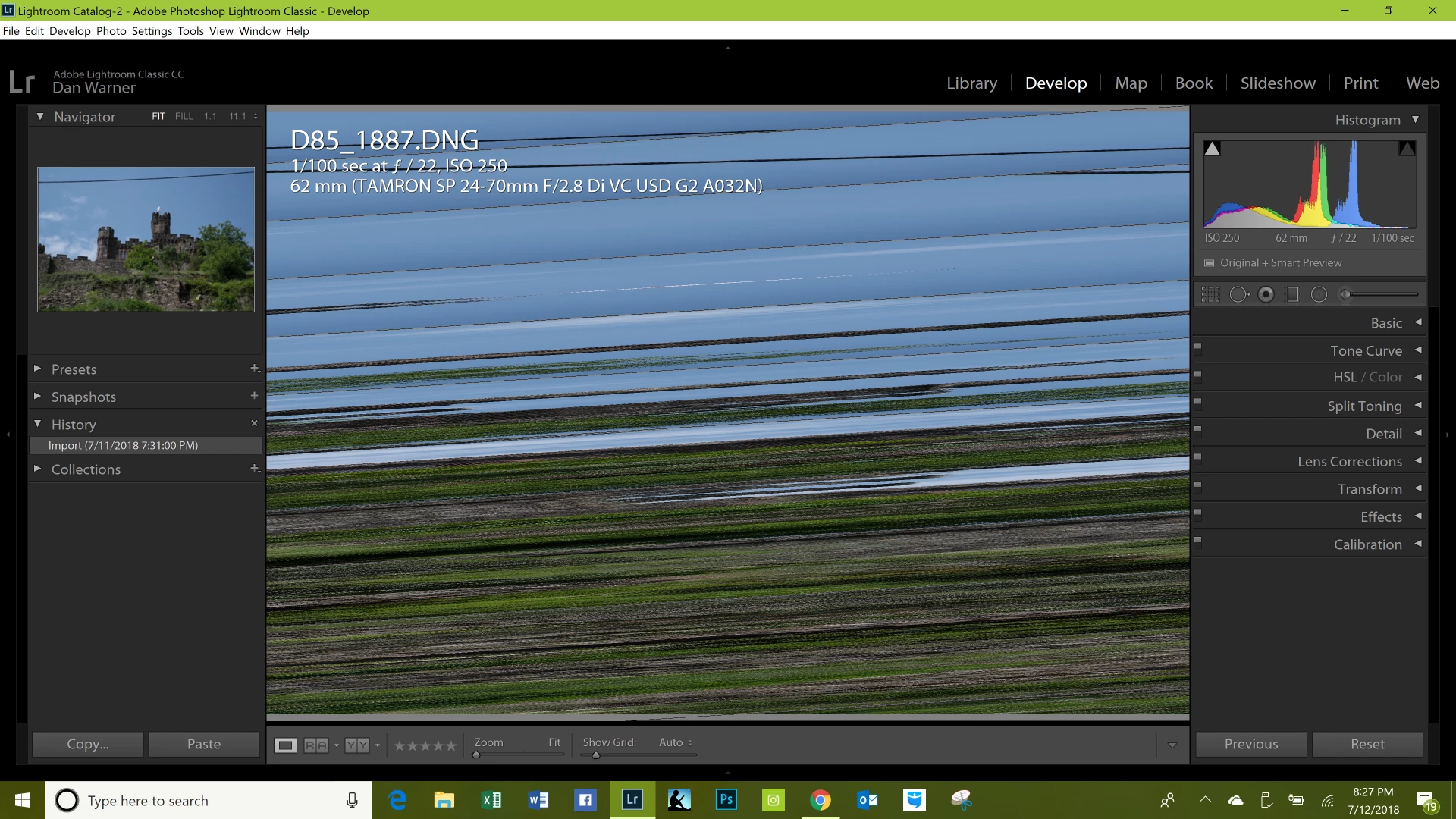
Lightroom Classic CC Corrupt Develop Module

  • July 12, 2018
  • 1 reply
  • 713 views

After importing raw images which all look fine in the library module but upon opening the images in the develop module they all appeared scrambled as shown in the screen print below. Would anyone have a fix for this? 

Thanks in advance for any help you can provide.

Dan
    This topic has been closed for replies.
    Correct answer JohanElzenga

    Go to Preferences - Performance and turn off the use of the graphics processor.

    1 reply

    JohanElzenga
    Community Expert
    JohanElzengaCommunity ExpertCorrect answer
    Community Expert
    July 12, 2018

    Go to Preferences - Performance and turn off the use of the graphics processor.

    -- Johan W. Elzenga
    Participant
    July 13, 2018

    Thank you so much, it worked perfect, your information was so helpful!!