Participating Frequently
December 25, 2017
Question

Lightroom Classic CC doesn't open on Mac

  • December 25, 2017
  • 1 reply
  • 583 views

Lightroom has not been opening the last few days. The icon pops up then closes down.

Updated to the latest version of Lightroom. Mac specs will be below. Any help will be appreciated!
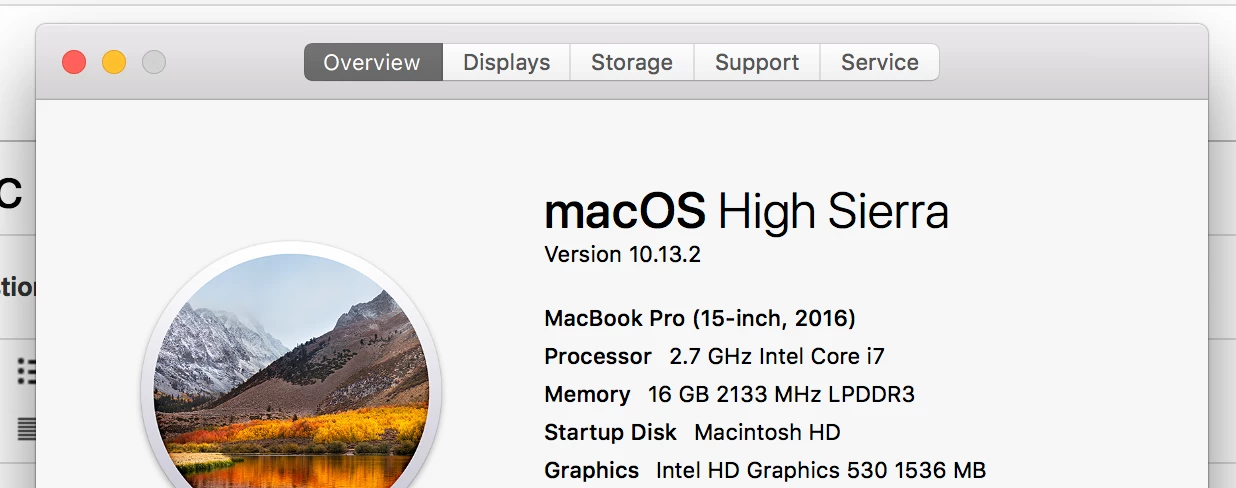
This topic has been closed for replies.

1 reply

Neox99
Legend
December 25, 2017

You may be better served by asking in the Lr CLASSIC forum.

That aside:

Restart your computer

That failing to fix the issue - uninstall and and all iterations of Lr from your computer.

Reinstall using the Adobe Creative Cloud App available here >>

Adobe creative desktop apps | Adobe Creative Cloud

shxkilAuthor
Participating Frequently
December 25, 2017

Tried that and never worked! and I will put it in there now, thanks for the help!

Rob_Cullen
Community Expert
Community Expert
August 28, 2018

How do you 'open' Lightroom?

From a Dock icon?, from the CC Desktop App?, from a Catalog (.LRCAT) file?

Have you tried all three?

What Version Number is LR?  (IF you could open LR!  then check in LR Menu: Help > System Info...)

Regards. My System: Windows-11, Lightroom-Classic 15.3, Photoshop 27.5, ACR 18.3, Lightroom 9.3, Lr-iOS 10.4.0, Bridge 16.0.3 .