


dmshort
Known Participant
October 21, 2017
Question

Lightroom Classic CC grainy photos when developing

  • October 21, 2017
  • 17 replies
  • 12516 views

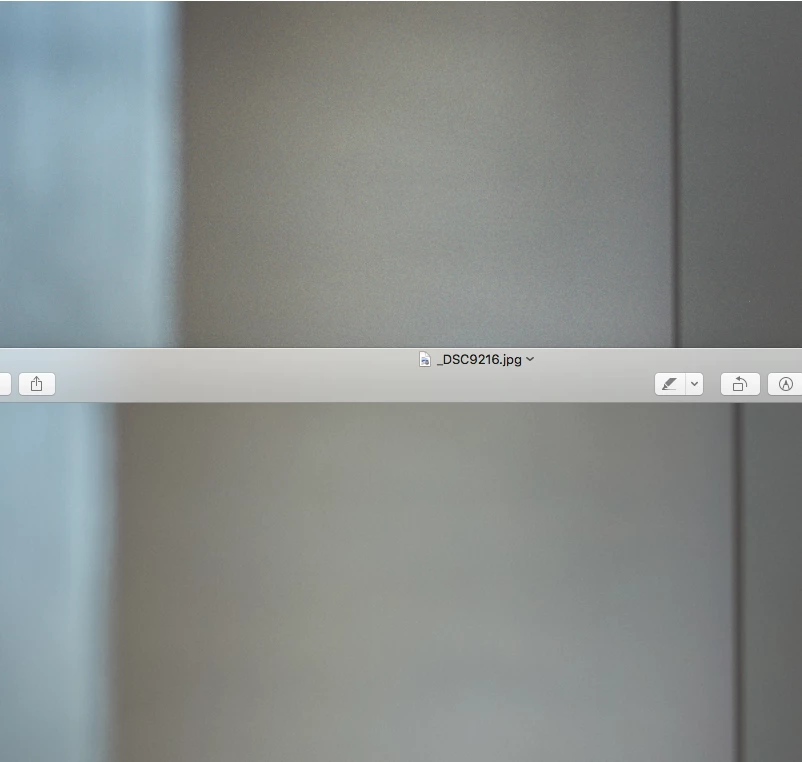
So I've just decided to upgrade to lightroom Classic. Probably should have waited. All of my photos now have an unnatural (non added effect or from high ISO) amount of grain or banding in them as what it used to look like in the old Lightroom CC when the photo was loading. Now what happens is I'll switch to a photo and it'll be fine for about 2 seconds then the banding/noise appears. Fortunately is doesn't follow along when exporting the file. Here's a screen shot of what I'm seeing. The top part is what is being rendered in Lightroom Classic and the bottom half is the same section of the photo zoomed in slightly more with no banding/noise. This needs to be fixed asap. Any help is greatly appreciated.
This topic has been closed for replies.

17 replies

Eb213
Participant
October 21, 2017

I'm having the same issue.

Community Expert
October 21, 2017

Might make sense to report the bug here: https://feedback.photoshop.com/photoshop_family/categories/photoshop_family_photoshop_lightroom​ That forum has many Adobe employees on it that actually fix bugs.

dmshort
dmshortAuthor
Known Participant
October 21, 2017

I figured out what is causing this issue. It's the graphics processor. When I have the Use Graphics Processor checked I have this issue (It's always been checked in the past) when I uncheck it, Lightroom renders the photo as it should, the noise/banding disappears. As soon as I check it again it reappears. Seems to be a bug that needs to be worked out.

Community Expert
October 21, 2017

Yeah that sounds like a bug. One more! Lots of people have strange rendering issues with banding and plugged up shadows suddenly.

dmshort
dmshortAuthor
Known Participant
October 21, 2017

There's really no need to screen shot the sharpening settings as this noise/banding remains whether or not I toggle the "Detail" section of Lightroom on or off. I'm fine with the second of delay.... Just not with it starting off better and then getting worse. I'm fully aware that over sharpening of images will add undue noise and one other thing to ensure to you that it's not the sharpening is the image that I've posted above is on a section where I've used the masking tool to remove the sharpening from that area since there's no need for that part of the image to be sharpened.

Participant
June 15, 2020

I'm having the exact same problem. The photo looks fine for 2 seconds and then tons of noise is added. Doesn't matter if details are off or if sharping is set to zero.

dmshort
dmshortAuthor
Known Participant
October 21, 2017

It also remains whether or not I turn the sharpening on or off.

Community Expert
October 21, 2017

I am not seeing this happen. Can you show a screenshot of your sharpening settings? The change after a second or so is normal. It waits for that long to apply the output sharpening preview. Lightroom 2015 did the same thing.

dmshort
dmshortAuthor
Known Participant
October 21, 2017

It's not my sharpening as it's exactly the same settings as I was using before I upgraded to Lightroom Classic CC. The old Lightroom CC had no issues whatsoever with rendering everything correctly. The screenshot above is being shown in Lightroom at 25% and shot at ISO400.

Once more, as soon as I move to a new photo, it renders the photo perfectly then gets the noise/banding about 2 seconds later and it stays there. When I was using the old Lightroom CC, I would see the same noise/banding as soon as I moved to a new photo but it would go away after about 2 seconds.

Community Expert
October 21, 2017

What are your sharpening settings on this image? This is probably due to excessive sharpening or noise reduction. The Develop module cannot accurately display these effects at anything but 1:1 and higher zooms. At lower zoom settings it tries to simulate the sharpening effect and what the image will look like after appropriate output sharpening but this is not accurate when the original is noisy and you have very large amounts of sharpening applied in the detail section. Also, preview is really bad at showing images that are larger than the screen. It softens the image considerably if it downscales them so you can't trust what preview shows you either.