
Participant
October 31, 2017
Answered

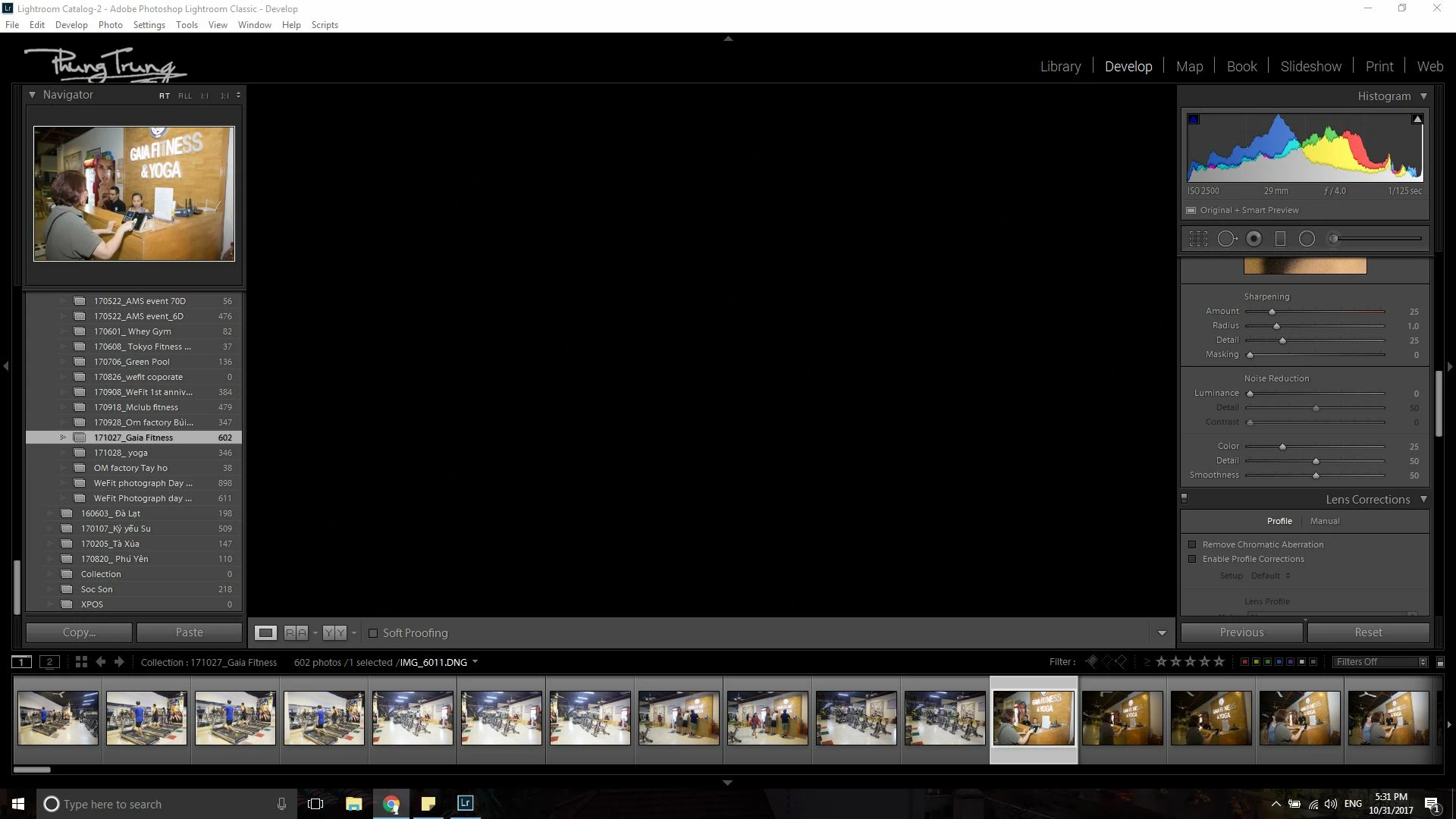
Lightroom classic CC not showing DNG images

  • October 31, 2017
  • 1 reply
  • 1854 views

My lightroom CC doesn't show up DNG photos (convert from 6D RAW files). Photos in flimtrips and Navigator are stills normal. In the library tab are also normal but in Develop mode, there 's only black. Anyone have this problem too? Please help me
This topic has been closed for replies.
Correct answer Mohit Goyal

Hi phùngt,

Please turn off the graphics processor from the Lightroom preferences and check if that helps.

Open Lightroom> Edit > Preferences > Performance tab > Uncheck GPU > Restart Lightroom.

Let us know if that helps.

Regards,

Mohit

1 reply

Mohit Goyal
Community Manager
Mohit GoyalCommunity ManagerCorrect answer
Community Manager
November 17, 2017

Hi phùngt,

Please turn off the graphics processor from the Lightroom preferences and check if that helps.

Open Lightroom> Edit > Preferences > Performance tab > Uncheck GPU > Restart Lightroom.

Let us know if that helps.

Regards,

Mohit