
Lightroom Classic CC Sync not working (grayed-out)
Hi,
I recently bought the photography package and am not able to sync my photos because the option is grayed-out.
Any idea how to fix that?
Cheers
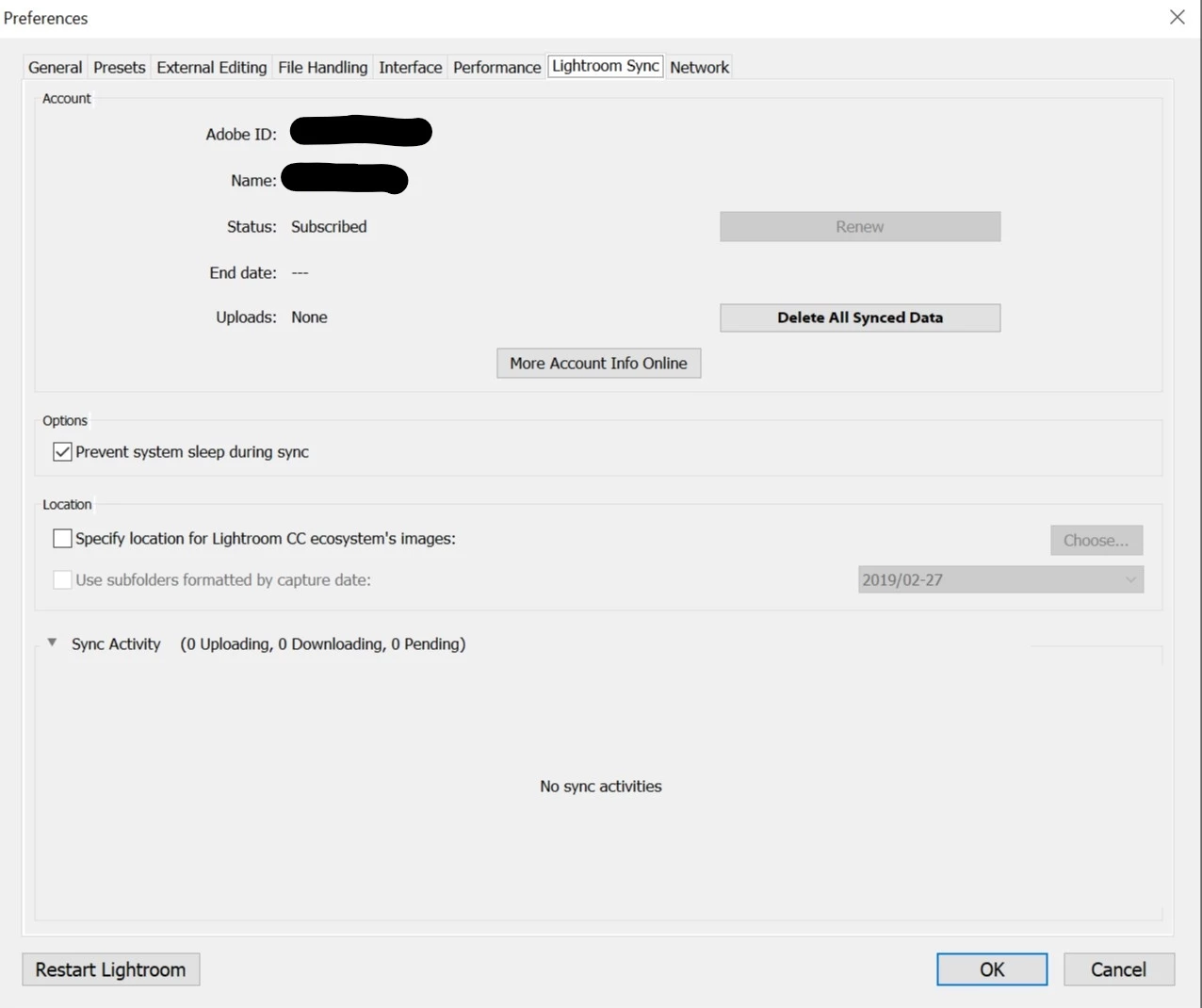
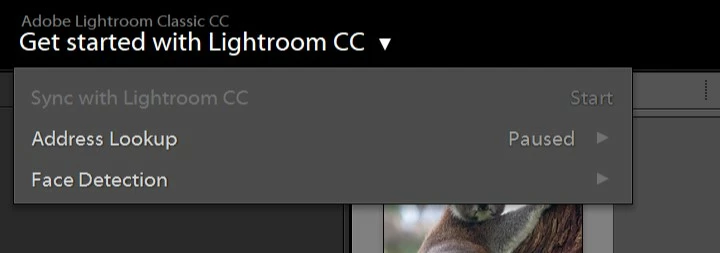
DEBUG LOG:
Lightroom Classic version: 8.2 [ 1204643 ]
License: Creative Cloud
Language setting: en
Operating system: Windows 10
Version: 10.0.17763
Application architecture: x64
System architecture: x64
Logical processor count: 12
Processor speed: 3.6 GHz
Built-in memory: 16334.9 MB
Real memory available to Lightroom: 16334.9 MB
Real memory used by Lightroom: 565.5 MB (3.4%)
Virtual memory used by Lightroom: 773.0 MB
GDI objects count: 701
USER objects count: 1876
Process handles count: 2951
Memory cache size: 0.0MB
Internal Camera Raw version: 11.2 [ 134 ]
Maximum thread count used by Camera Raw: 5
Camera Raw SIMD optimization: SSE2,AVX,AVX2
Camera Raw virtual memory: 6MB / 8167MB (0%)
Camera Raw real memory: 6MB / 16334MB (0%)
System DPI setting: 144 DPI (high DPI mode)
Desktop composition enabled: Yes
Displays: 1) 3840x2160
Input types: Multitouch: No, Integrated touch: No, Integrated pen: No, External touch: No, External pen: No, Keyboard: No
Graphics Processor Info:
DirectX: AMD Radeon (TM) R9 390 Series (22.19.162.4)
Application folder: C:\Program Files\Adobe\Adobe Lightroom Classic CC
Library Path: E:\Libs\Pictures\Lightroom\Lightroom Catalog.lrcat
Settings Folder: C:\Users\Tobi\AppData\Roaming\Adobe\Lightroom
Installed Plugins:
1) AdobeStock
2) Facebook
3) Flickr
4) LogiOptions
5) Nikon Tether Plugin
Message was edited by: Mod to remove unneeded text.
 AdChoices