
Dan12343312312
Participant
April 7, 2018
Question

Lightroom classic CC - when it just won't import video files

  • April 7, 2018
  • 2 replies
  • 2946 views

I'm getting quite frustrated with the seeming inability of Lightroom Classic to import video files from any source. Fails with Nikon, iphone and Olympus video files, all of which play fine elsewhere (e.g. Quicktime). The same problem on an imac with a massive lightroom library, and a macbook pro with a clean install and tiny library. Have cleared the video cache and turned off graphics card acceleration. Doesn't matter if I import directly from the camera, a card, or copy it into an empty folder on the laptop and import from that. Nothing seems to work.
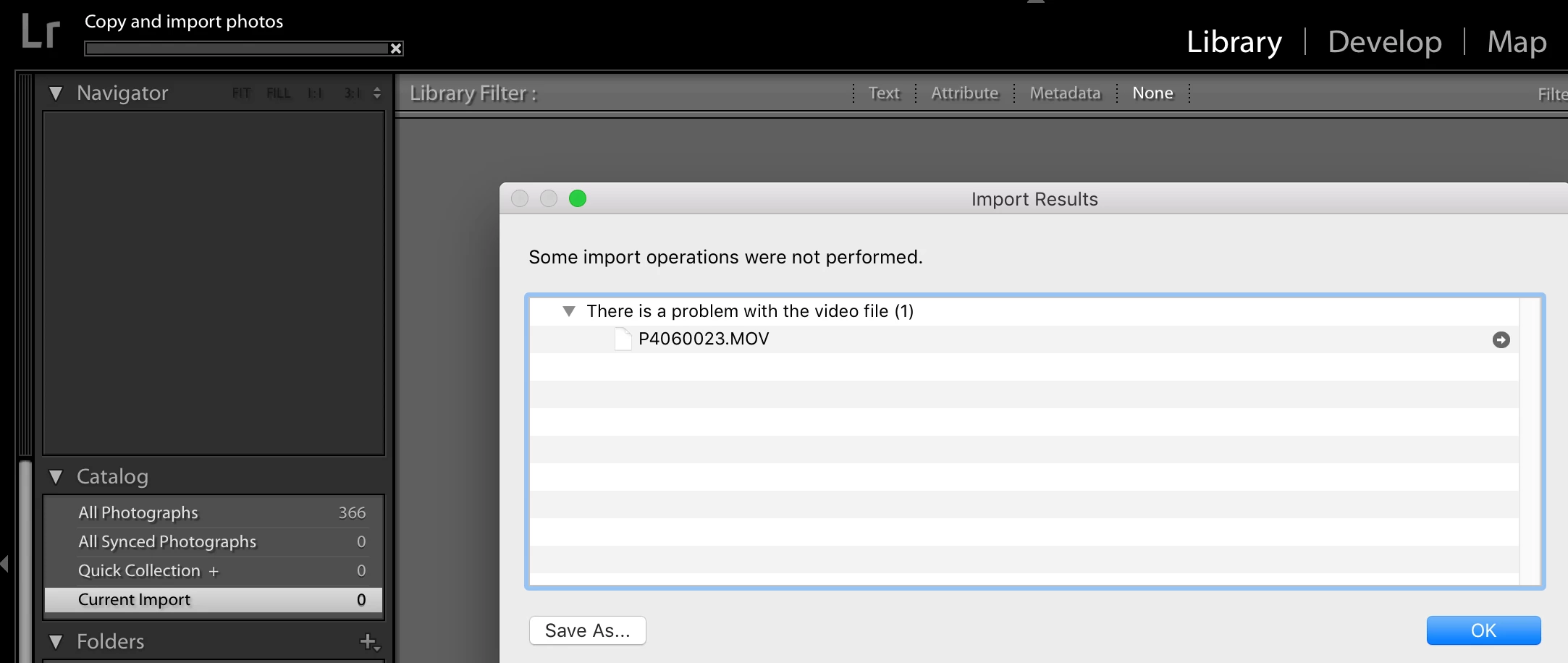
Always get the helpful "there is a problem with the video file" error.

Has anyone been able to resolve this?

Many thanks,

Dan

2 replies

JimButNotHim
Participating Frequently
November 7, 2018

This is ridiculous and from the forum has been a problem over many versions of Lightroom.  Luckily I've only been affected in the last couple of months.  I have found that sometimes if I shut down my Windows 10 PC, and restart it and Lightroom, it is suddenly able to import videos.

Today, it refused to import jpg files, telling me that there is either it is not writable(!) or there is not enough space (only 129GB!).

What is the point of software that is as irritating as this.  Do they want us to keep subscribing?

I just tried again (having changed nothing - just wasted some time posting this grumble) and it has worked.  If only video imports were as easy.  It still needs sorting out permanently by Adobe.

Rob and Adam
Participant
January 5, 2020

I had the same problem.  The simplest way to work around this is to use the LR App on your iPhone and import into LR there, it will then sync to your desktop.  

Dan12343312312
Participant
April 9, 2018

Have finally solved this, courtesy of Lightroom Classic: Videos don't play and don't import | Photoshop Family Customer Community

Deleting the contents of these three folders worked:

  • <user>/Library/Preferences/Adobe/dynamiclinkmanager
  • <user>/Library/Preferences/Adobe/dynamiclinkmediaserver
  • <user>/Library/Preferences/Adobe/DyanmicLinkMediaServer

Dan

Participant
June 19, 2018

Sadly, this does not fix the problem on my Mac (running High Sierra 10.13.4)  I've deleted all of the dynamic files and am still unable to import any video (MP4, MOV, AVi....).  All of the files play in Quicktime and the new Lightroom CC....but not in Lightroom Classic