


Lightroom Classic Chinese UI is garbled, but Photoshop works perfectly — Windows 11
Hi everyone,
First, ChatGPT helped writing this post since i have been talking with it about this question yesterday the whole day. now the question below:
I'm having a really weird problem with Lightroom Classic and I'm running out of things to try.
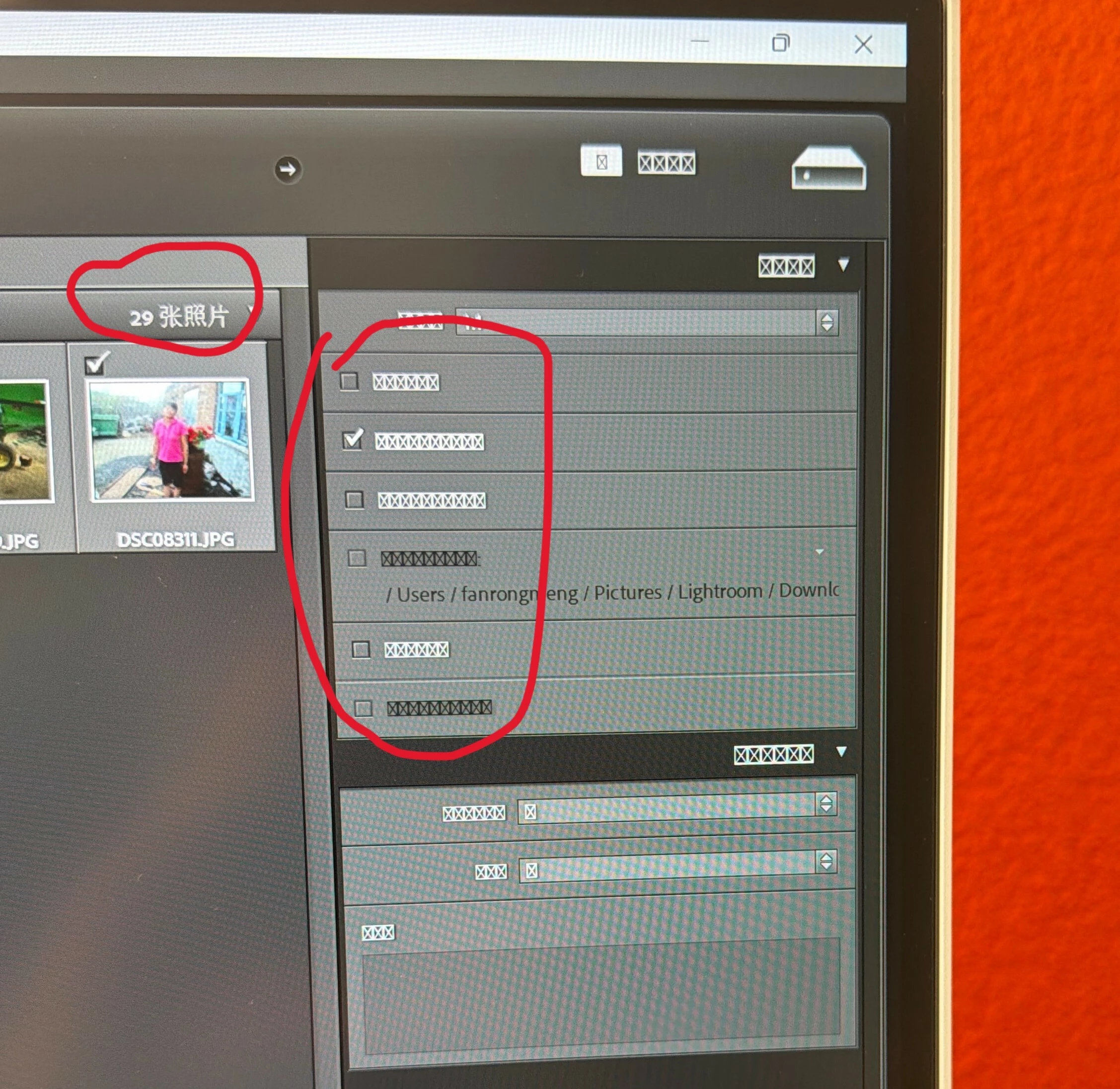
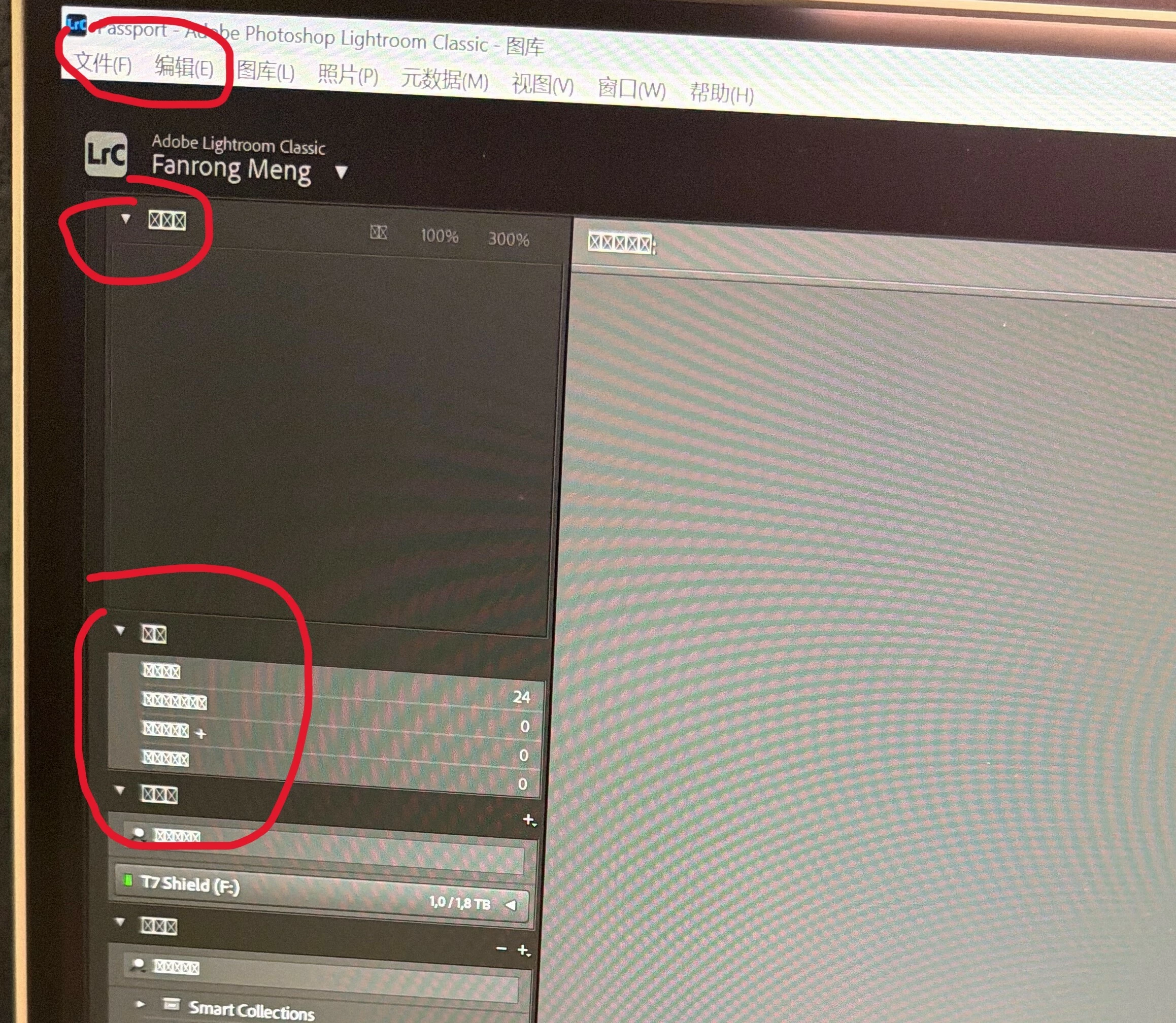
When I switch Lightroom Classic to Chinese, most of the UI becomes garbled/unreadable. The really strange part is that the top menu bar displays Chinese normally, while most of the rest of the Lightroom interface is messed up.
Even stranger: Photoshop on the same PC displays Chinese perfectly.
So I'm starting to think this might be something specific to Lightroom's UI/text rendering rather than a general Windows Chinese-font problem.
System
- Windows 11
- Build: 10.0.26200.8875
- Lightroom Classic 15.5
- Windows display language: English (United States)
- Display scaling: 150%
- Lightroom scaling: Auto
- Chinese fonts: Microsoft YaHei installed
Things I've already tried
I've gone pretty far down the troubleshooting rabbit hole:
- Uninstalled and reinstalled Lightroom Classic
- Reinstalled it through Adobe Creative Cloud with Chinese selected
- Tried another version of Lightroom — same problem
- Reset Lightroom preferences
- Tested with another Windows user account — same problem
- Switched between my local Windows account and my Microsoft/Office account — same problem
- Restarted Windows
- Checked
intl.cpl - System locale is English (United States)
- "Beta: Use Unicode UTF-8 for worldwide language support" is OFF
- Ran
sfc /scannow- No integrity violations found
- Checked the Windows font files and registry
- Confirmed that
msyh.ttc,msyhbd.ttcandmsyhl.ttcare present inC:\Windows\Fonts - Confirmed that Microsoft YaHei is correctly registered in the Windows font registry
- Checked
FontLink\SystemLink - Confirmed
C:\Windows\System32\fontsub.dllexists
I also noticed something interesting: some Chinese text in Lightroom's Preferences can display correctly, while other parts of the UI are still garbled.
At this point I'm pretty sure this isn't simply "Chinese fonts aren't installed."
What I'm wondering
Could this be related to Lightroom Classic's UI rendering rather than the Windows font system?
I'm wondering about things like:
- DirectWrite / Windows text rendering
- Lightroom's UI framework
- Adobe CEF/UXP components
- DPI scaling (150%)
- Lightroom-specific font fallback
- An incompatibility with this particular Windows 11 build
Has anyone seen anything like this with Lightroom Classic?
What would you check next?
I'm happy to provide screenshots or any other diagnostic information that might help.
Thanks!
 AdChoices