Question
Lightroom Classic Colors problems inside the program
Few weeks ago, suddenly LIGHTROOM Clasic got colours problems on my computer
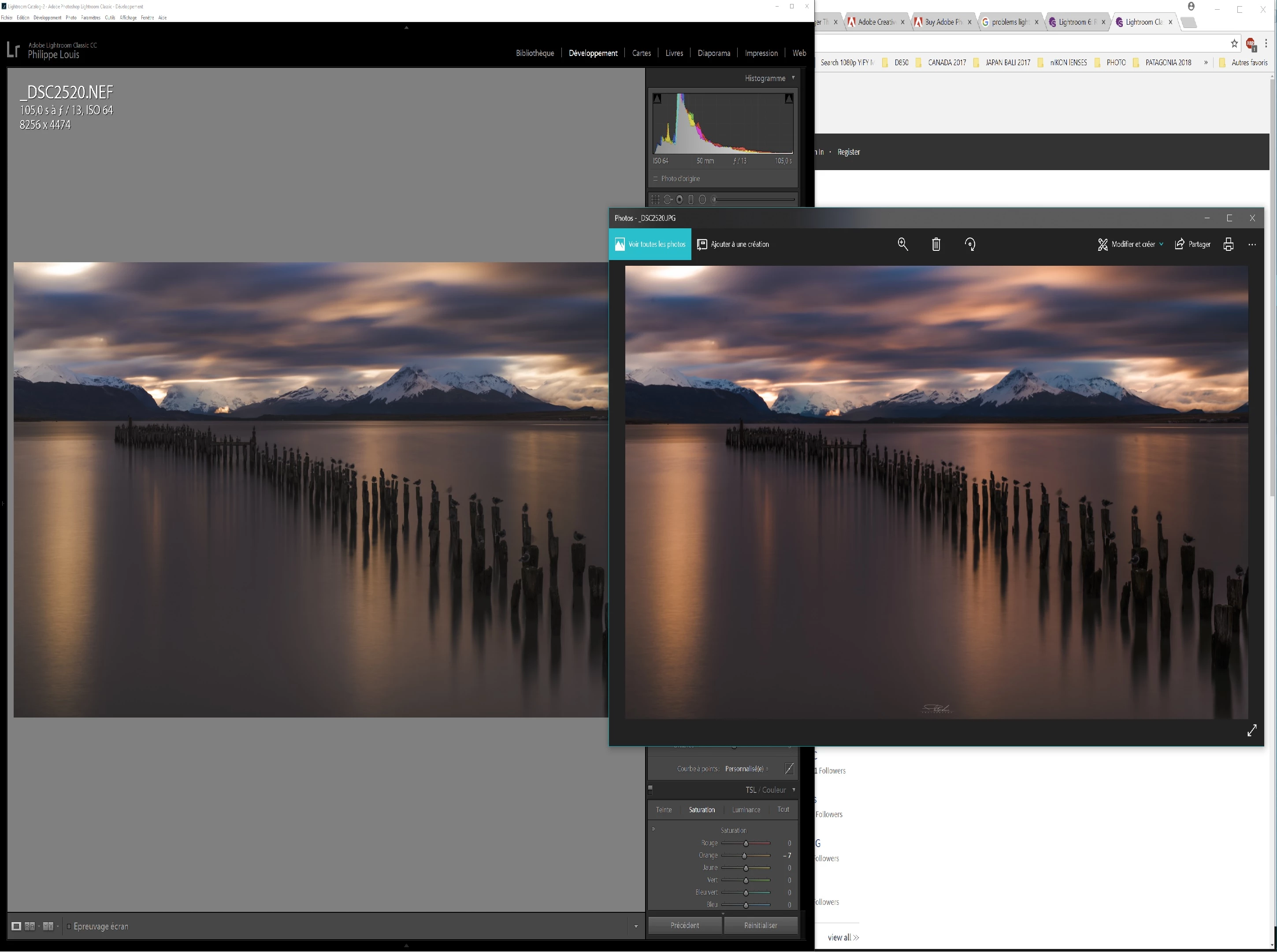
Inside the program, the colors look less vibrant and saturated.
Here is an example of an old pic I've developped. It used to look the same on the program and on the exported pic. Now when I open it again on the program it's less saturated and less contrasty. But when I export the picture it's like it used to be before (vibrant and contrasty):
I don't know what to do
i unistall and re install LIGHTROOM and spider.
Please Help.
I'm just back from a trop from patagonia and I can't porcess my pics
 AdChoices