


dasselp91891949
Participant
October 12, 2025
Answered

LightRoom Classic crashes while importing files

  • October 12, 2025
  • 1 reply
  • 274 views

Hello,


Unfortunately, my Lightroom Classic (offline version) has recently been crashing as soon as I try to import photos. I use Win 10 64 bit.
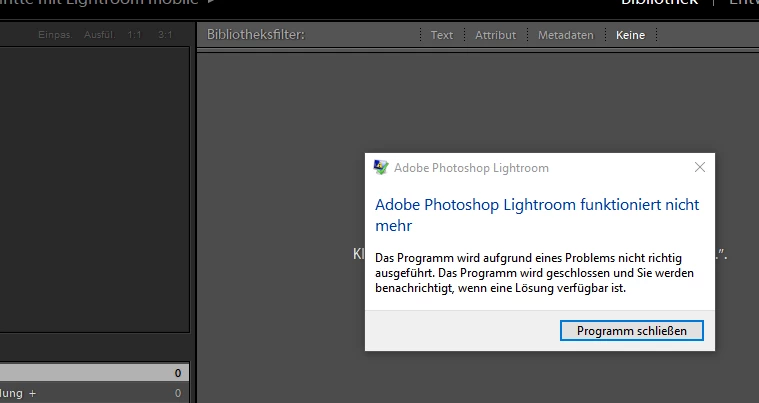
The LogCollectorTool has uploaded the file “AdobeLogs_20251012_065820_950-win-GS.zxp” to Adobe.

I have also worked through the instructions, but unfortunately without success:

https://community.adobe.com/t5/creative-cloud-desktop-discussions/can-not-get-the-latest-version-of-lightroom-lightroom-classic-and-photoshop/m-p/13794814


The instructions also said to send the two CoreSync Folders to Adobe. But to what mailadress?


Can you help me?


Best regards and many thanks for your help.

Correct answer dasselp91891949

Hi,

thanks for your reply. A newinstall fix the problem 🙂

1 reply

Srishti Bali
Community Manager
Community Manager
October 13, 2025

Hi @dasselp91891949


Thanks for reaching out, and I’m sorry to hear that Lightroom Classic has been crashing during import. I appreciate you sharing the details and logs. To help us investigate this further, could you please provide a few more details?

  • The exact version of Lightroom Classic you’re using (e.g., 13.5, 13.4, etc.)

  • Does the crash happen with all image files or only specific formats (e.g., RAW, JPEG)?

  • Are you importing from a camera/card reader or directly from a folder on your computer?

  • Could you share a screenshot of the error message or crash dialog (if visible)?

  • Have you made any recent changes to your system, graphics driver, or storage setup before the issue started?


Once we have these details, we’ll be able to pinpoint the cause more accurately.


Regarding the CoreSync folders, you can instead upload them to a secure cloud location (like Google Drive, OneDrive, or Dropbox) and share the link here so the support team can review them.


Regards,
Srishti

dasselp91891949
dasselp91891949AuthorCorrect answer
Participant
October 26, 2025

Hi,

thanks for your reply. A newinstall fix the problem 🙂