
Lightroom Classic - Denoise feature fails due to permission issue
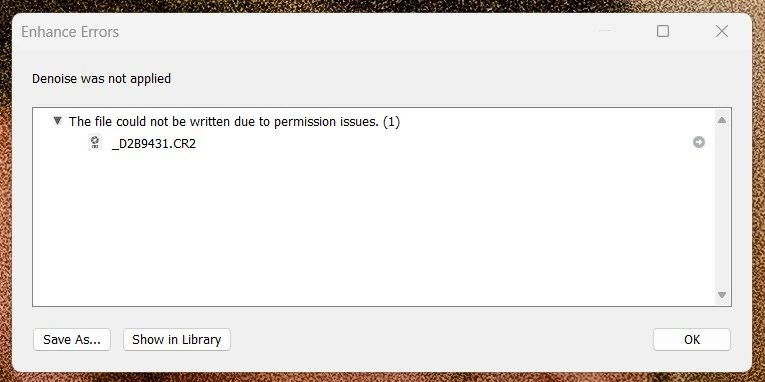
Trying out the new denoise feature in LR Classic, but every time I try to use it, it fails based on the error below. The directory holding the raw files has correct permissions, as I am able to create files in there. I've turned off the "create stack" option, so in theory (according to my limited understanding), Denoise should only be trying to create a DNG file in the file directory... but it still comes up with this error.
Is my understanding wrong? What permissions does Denoise need? Am I doing something wrong?
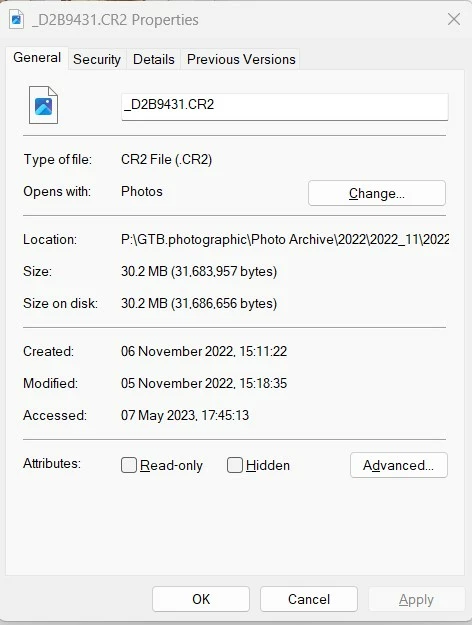
Just to add a little extra complication... I'm using my catalog on a different PC & spoofing the photo directory using the DOS command SUBST. (My photo library lives on my main PC on drive P: (P:\GTB.photographic\Photo Archive) - the laptop that I'm editing on is currently connected to a USB harddrive containing a subset of images, physically connected as drive D:. The photos on the drive are stored in a directory structure mirroring the usual archive - D:\P\GTB.photographic\Photo Archive - and then when editing I use the DOS command subst p: d:\p to create a virtual P drive with the file structure that the LR catalog is expecting (so LR can see and access the photos without issue).
Unfortunately I'm away from home currently and unable to check whether the issue is the same on the main PC, but as the batch of photos I'm editing are quite noisy, it would be great to get to use this functionality. Thanks in advance for any suggestions or assistance!


 AdChoices