
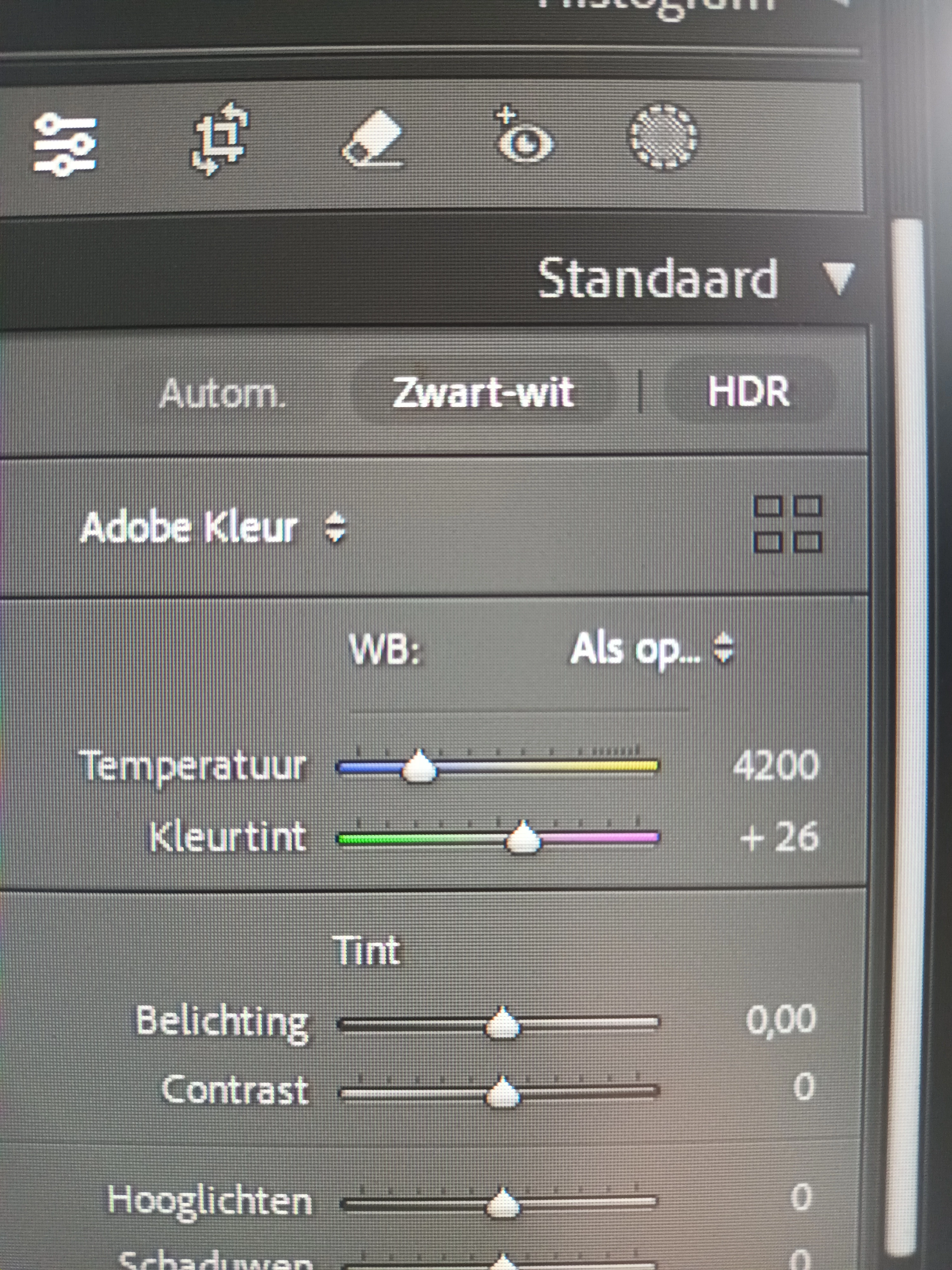
Lightroom Classic Develop Automatic adn Profile don't work
Lightroom Classic-versie: 14.0.1 [ 202410161356-30922cfc ]
Licentie: Creative Cloud
Taalinstelling: nl
Besturingssysteem: Windows 10 - Home Premium Edition
Versie: 10.0.19045
Toepassingsarchitectuur: x64
Systeemarchitectuur: x64
Aantal logische processors: 4
Processorsnelheid: 3,3GHz
SQLite-versie: 3.36.0
CPU-gebruik: 1,0%
Stroombron: Aangesloten op stroombron
Ingebouwd geheugen: 8149,7 MB
Het toegewezen GPU-geheugen dat door Lightroom wordt gebruikt: 0,0MB / 0,0MB (0%)
Beschikbaar fysiek geheugen voor Lightroom: 8149,7 MB
Fysiek geheugen gebruikt door Lightroom: 1415,9 MB (17,3%)
Virtueel geheugen gebruikt door Lightroom: 1563,3 MB
Aantal GDI-objecten: 752
Aantal gebruikersobjecten: 2323
Aantal proceshandelingen: 1679
Cachegeheugengrootte: 12,8MB
Interne Camera Raw-versie: 17.0 [ 2043 ]
Maximumaantal door Camera Raw gebruikte threads: 3
Camera Raw SIMD-optimalisatie: SSE2,AVX
Virtueel geheugen Camera Raw: 242MB / 4074MB (5%)
Fysiek geheugen Camera Raw: 306MB / 8149MB (3%)
Cache1:
Final1- RAM:236,0MB, VRAM:0,0MB, DSCF7545.RAF
NT- RAM:236,0MB, VRAM:0,0MB, Combined:236,0MB
Cache2:
m:12,8MB, n:188,8MB
U-main: 119,0MB
Dpi-instelling systeem: 96 dpi
Bureaubladcompositie ingeschakeld: Ja
Standaardgrootte voorvertoning: 1920 pixels
Schermen: 1) 1920x1080
Thanks for your message.
Since a couple of months the things that are not always working are the function "Automatic" and the Profile matching.
It's always that both don't work. But if I work with f.e. 40 RAW's, the chance is that 30 don't and 10 don't.
Usually the first I start with does not, then sometimes the second or third do. I the go back to the first and that works also. But when I aarive at let's say 25 it does not work anymore.
Thanks for your attention
Fred


 AdChoices