
Lightroom Classic develope preview vs 1:1 displays incorrect lighting
I am going to explain this the best way i can, forgive me it is hard to explain with out video.
When I am in develop mode, and arrow between images a image (preview) is displayed (photo A). (pls note, i build 1:1 on import). I make adjustments to highlights, exposure, WB. Then move to the next image. When I go back to adjust sharpening or noise reduction I zoom to 100%, the photo loads for a moment, then darkens considerably (photo B). When I zoom out the photo remains dark. So I redo all lighting adjustments to match what I wanted before. Then I arrow one photo away and come back. The preview (photo A) is now considerably brighter, some cases over exposed. Once I zoom to 100% and out again the photo darkens once again to match second light adjustments (photo B). You can even see the histogram shift in the images. This is after zoom to 100% and back to FIT, that is all.
I have exported the photo and it seems to always match Photo B when exported
This is a huge issue when I am looking at the tile library and some images are over exposed and other are not, it is extremely difficult to tell what is ready to export and not. Why would lightroom be displaying 2 different values/images like this?? any help would be amazing.
Photo A
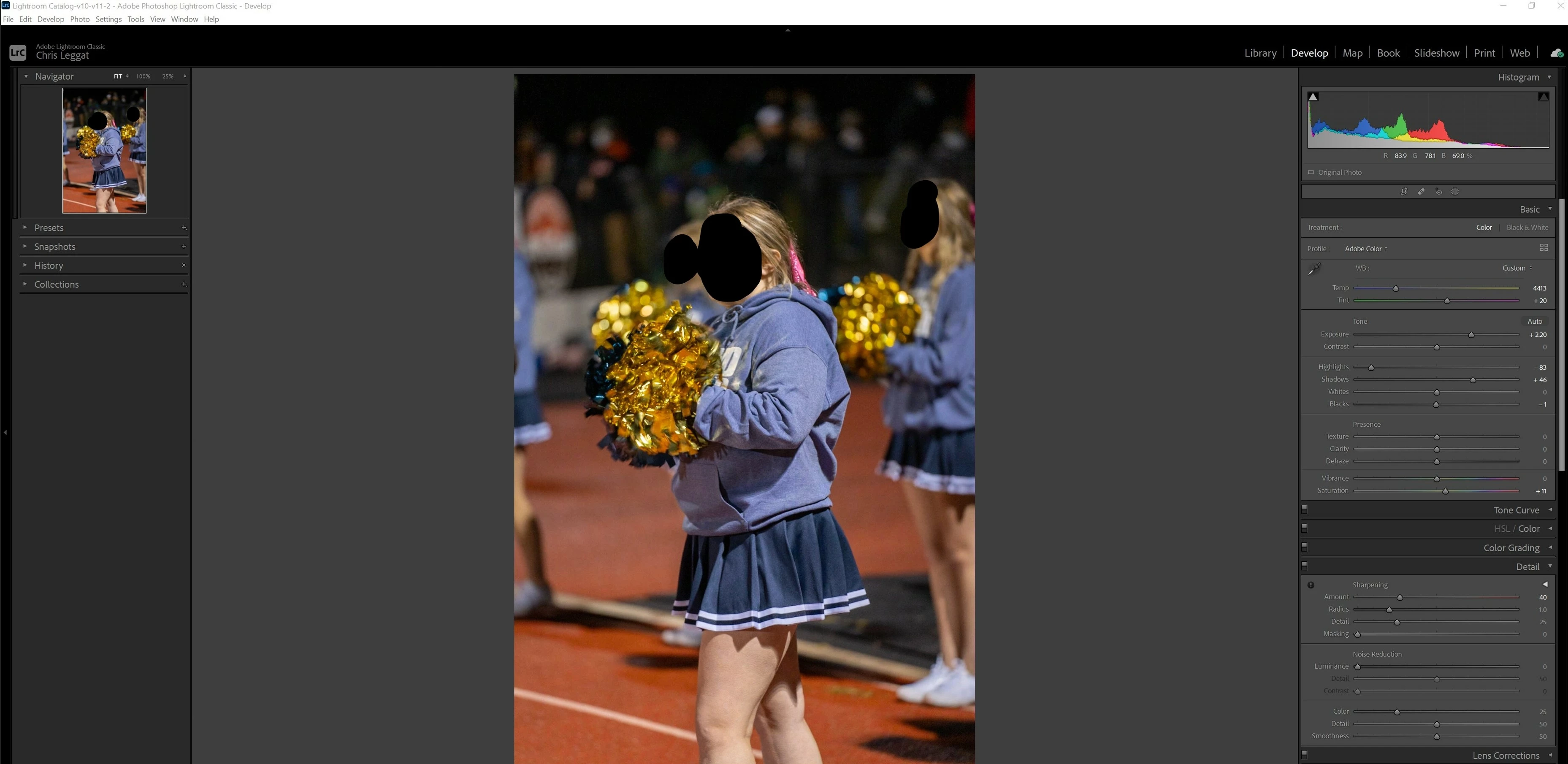
Photo B
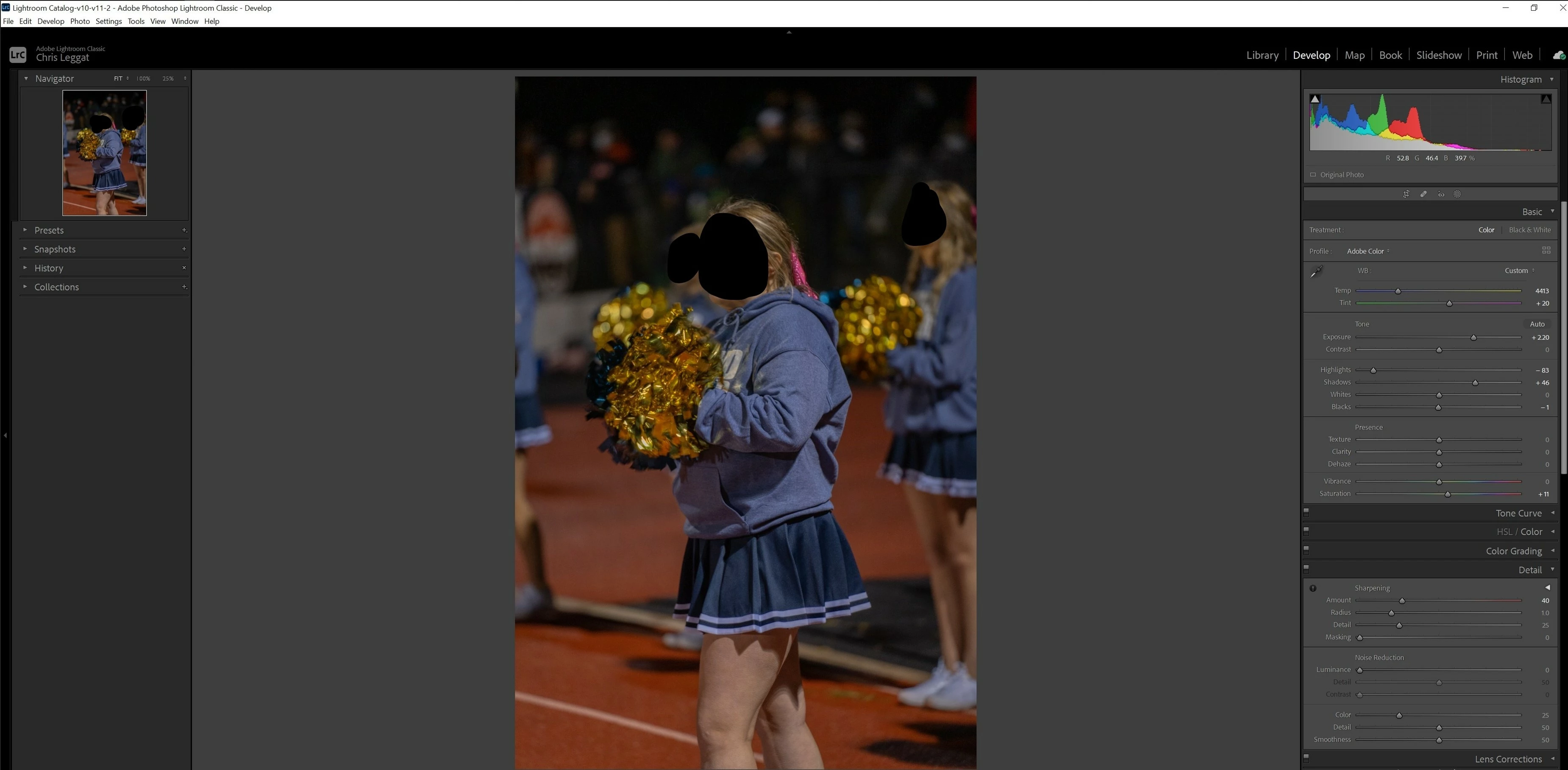
Side note: It seems to happen more frequently on photos that the "highlights" slider darkens the whole image. I don't know why that is happening either.
(forgive the image banding, I am learning Sony and their electronic shutter on mirrorless)
(faces blacked out for privacy, This was a high school football game)
Details:
Lightroom Classic - Latest cloud version
Sony A7R4 Camera - shooting RAW only
Windows 10 64 bit
 AdChoices