
Lightroom Classic doesn't display all pictures in 2 specific folders
Hi to the community
I discovered lately that 2 specific folders don't display all pictures, some are missing.
Typically these 2 folders contain respectively 575 and 121 pictures (confirmed by the Windows File Explorer).
Lightroom classic shows only 460 and 22 respectively.
When I try to synchronize the folder again, the first pop-up window shows that some files must be imported. But then when I hit synchronize, no new photo are display, as if there are already considered part of the catalogue.
Here is an example with the folder with pictures from my trip to London in October 2024:
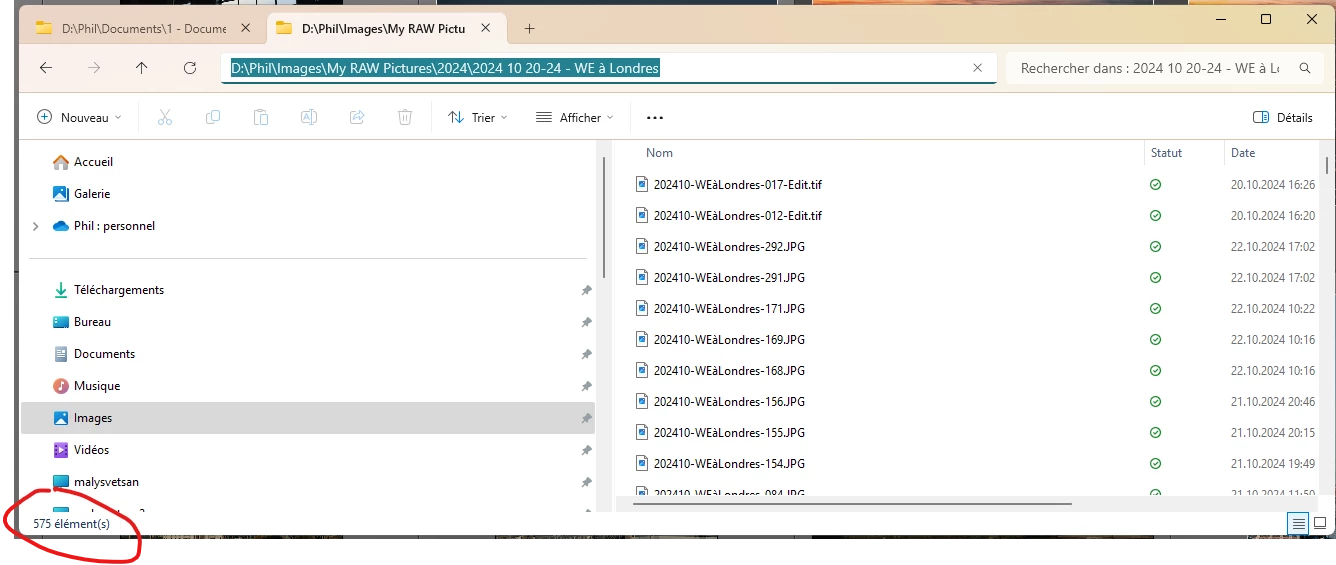
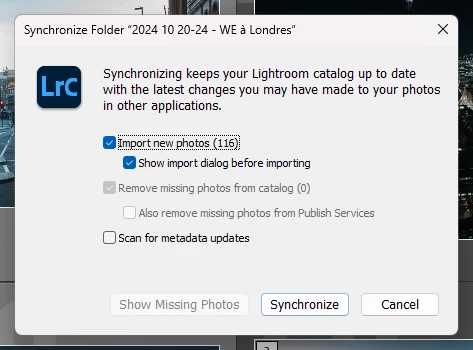

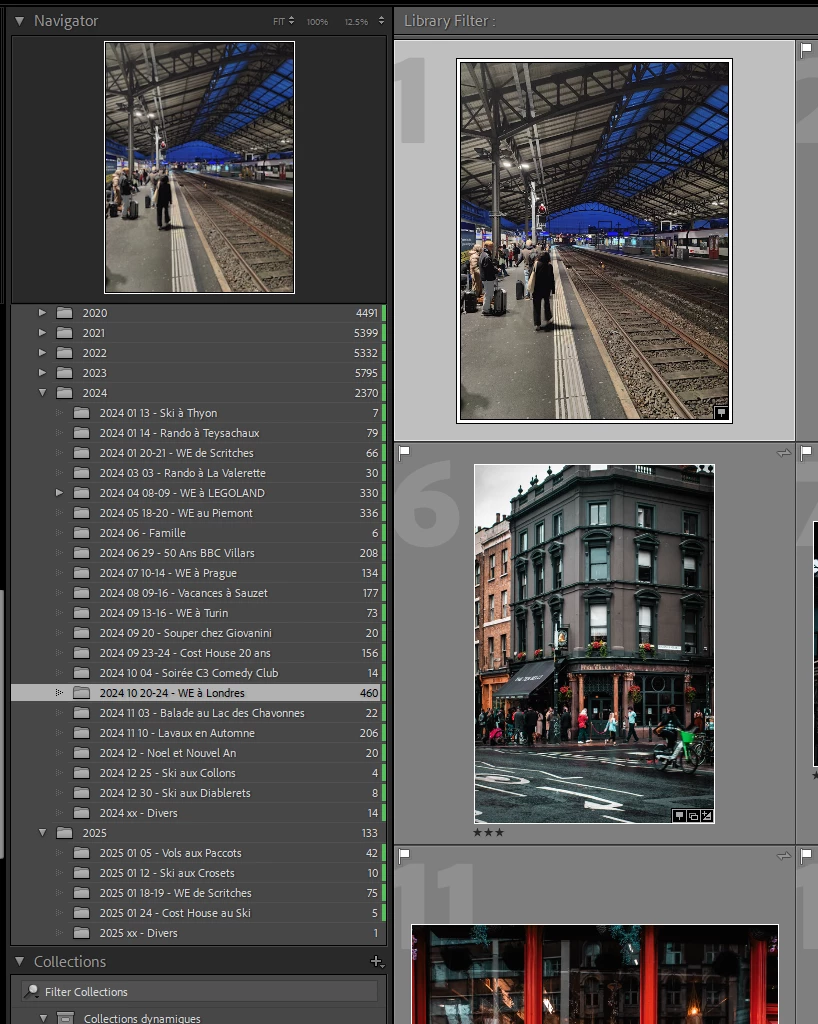
Please help me recover these photos which were properly imported at first, since I could edit them and even synchronised some on Adobe cloud. That is how I discovered that they were missing on my local catalogue.
For information, these pictures are on a local drive. I'm using Windows 11 24h2 (latest build) and Lightroom Classic latest version (release 14.2)


 AdChoices