
Participant
March 6, 2023
Answered

Lightroom Classic doesn't want to work

  • March 6, 2023
  • 1 reply
  • 473 views
 
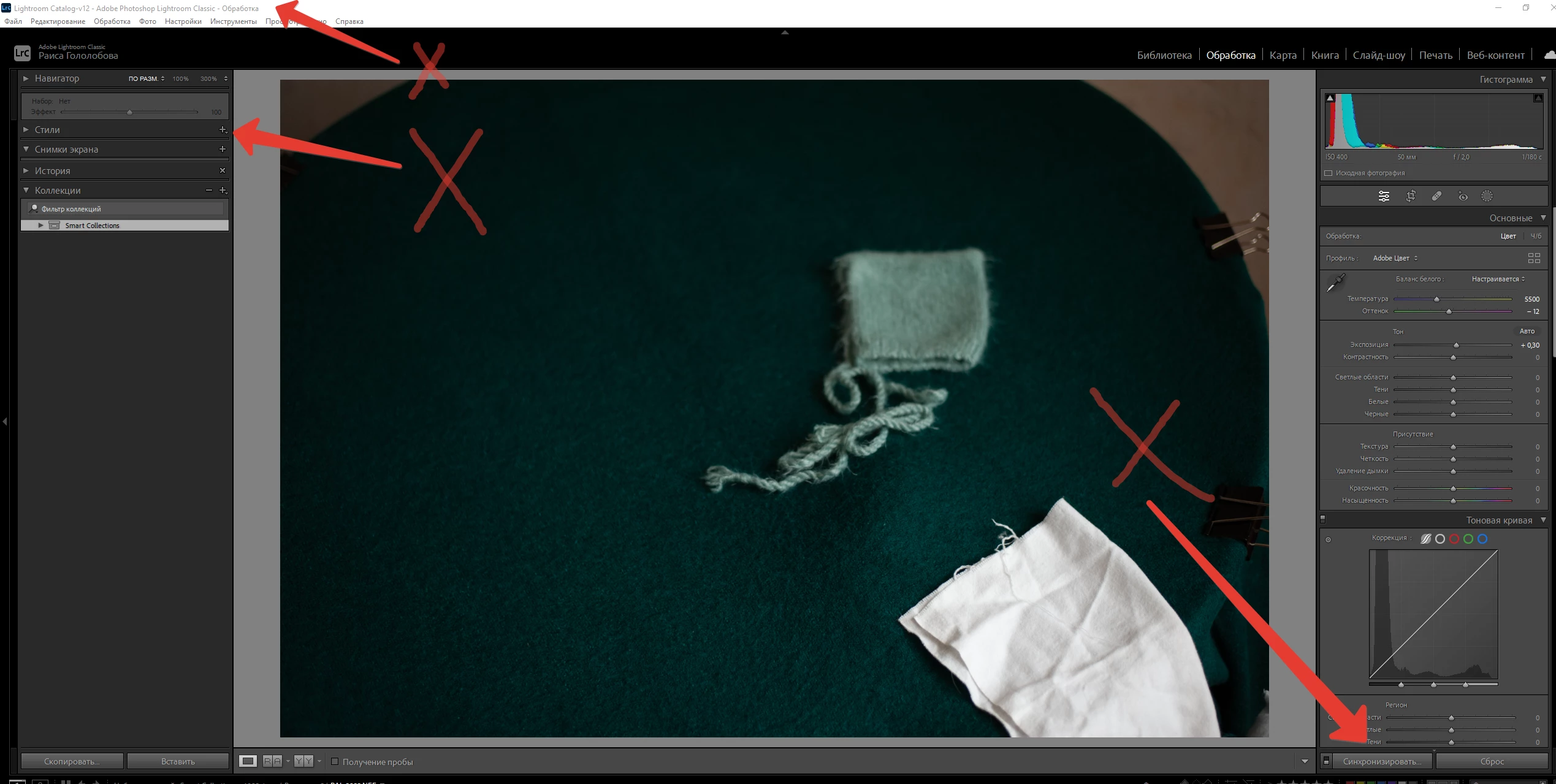
The button for syncing preset settings to other photos does not work, the Lightroom simply freezes when using this operation.
It does not work to create your own presets, the Lightroom freezes and does not work at all.
I have a Windows 10 system
 
This topic has been closed for replies.
Correct answer Sameer K

I'll help you figure this out. I'll need more info from Lightroom Classic > Help > System info. 

Is there a noticeable pattern to this behavior? Are you working with two displays?


To begin troubleshooting, test some variables & try again:


Let me know how it goes. Thanks!
Sameer K

1 reply

Sameer K
Community Manager
Sameer KCommunity ManagerCorrect answer
Community Manager
March 6, 2023

I'll help you figure this out. I'll need more info from Lightroom Classic > Help > System info. 

Is there a noticeable pattern to this behavior? Are you working with two displays?


To begin troubleshooting, test some variables & try again:


Let me know how it goes. Thanks!
Sameer K

Participant
March 7, 2023

Thank you very much! I turned off the additional monitor and everything started working! Then I turned on the additional display and everything is fine!

 
The first file is without paraphernalia, the second file with an additional display