


Participant
November 4, 2025
Question

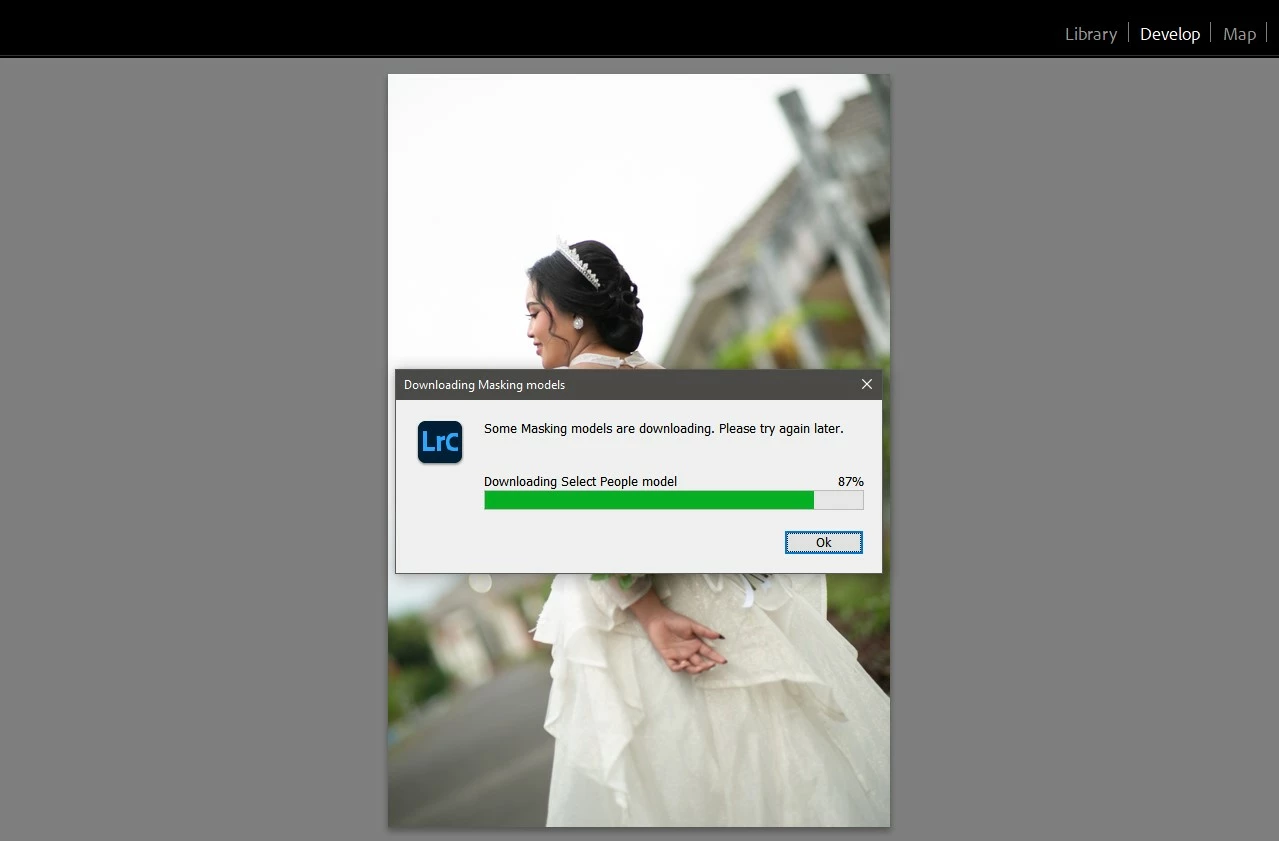
Lightroom Classic error : "Some masking models are downloading. Please try again later"

  • November 4, 2025
  • 2 replies
  • 120 views

Anyone still having problems with "some masking models are downloading. please try again"? In any version of Lightroom. I may have a solution based on what I found.after trying several things and finally succeeded for the download problem that stopped at 0%.
2 replies

Community Manager
November 12, 2025

Hi @Oneshoo.std!

Just checking in to see if you're still running into that issue. Let me know when you get a chance!
Thanks so much,
Alek

*(If you mention me with an @, like @Aleke, I’ll get a notification and can respond faster.)*
Sameer K
Community Manager
Community Manager
November 4, 2025

Hey, @Oneshoo.std. Welcome to the Lightroom Classic Community. I'll help you figure this out. 

What version of Lightroom Classic are you working on? 


Please try this and let me know how it goes. 

1 - Uninstall Lightroom Classic from the Creative Cloud desktop app. 

2 - Restart the machine. 

3 - Install Lightroom Classic again

4 - Make sure you either Launch Lightroom Classic from the Creative Cloud desktop app, or

5 - Go to Lightroom installation folder, C drive > Program Files > Adobe > Lightroom Classic > Lightroom.exe > right-click Run as Administrator and check if the issue exists. 


Let me know how it goes. Thanks!
Sameer K
(Type '@' and type my name to mention me when you reply)