

jerin_alex
Participant
June 26, 2026
Question

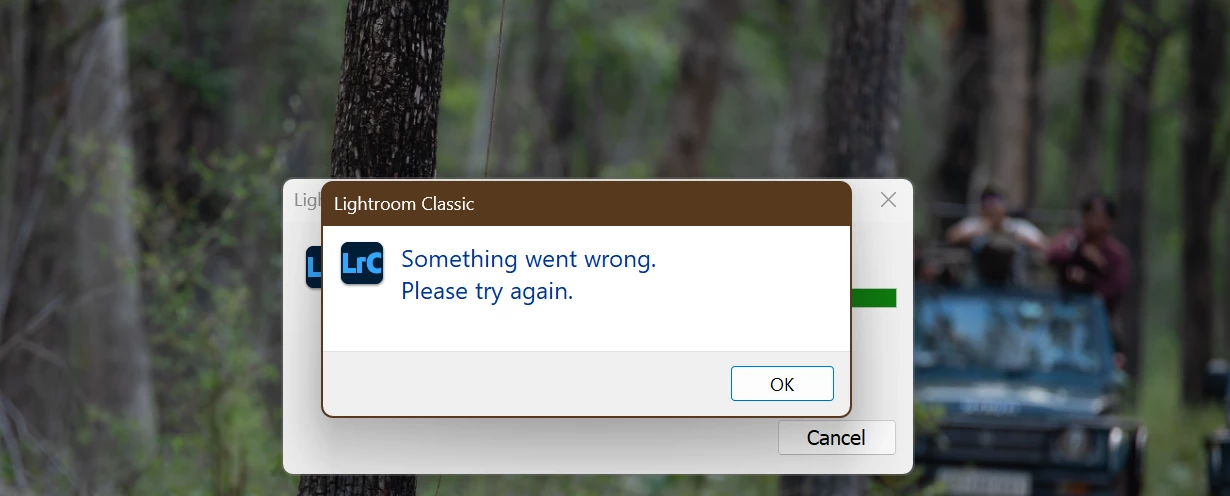
Lightroom Classic Generative AI Stuck on Loading.

  • June 26, 2026
  • 4 replies
  • 46 views

Here are the details:

  • Application: Adobe Lightroom Classic
  • Issue: Generative AI remains on the loading screen and never completes the generation.
  • Expected behavior: The AI should process the request and generate the result.
  • Actual behavior: The loading animation continues indefinitely, and nothing is generated.


    4 replies

    johnrellis
    Legend
    June 26, 2026

    [View this post in your web browser. It contains formatting and images that don't appear in email.]


    This issue isn’t occurring for most users, otherwise we’d see a huge flood of posts here. More likely, there’s something specific to your configuration.


    @jerin_alex DirectX: NVIDIA GeForce RTX 3060 (32.0.16.1062)


    This is the latest Studio driver, so the issue probably isn’t with the graphics driver.


    Adapter #2: Vendor : 1002
        Device : 1636


    You’ve got a second GPU, integrated on your AMD CPU. Adobe recommends disabling second GPUs, because sometimes the operating system gets confused between the two. There have been occasional reports here over the past few years that sometimes it helps -- it’s easy to try. See steps 5-6:

    https://helpx.adobe.com/lightroom-classic/kb/troubleshoot-gpu.html#solution-4


    jerin_alex
    Participant
    June 26, 2026

    System Info if required:

    Lightroom Classic version: 15.4.1 [ 202606201310-b9f148a4 ]
    License: Creative Cloud
    Language setting: en
    Operating system: Windows 11 - Home Premium Edition
    Version: 11.0.26200
    Application architecture: x64
    System architecture: x64
    Logical processor count: 16
    Processor speed: 3.5GHz
    SqLite Version: 3.36.0
    Adobe GSDK Version: 1.4.0.213

    CPU Utilisation: 6.0%
    Power Source: Plugged In
    Built-in memory: 126866.9 MB
    Dedicated GPU memory used by Lightroom: 2668.4MB / 12113.0MB (22%)
    Real memory available to Lightroom: 126866.9 MB
    Real memory used by Lightroom: 2119.9 MB (1.6%)
    Virtual memory used by Lightroom: 5276.0 MB
    GDI objects count: 794
    USER objects count: 3505
    Process handles count: 3285
    Memory cache size: 943.7MB
    Internal Camera Raw version: 18.4 [ 2608 ]
    Maximum thread count used by Camera Raw: 5
    Camera Raw SIMD optimization: SSE2,AVX,AVX2
    Camera Raw virtual memory: 505MB / 63433MB (0%)
    Camera Raw real memory: 515MB / 126866MB (0%)

    Cache1: 
    Final1- RAM:366.0MB, VRAM:1340.0MB, DSC_1586-DxO_DeepPRIME XD2s.dng
    NT- RAM:366.0MB, VRAM:1340.0MB, Combined:1706.0MB

    Cache2: 
    m:943.7MB, n:352.2MB

    U-main: 131.0MB

    System DPI setting: 144 DPI (high DPI mode)
    Desktop composition enabled: Yes
    Standard Preview Size: 3840 pixels
    Displays: 1) 3840x2160
    Input types: Multitouch: No, Integrated touch: No, Integrated pen: No, External touch: No, External pen: No, Keyboard: No

    Graphics Processor Info: 
    DirectX: NVIDIA GeForce RTX 3060 (32.0.16.1062)
    Init State: GPU for Export supported by default
    User Preference: GPU for Image Processing Enabled
    Enable HDR in Library: OFF
    GPU for Preview Generation: Auto (S5_11)

    Application folder: C:\Program Files\Adobe\Adobe Lightroom Classic
    Library Path: C:\Users\jerin\OneDrive\Pictures\Lightroom\Lightroom Catalog.lrcat
    Settings Folder: C:\Users\jerin\AppData\Roaming\Adobe\Lightroom

    Installed Plugins: 
    1) AdobeStock
    2) DxO PureRAW 4
    3) DxO PureRAW 4 Importer
    4) Flickr
    5) Topaz Photo AI

    Config.lua flags: 
    Adapter #1: Vendor : 10de
        Device : 2504
        Subsystem : 397d1462
        Revision : a1
        Video Memory : 12113
    Adapter #2: Vendor : 1002
        Device : 1636
        Subsystem : 16361002
        Revision : c8
        Video Memory : fef
    Adapter #3: Vendor : 1414
        Device : 8c
        Subsystem : 0
        Revision : 0
        Video Memory : 0
    AudioDeviceIOBlockSize: 1024
    AudioDeviceName: System Default - BenQ SW321C (NVIDIA High Definition Audio)
    AudioDeviceNumberOfChannels: 2
    AudioDeviceSampleRate: 48000
    Build: Uninitialized
    Direct2DEnabled: false

    jerin_alex
    Participant
    June 26, 2026

    This issue is occurring for most users, and it is also happening in the Lightroom Mobile version. Kindly check and provide an update.

    Community Expert
    June 26, 2026

    First try to reset the preferences of Lightroom Classic:  How to reset Lightroom Classic preferences (adobe.com)

    It's recommended to backup your preferences before you reset the preferences to the default settings: 

    https://helpx.adobe.com/lightroom-classic/kb/preference-file-and-other-file-locations.html


    If this doesn't help we need more informations about your environment.

    Is your system up-to-date? Do you have installed all recent updates and patches for the operating system and the device drivers, especially the graphic driver. Please make also sure that you have installed the Studio version and not the Game Ready version of your NVidia driver.

    Please provide a copy of your 'System Info'. This can be get from the Lightroom menu item Help > System Info. There's a copy button in the System Info dialog. Press this button and paste the info into your next forum post.

    My System: Intel i7-8700K - 64GB RAM - NVidia Geforce RTX 3060 - Windows 11 Pro 25H2 -- LR-Classic 15 - Photoshop 27 - Nik Collection 9 - PureRAW 6 - Topaz Photo AI